
 Need help?
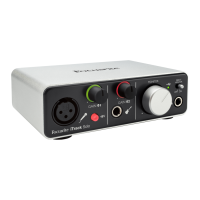
Do you have a question about the Focusrite iTrack Solo and is the answer not in the manual?
Guides on powering and connecting the iTrack Solo to an iOS device like an iPad.
Details connecting the iTrack Solo to a computer and software installation.
Configuring the iTrack Solo's audio inputs and outputs within a Digital Audio Workstation.
Explains how to use the Direct Monitor feature for zero-latency monitoring of input signals.
 General
| Sample rate | 98 kHz |
|---|---|
| Audio quality | 24 bit |
| Frequency range | 20 - 20000 Hz |
| Microphone maximum input | 1 |
| Microphone Total Harmonic Distortion (THD) | 0.002 % |
| XLR in | Yes |
| I/O ports | 2x XLR In, 6.35mm In, USB2.0 B, TRS Out, 2x RCA Out |
| USB 2.0 ports quantity | USB 2.0 ports have a data transmission speed of 480 Mbps, and are backwards compatible with USB 1.1 ports. You can connect all kinds of peripheral devices to them. |
| Product color | Black |
| Compatible operating systems | - Windows 7 / 8\\r - Mac OS X 10.7 / 10.8 |
 Weight and Dimensions
| Weight | 500 g |
|---|---|
| Dimensions (WxDxH) | 150 x 100 x 45 mm |










 To Next Page
