7
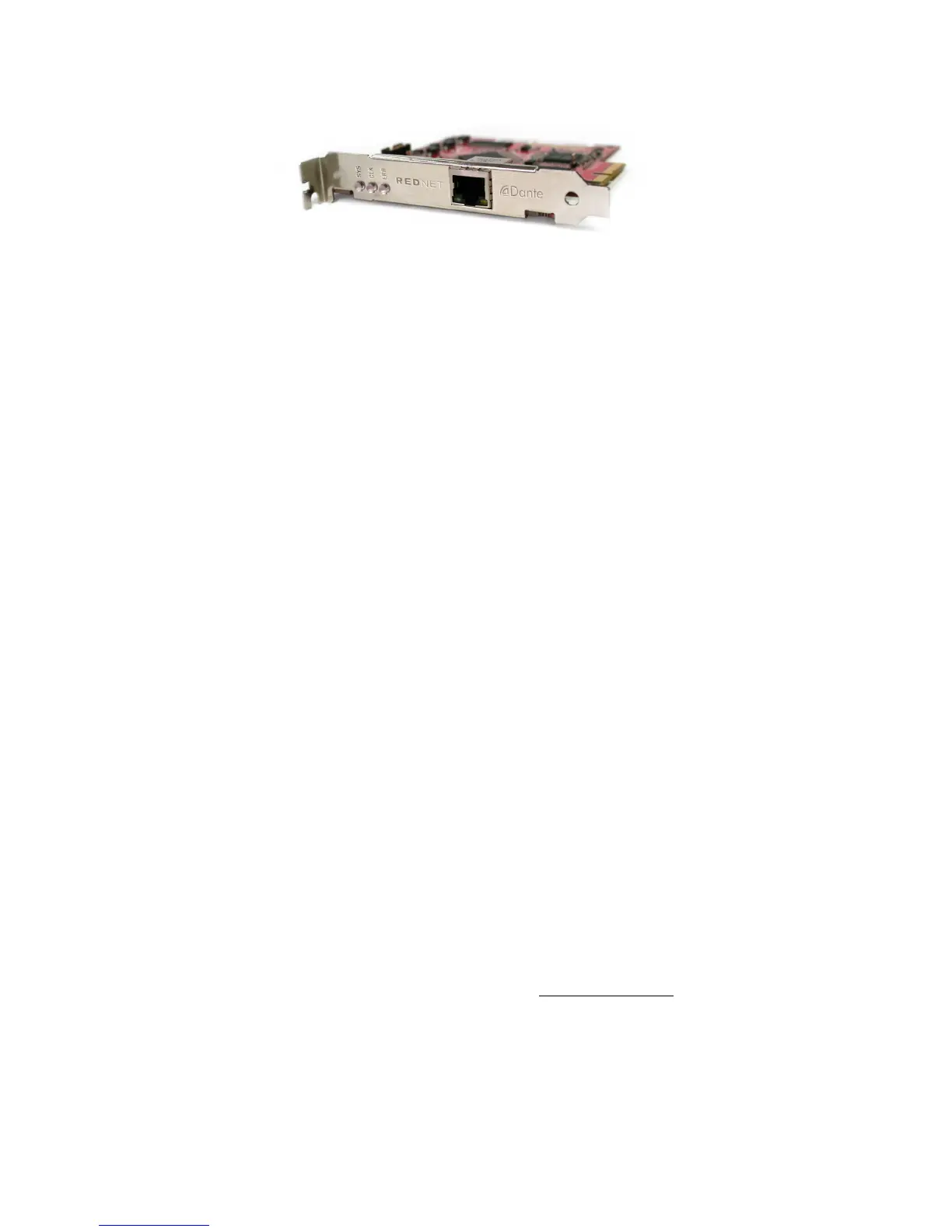
RedNet PCIe card
The RedNet PCIe (PCI Express) card is an optional hardware interface between the Ethernet network
interconnecting the various I/O units in a RedNet system, and the host computer. When installed in
a 4-lane (minimum) PCIe card slot in either a PC or Mac, it allows up to 128 channels to be sent to/
from the DAW through its on-board Ethernet port. A system latency of less than 3 ms is possible with
the PCIe card, but to achieve this, we recommend the use of a 16-lane PCIe card slot. Note also that
system latency in all cases will be dependent on buffer size, sample rate and processor power.
The computer into which the card is fitted will require RedNet Control to be installed. The Ethernet
port on the PCIe card should be connected to the network via a Gigabit Ethernet switch, and the host
computer’s native Ethernet port should be connected to another port on this same switch. In this
arrangement, the PCIe card’s Ethernet port handles all the audio and the native port handles the
control data between RedNet Control and the remote RedNet I/O units.
RedNet Control
RedNet Control is the software application which lets the user configure the RedNet system and
control each individual RedNet I/O device, whatever its physical location. RedNet Control versions
for both PC and Mac are available as downloads from the Focusrite website – see “Installing RedNet
Control” on page 13.
All RedNet devices on the network are auto-detected by the RedNet Control software, and visualised
on-screen along with their various controls and settings. Blocks of audio channels can be re-routed
and system configurations can be saved and reloaded as required.
Dante Controller
Dante Controller software is Audinate’s proprietary generic audio routing application for use with
Dante digital audio networked devices. Installation of Dante Controller is automatic; it will be
installed as part of the RedNet Control software installation. Many simple RedNet configurations
will not require its use, as the control capabilities of RedNet Control will be adequate. However,
additional, advanced routing possibilities, which cannot be achieved with RedNet Control alone are
possible with Dante Controller.
Dante Virtual Soundcard
Dante Virtual Soundcard is a software alternative to the RedNet PCIe card. It allows users who do
not require the extremely low latency and high channel count possible with the RedNet PCIe card to
implement and control RedNet systems. A maximum of 64 channels (in each direction) is possible,
at a typical latency of 7 ms (buffer size and sample rate dependent).
Dante Virtual Soundcard can be downloaded directly from www.audinate.com. (On-line registration
is required.)
Using RedNet with other Dante-compatible products
As RedNet is based on Audinate’s Dante system, it is compatible with Dante-enabled devices from
other manufacturers. However, note that when using RedNet devices with other Dante-enabled
products, you may be limited to sample rates of 48 or 96 kHz, as many other devices do not support
the full range of sample rate options offered by RedNet.











 To Next Page