5
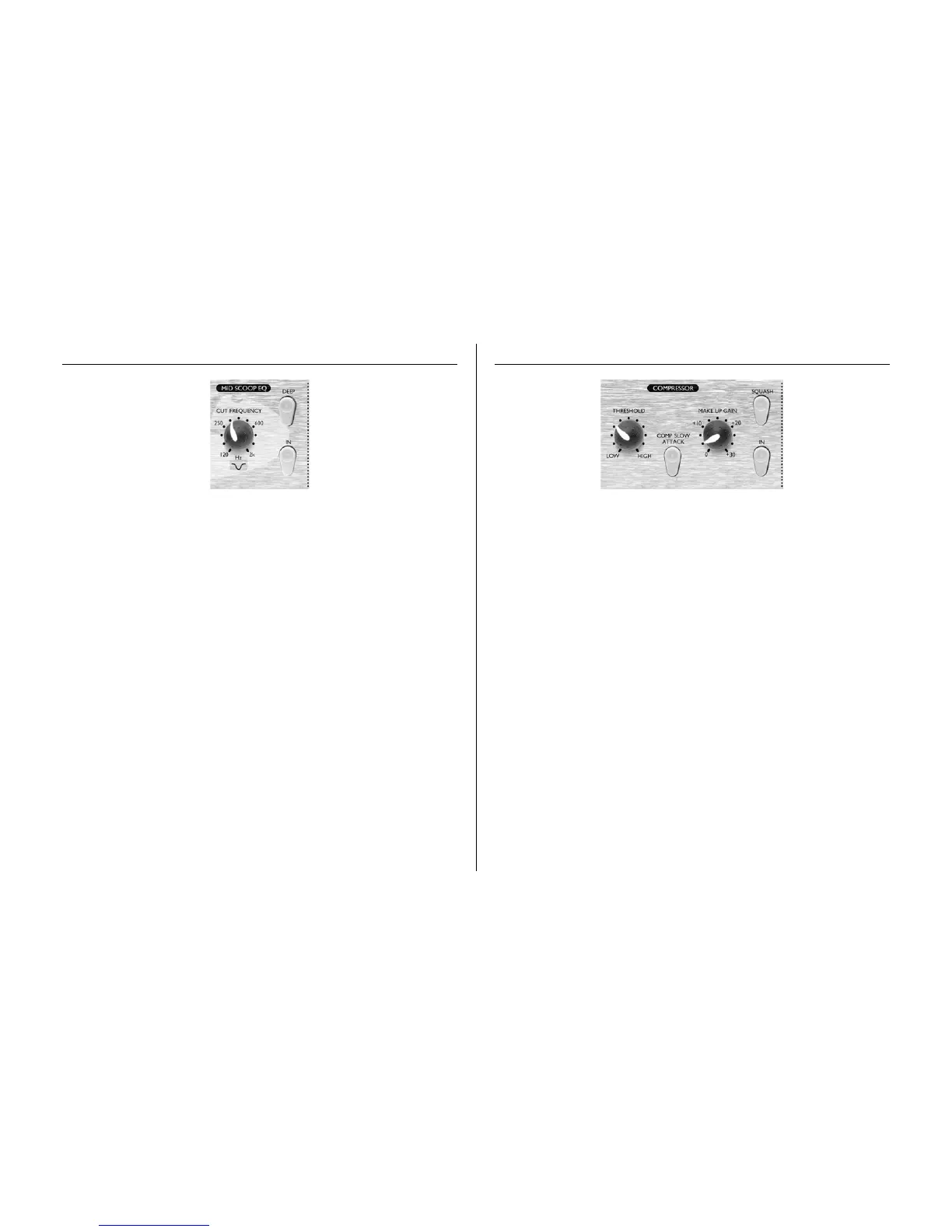
MID SCOOP EQ
The MID SCOOP EQ section allows you to cut a band of selectable frequency by up
to 10dB. This can be useful for removing troublesome frequencies when recording
acoustic instruments and bass guitars, for example.
IN (switch)
The IN switch activates the MID SCOOP EQ into the signal path. When engaged,
the red LED in the switch cap is lit.
CUT FREQUENCY (knob)
Adjusting the CUT FREQUENCY knob allows the centre frequency of the reduced
band to be adjusted. The frequency range is 120Hz to 2kHz.
DEEP (switch)
Engaging the DEEP switch increases the depth of cut from -5 dB to -10 dB.
COMPRESSOR
The COMPRESSOR acts like an automatic volume control, turning down the volume
of a signal if it gets too loud. This reduces variation between loud and quiet passages,
as it automatically reduces the gain when the signal exceeds a given volume, defined as
the threshold. Using the COMPRESSOR helps to 'even out' a performance, stopping
a signal from clipping and/or disappearing in the mix, and can also give it a whole
new sonic character.
IN (switch)
This switch activates the COMPRESSOR into the signal path. When engaged, the
red LED in the switch cap is lit.
THRESHOLD (knob)
Turning this knob clockwise decreases the amount of compression by raising the
threshold and vice versa in the other direction. Note that the signal is only compressed
when it exceeds the threshold, so quieter passages maintain their natural dynamic range,
whilst loud passages (that exceed the threshold) are compressed.
MAKEUP GAIN (knob)
This knob sets the output volume of the compressed signal. Since compressing a signal
makes it quieter, use the MAKEUP GAIN control to restore the signal to its original
volume. Compare the volume of the original and the compressed signal by using the
IN switch to switch the COMPRESSOR on and off. The gain can be modified by up
to 30dB.
SQUASH (switch)
This switch changes the mode of the COMPRESSOR to a much more aggressive one,
similar to that of a limiter. Engaging the switch raises the threshold and increases the
ratio, allowing the user to create a 'squashed' effect on the processed signal, popular with
designers of vintage compressors.



 To Next Page