6
COMP SLOW ATTACK (switch)
Engaging this switch selects a slower attack time, which allows more of the transient
peaks of the signal through the compressor. This can help retain a sense of the original
signal's dynamics when compressing heavily. For example, this can be useful to allow
compression of a snare drum without losing the initial 'crack' of the drum stick striking
the snare skin. The COMP SLOW ATTACK switch will not function in SQUASH
mode as the compression is too heavy to warrant a slow attack.
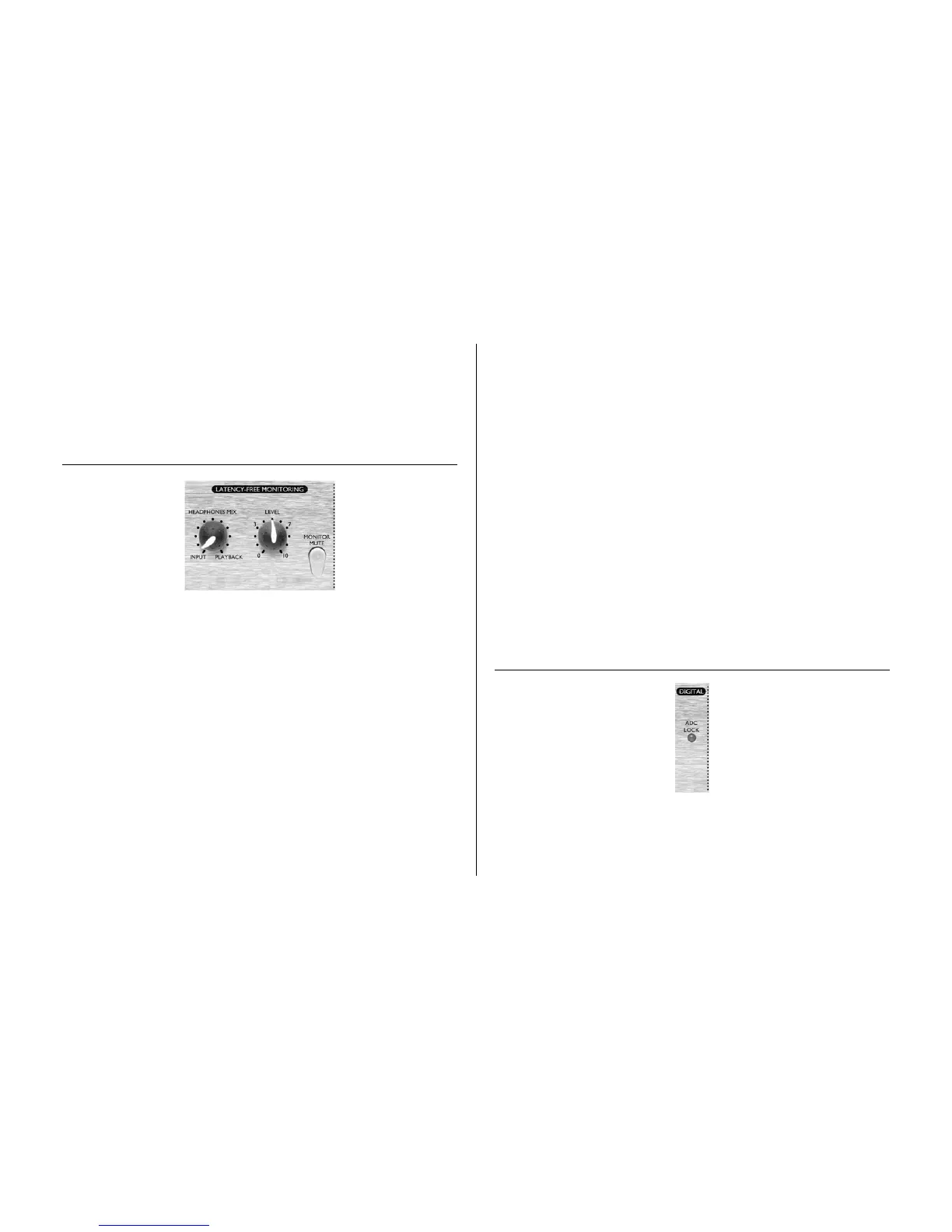
LATENCY-FREE MONITORING
Latency can be a major problem when recording to a computer-based digital audio
workstation (DAW) via a sound card. If the signal being recorded has to pass through
the DAW before being monitored, significant delays may occur as a result of the
digital conversion and processing that takes place, making it difficult or impossible to
sing, speak or play in time with any pre-recorded tracks being played back.
The TrakMaster Pro's LATENCY-FREE MONITORING section allows the user to
monitor a mix of either the mono signal being recorded (fed directly from the unit
before it passes through the digital recording system) or a stereo signal (if using the
ADC EXT IN) and a stereo mix of pre-recorded tracks. The unit acts as a mini mixer
and so latency is eliminated and the recording artist can speak, sing or play along to the
pre-recorded tracks in perfect time.
Simply connect the audio outputs of the DAW to the 1/4" jack MONITOR
INPUTS on the rear panel and this will become the PLAYBACK signal, ready for
mixing with the INPUT signal. The input signal will be the mono recorded signal,
sent to both L and R channels on the headphones, unless a second signal is connected to
the ADC EXT IN.
If using two TrakMaster Pros and only one digital card, the signal from the second unit
can be connected to the ADC EXT IN on the rear panel; this incoming signal is then
treated as the right hand channel of a stereo pair (with the TrakMaster it's connected to
as the left hand channel). The stereo pair then becomes the INPUT signal, sent to the L
and R channels of the headphones accordingly and the optional digital card for
conversion to SPDIF format.
The signal fed to the MONITOR OUTPUTS is the same signal as the one sent to the
headphones; a blend of the INPUT and PLAYBACK signals (described above),
controlled by the HEADPHONE MIX knob (see below).
HEADPHONE MIX (knob)
This knob allows the user to blend between the INPUT signal (whatever is being
recorded - see above) and the PLAYBACK (the signal connected to the Monitor inputs
on the rear panel), to create a mix in the headphones. This mix is also sent to the
MONITOR OUTPUTS on the rear panel.
LEVEL (knob)
This knob sets the gain level of the signal sent to the headphones and the
(PLAYBACK) signal sent to the MONITOR OUTPUTS on the rear panel. Rotating
the dial clockwise increases the level of both the headphones and the speakers connected.
MONITOR MUTE (switch)
Engaging this switch will mute the signal sent to the MONITOR OUTPUTS on the
rear panel, for use when recording (with a microphone) and listening to speakers in the
same room for example.
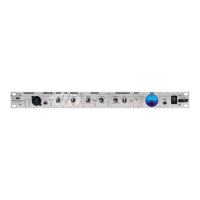
DIGITAL
ADC LOCK (LED)
The ADC LOCK LED indicates, if lit, that the optional ADC, if installed, is correctly
synchronised to the external word clock, if one is in use.



 To Next Page