C SERIES USER’S MANUAL
41
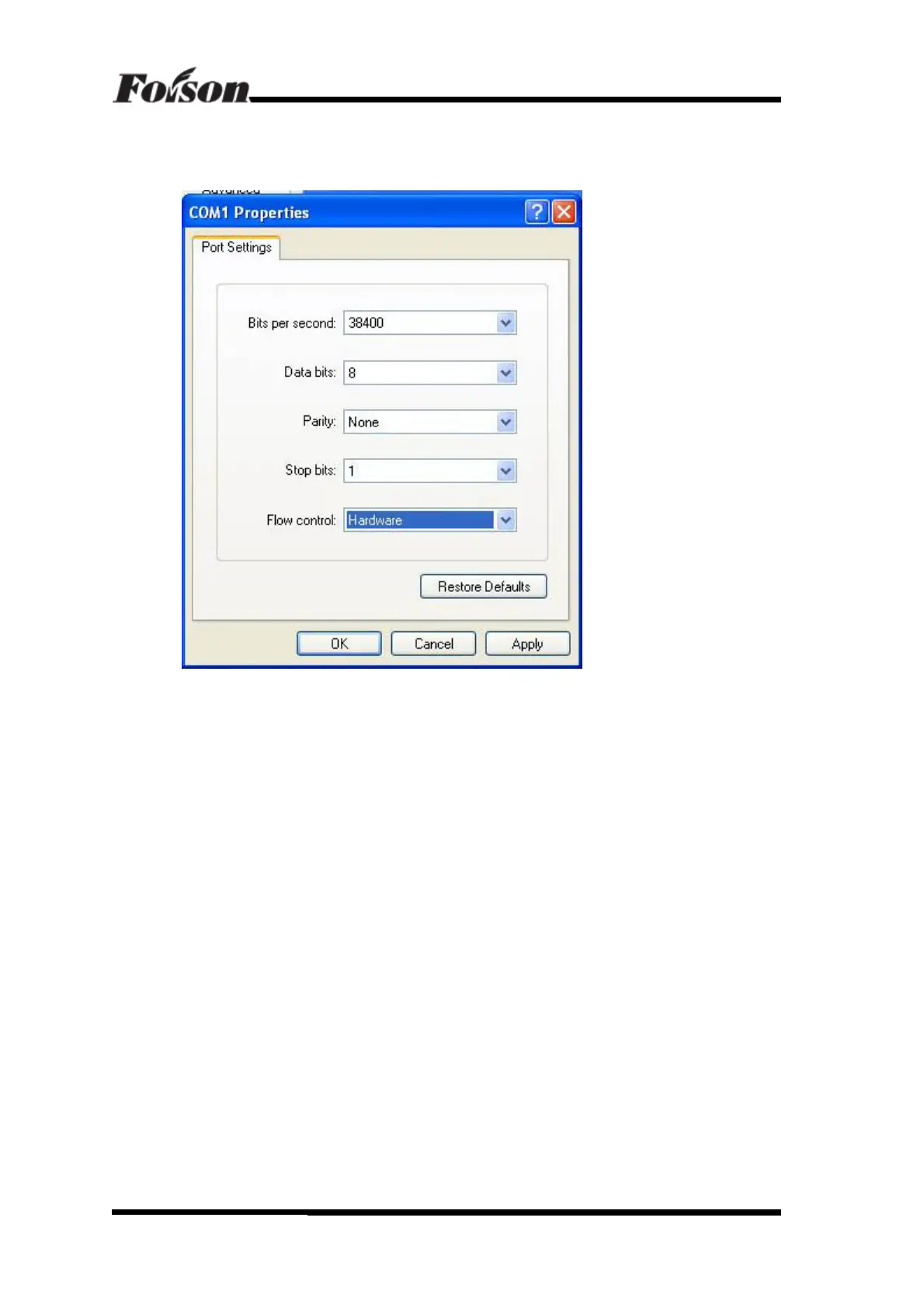
Select the communication port that identical with cutter that connects to PC port. After selecting
the port, click CONFIGURE PORT and set other parameters, shown as following:
The Bits per second option is used to set baud rate. The baud rate MUST be the same in both
software and cutter, otherwise it can not output. Please set Data bits, Parity, Stop bits, Flow
control according to the above image. After that, click OK and finish the setting.
(三)Then open CorelDraw, edit some files and try the output the file. The way of output file
from CorelDraw is just as that print a document from a normal printer.
CorelDraw Software Output



 To Next Page