FoMaKo Focus Your Streaming www.fomako.net
Power supply
Supplycontroller ’s power by thefollowingmethods1.DC
power adapter power supply (standard 12V)
2.POE power supply (connect the Ethernet IP port to the POE switch) Use
CAT6 cable, the maximum distance is 100 meters (802.3af)
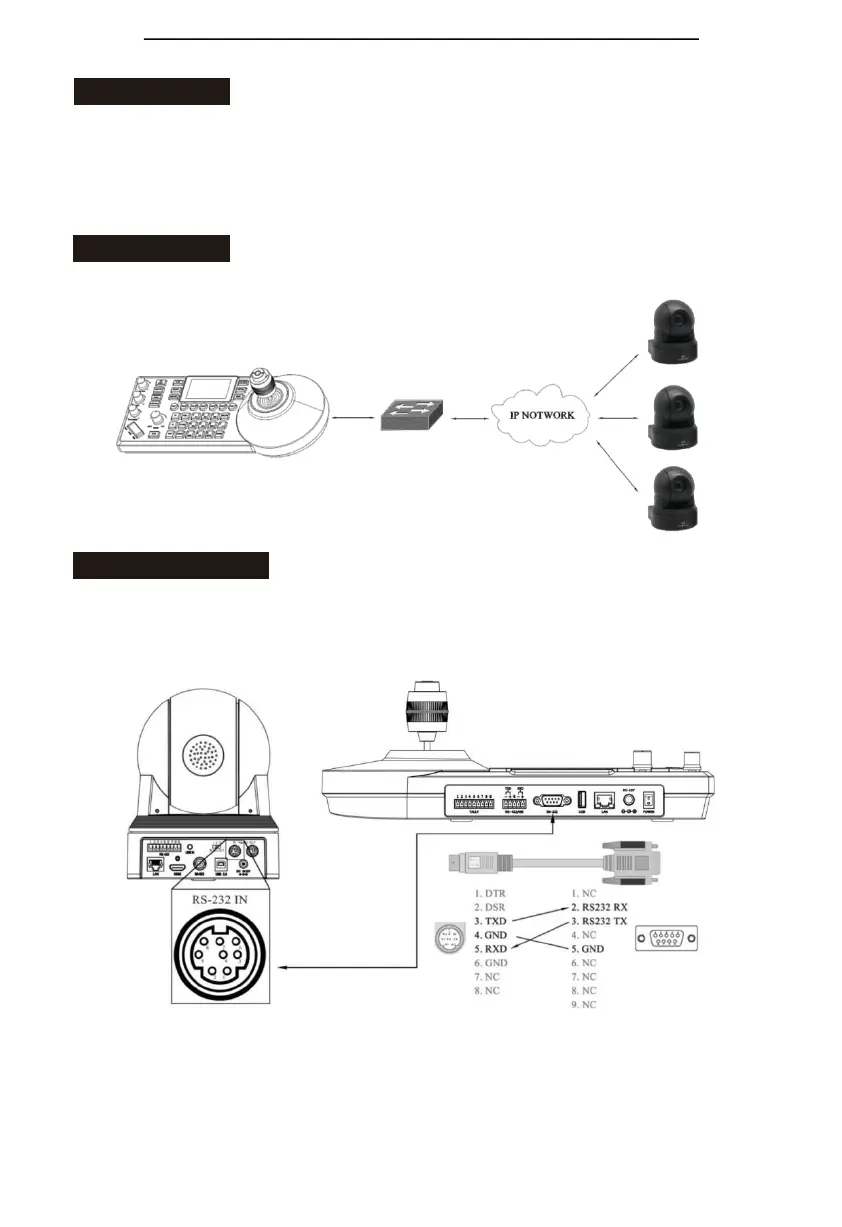
IP connection
Connect “LAN” port of the controller to port on the Ethernet switch
Serial connection
1.
Connect DB9 to RS232 8 pin mini port control cable for RS-232 connection RS232 interface
picture



 To Next Page