FoMaKo Focus Your Streaming www.fomako.net
5
6 5
6
1.
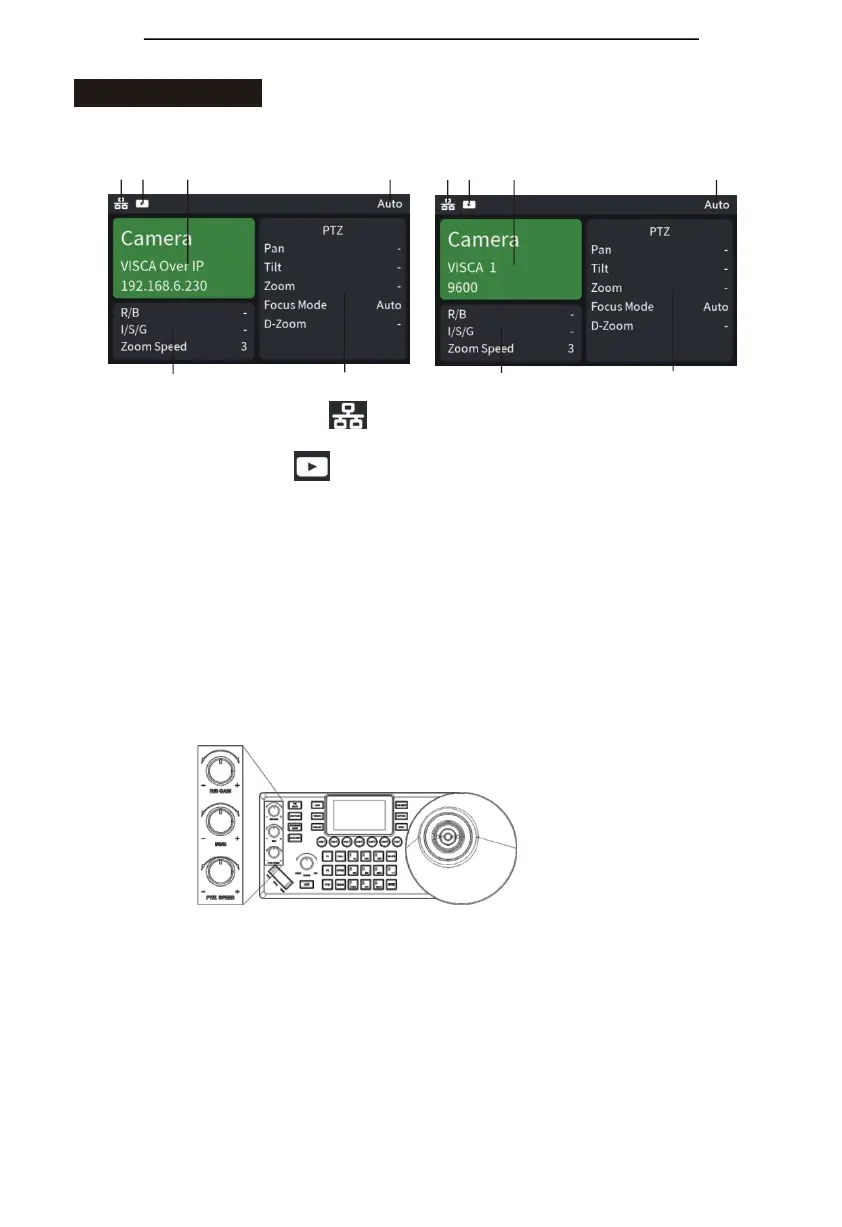
Network connection indicator icon“
”indicates that the network has been connected
successfully;
2.
Preview video indicator icon“
” indicates that current device you control has the
preview video streaming;
3. Control camera throughnetwork, itshows device name, control protocol, device IP address
respectively;
Control camera through Serial port, it shows device name, control protocol, device ID
address, baud rate respectively;
4. Operation record area;
5.“R/B”is current mode of “R/B GAIN” knob;
“I/S/G” is current mode of “I/S/G”knob;
“Zoom speed” is current mode of “PTZ SPEED” knob;
6.Camera’s current mode display area.


 To Next Page