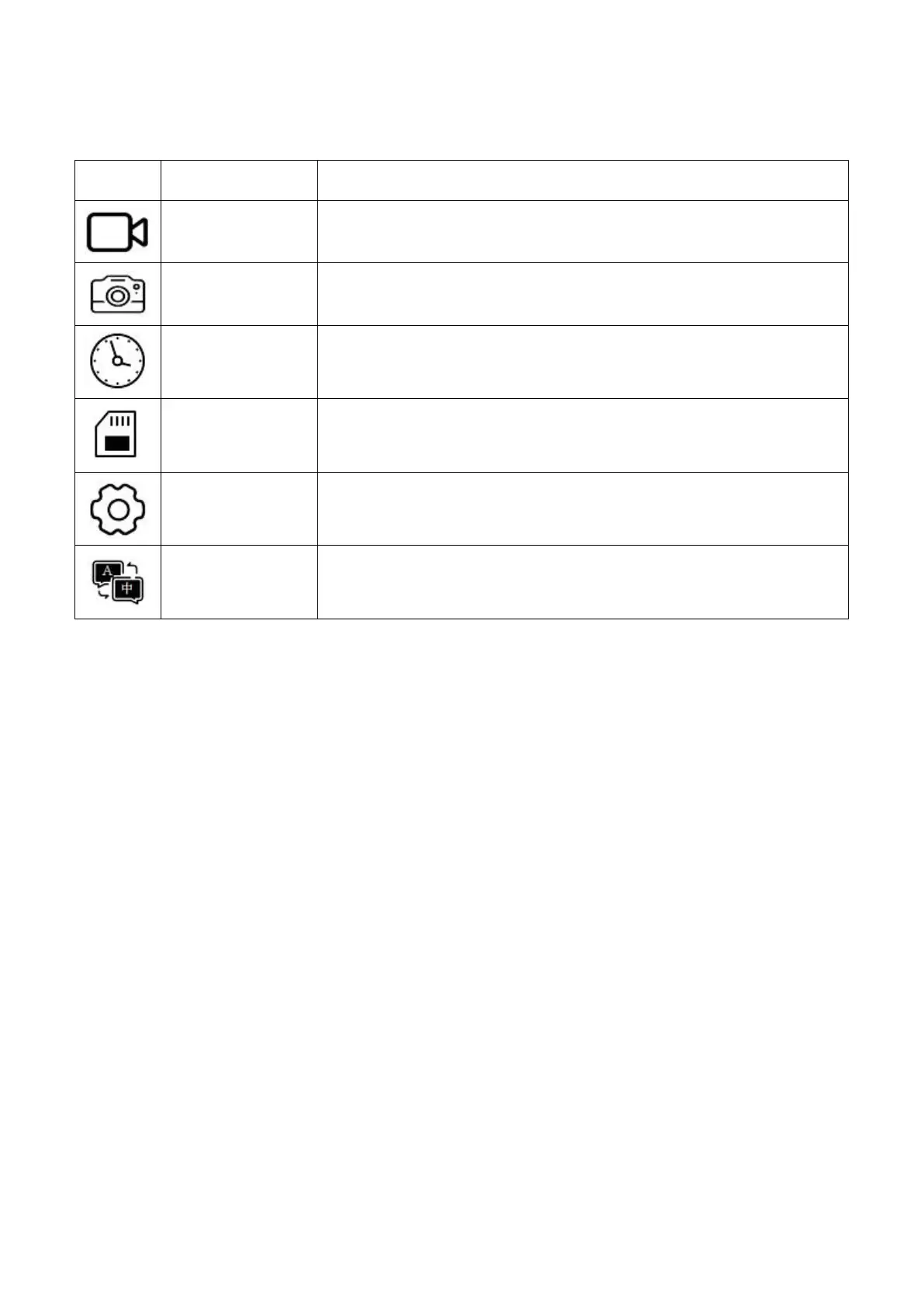
Software Management System Panels and Sub-panels
Movie Quality, Movie Clip Time, Movie Off Time, Auto
Record, Sound Record, To MoviePlayback
Still Quality, To PhotoPlayback
Set the Year, Month, Day and Time
Rotate, Car ACC Line, AHD1 Mirror, AHD2 Mirror, Date
Format, Stamp, LCD Power Save, Reset Setup, FW Version,
Contrast, LCD Brightness, Saturation, ColorTemp, VCOM
English, Vietnamese, Simplified Chinese,Traditional Chinese
5.1 Read before use
Before enter the MENU setting, please press “SEL” button to stop
recording firstly.
Press the "MENU" Button of Monitor Or Remote to Enter the
Main-panel.
Under Main-panel, press “UP+” / “DOWN-” buttons to select the
option from 6 options, and then press “SEL” button to confirm and
enter it.
Press “MENU” button again to return previous panel.
5.2 Movie Mode Panel
Press “SEL” button to enter the option, and press “UP+” / “DOWN-”
buttons to select, and then press “SEL” button to confirm.
5.2.1 Movie Quality
There are two options for choose: Super Fine, Fine.


 To Next Page