connector is fitted at one end and a female connector is fitted at the other
end. This arrangement enables each cable to connect to the camera at one
end and the monitor harness at the other end.
*If you need more cables, please contact us for it: huangiem@yahoo.com
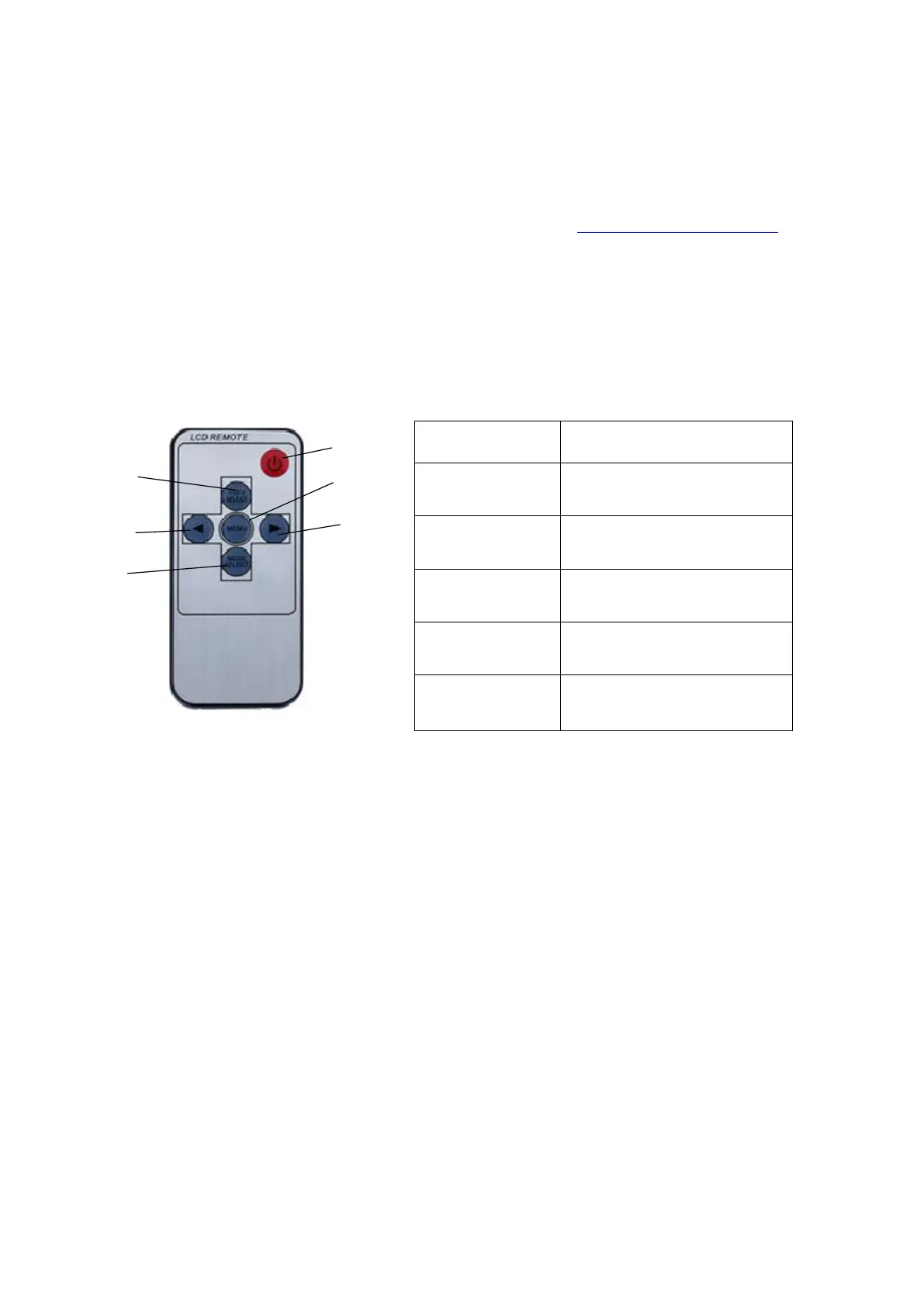
3.4 Remote Control
The system is equipped with a remote control, the remote control is
equipped with electronics, only need to unplug the transparent plastic
sheet at the bottom, you can use it.
Start/stop video, take photos,
menu selection
DOWN-, Reduce when in setting
page
UP+, Increase when in setting
page
4 SYSTEM INSTALLATION
The system components are designed to be assembled without difficulty
and with simple tools.
4.1 Take the Time to Make an Installation Plan
We recommend that that you make plan before you begin the installation
of your system components. This approach will eliminate the likelihood
of running into problems with cable routing, camera mount locations and
power supply.


 To Next Page