In the main interface: you can press the SEL button to turn on/off
recording(if you have SD card inside the system).
In the options of menu: you can press it to confirm selection. Such as, if
you want to adjust brightness, you need to: press MENU to enter menu
setting - press UP+ / DOWN- to choose “Movie Mode” option - and then
press SEL button to confirm and enter “Movie Mode” option - under
Movie Mode setting, press UP+/DOWN- to select the options - if you
confirm it, please press SEL to enter. (Press MENU button can return to
the previous panel)
(6)POWER: Power ON/OFF Button
When this button is pressed once the monitor powers-on. The next time
this button is pressed the monitor powers-off.
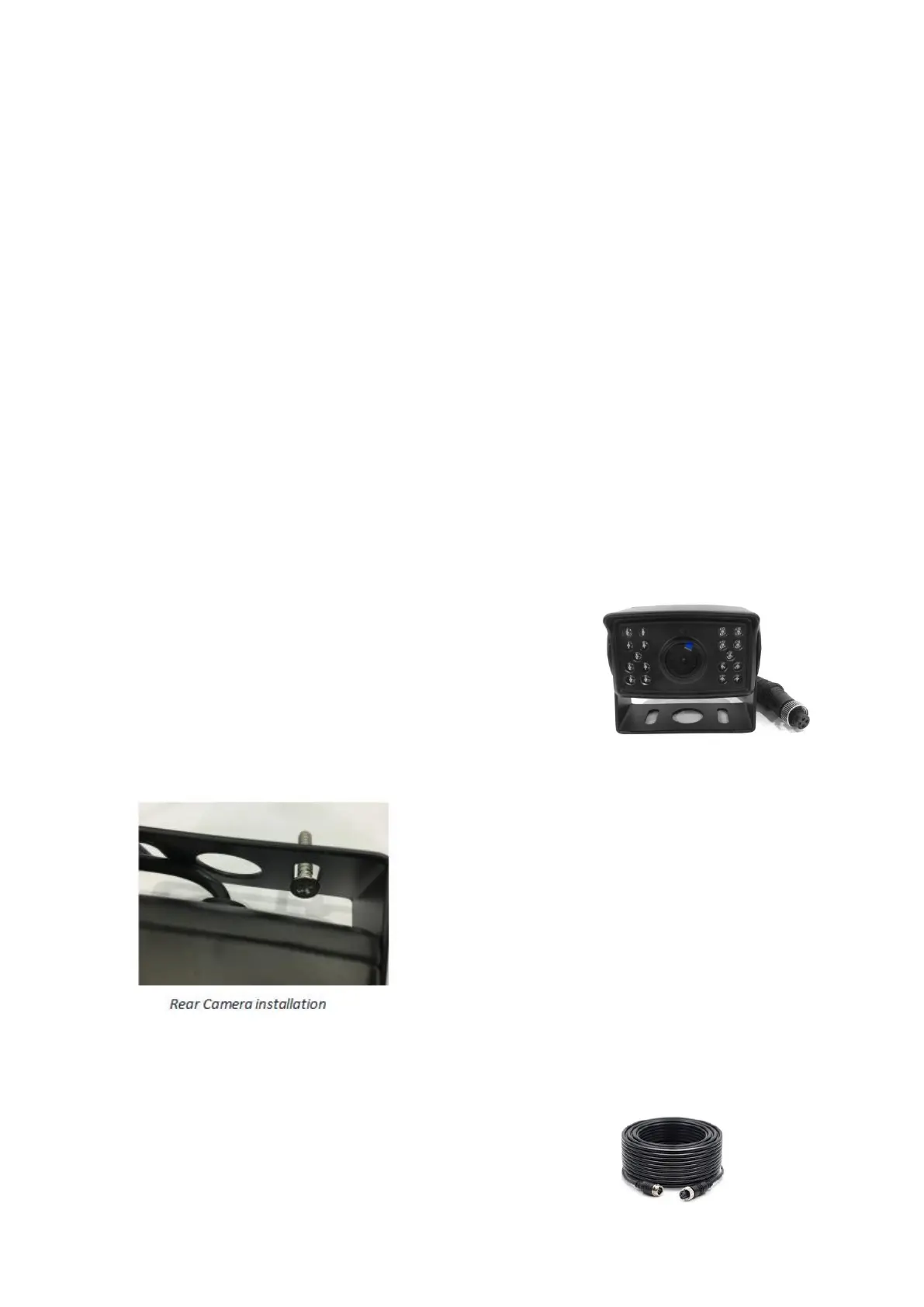
3.2 Camera
This camera has a weather resistant stainless-steel
housing that is ideally suited for exterior
all-weather use. It is rated IPK69K which means it
is completely waterproof. It can withstand
temperatures from -40 < +1980 Fahrenheit. It has a
six-layer all-glass lens that delivers crystal-clear
imagery. The camera comes equipped
with an adjustable flat mount base. You
can adjust the lock-screws on the sides of
the camera to adjust the lens of camera
with a small Phillips screwdriver. A short
4-pin aviation video cable is attached to
the body of the camera.
And it cludes a upgrade bracket for it, you
can change it as your need.
3.3 Camera Cable
One 4-pin aviation style cable are supplied with the
system. It is 50 feet (15 meters) long. A male


 To Next Page