
 Need help?
Do you have a question about the Fookoo DY101 and is the answer not in the manual?
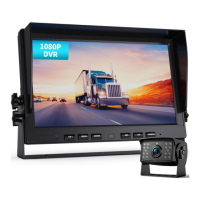
Details the monitor's physical layout, buttons, and initial components.
Covers remaining monitor features, harness, and button functionalities.
Describes the weather-resistant camera, its build, and specifications.
Explains the 4-pin aviation style cable, its length, and connector type.
Details the remote control and its operational functions.
Guidance on planning the installation process to prevent issues.
Recommended step-by-step process for installing the system.
Visual guide for connecting the system components and power.
Details two methods for connecting the system's power supply.
Specific steps for connecting the system to a vehicle's power.
Instructions for connecting the system to a static power source.
Procedures for routing and labeling camera cables.
Guidance on mounting cameras using provided brackets.
Steps for connecting camera cables to the monitor and adjusting camera views.
How to adjust monitor settings like brightness, contrast, and color.
Methods for securing and stowing installed cables.
Initial instructions before operating the system.
Details settings for video recording quality, clip time, and auto record.
Instructions for playing back recorded video footage.
Settings for still photo quality and playback options.
Guide to setting the date and time on the system.
Functionality for formatting the SD card.
Settings for screen rotation, parking lines, mirroring, and date format.
Instructions for changing the system's display language.
Addresses turning off the screen, color cast, lines, and flashing pictures.
Covers troubleshooting for no picture after power-on and parking lines/button issues.
Solutions for blurred/abnormal screens, fogging, and overexposed pictures.
Details on how to contact for help, including required information.
Outlines the 36-month warranty and lifetime technical support.
Provides contact email and warranty details.
 General
| Brand | Fookoo |
|---|---|
| Model | DY101 |
| Category | Digital Camera |
| Language | English |

 To Next Page