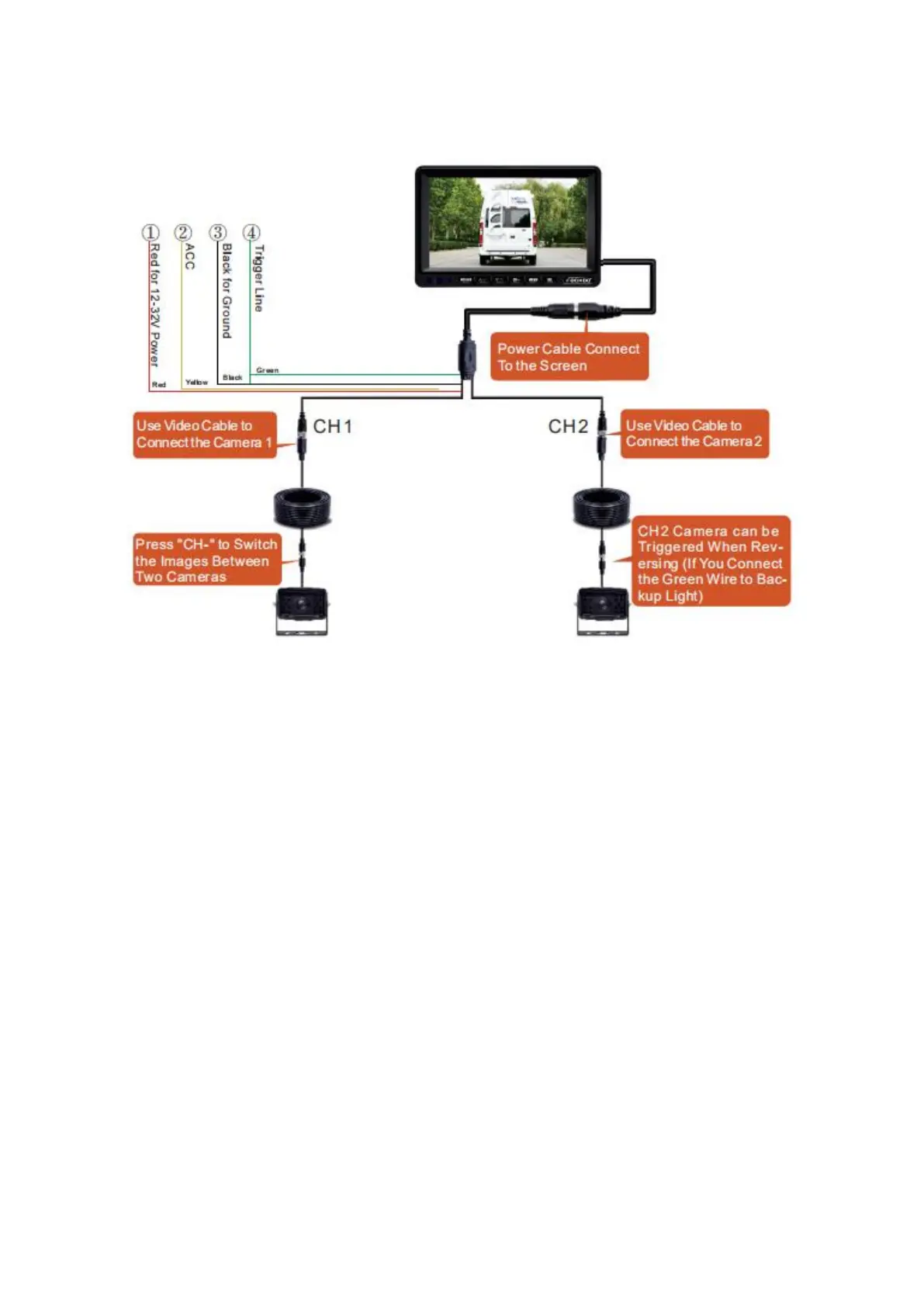
4.2.2 Wiring Schematic Diagram
4.2.3 Power Supply Safety
If you are not confident that you can make the following electrical
connections safely, then please have these connections completed by a
technician.
Before connecting the power supply to the system, please ensure that
voltage of the battery or power source is 9-36 DC Volts.
We recommend that you use shrink wrap electrical connectors in you
wiring circuit so that the insulation on the power wires will not
short-circuit the battery.
4.2.4 Power Supply Connection Options
The monitor is delivered with the system harness plugged into the
monitor socket which can be unplugged if needed to simplify the
mounting or installation of the monitor and camera cables. There are two
options to connect the power to the monitor:



 To Next Page