“SEL” button to confirm.
And press “MENU” button, it will pop up a window showing options:
Delet, Protect, To PreviewMode. (Delect: delect the videos; Protect:
protect the videos; To PreviewMode: the screen can exit it and back
to the main panel.) Press “UP+”/”DOWN-” button to select and
press “SEL” button to confirm.
When the video is palying, you can press “UP+”/“DOWN-” button to
speed up the playback speed: 2X, 4X, 8X.
5.3 Still Capture Panel
5.3.1 Still Quality
This means the quality of photo, you can choose: Super Fine, Fine.
5.3.2 To PhotoPlayback
You can switch to the AHD2 photo playback panel, press “CH-”
button to switch to AHD2 photo playback.
When under the AHD1/2 photo playback panel, press “UP+” /
“DOWN-” button to select the photo you want to see, and press
“SEL” button to confirm.
And press “MENU” button, it will pop up a window showing options:
Delet, Protect, To PreviewMode. (Delect: delect the photos; Protect:
protect the photo; To PreviewMode: the screen can exit it and back to
the main panel.) Press “UP+” / “DOWN-” button to select and press
“SEL” button to confirm.
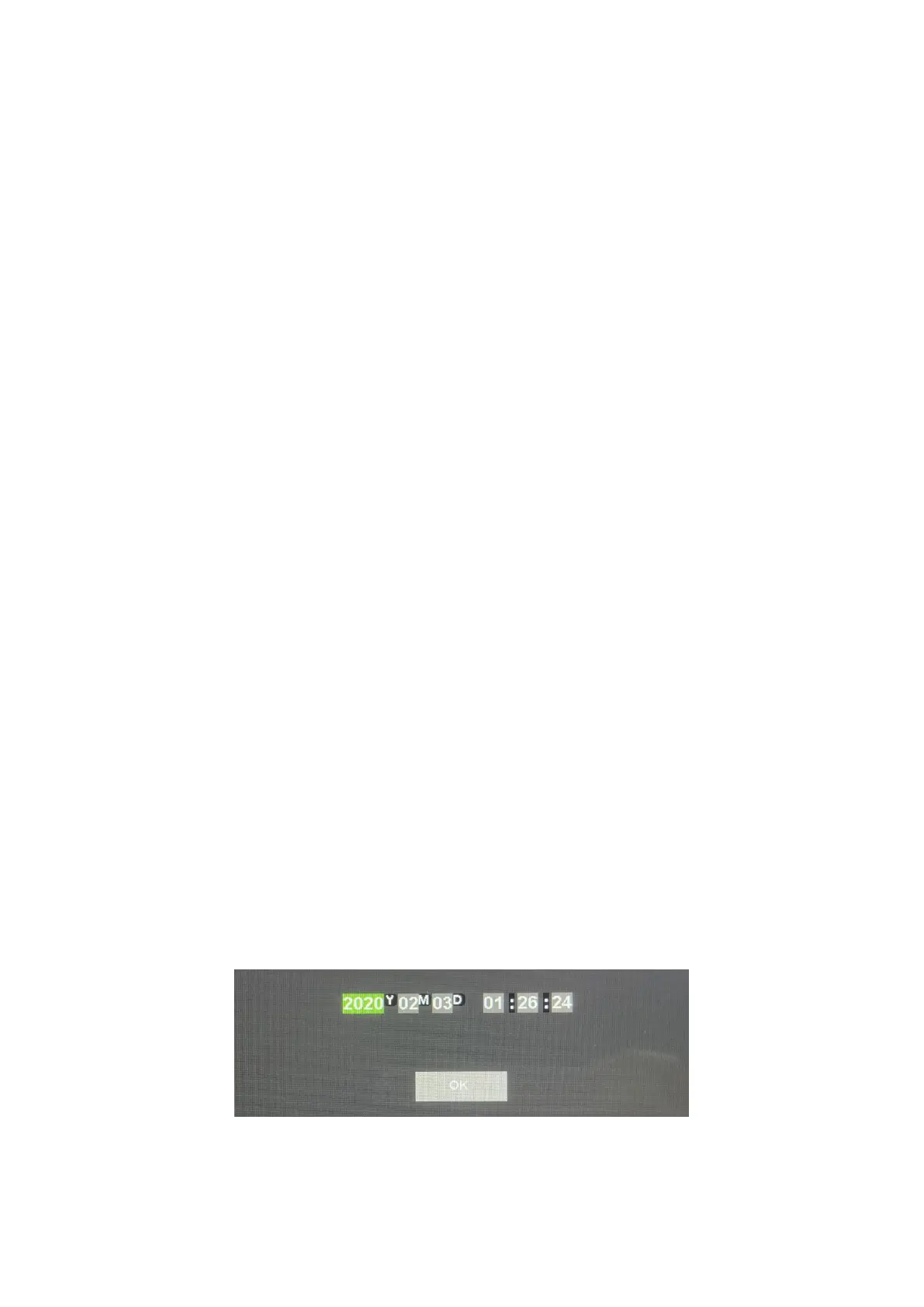
5.4 Clock Settings Panel
When you enter the “Date Setting” panel, press SEL button to select
the options you want: Year / Month /Day /Hour / Minute / Second /


 To Next Page