16
Performing A Test
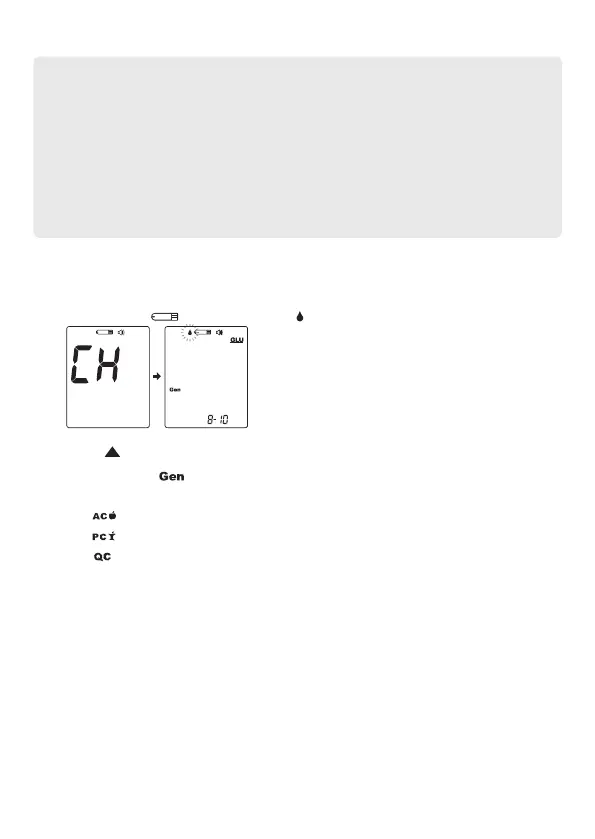
1. Insert the test strip into the test slot of the device. Wait for the device to display
the test strip “ “ and blood drop “ “.
2. Press to adjust the measuring mode, and press MAIN button to conrm it.
• General Tests ( ) - any time of day without regard to time since the last
meal.
• AC ( ) - no food intake for at least 8 hours.
• PC ( ) - 2 hours after a meal.
• QC ( ) - testing with control solution.
Important!
• Do not use results from alternative site samples to calibrate continuous glucose
monitoring systems (CGMS), or for insulin dose calculations.
• Choose a different spot each time you test. Repeated punctures at the same
spot may cause soreness and calluses.
• Avoid lancing the areas with obvious veins to avoid excessive bleeding.
• It is recommended to discard the rst drop of blood as it might contain tissue
uid, which may affect the test result.


 To Next Page