EasyManua.ls Logo

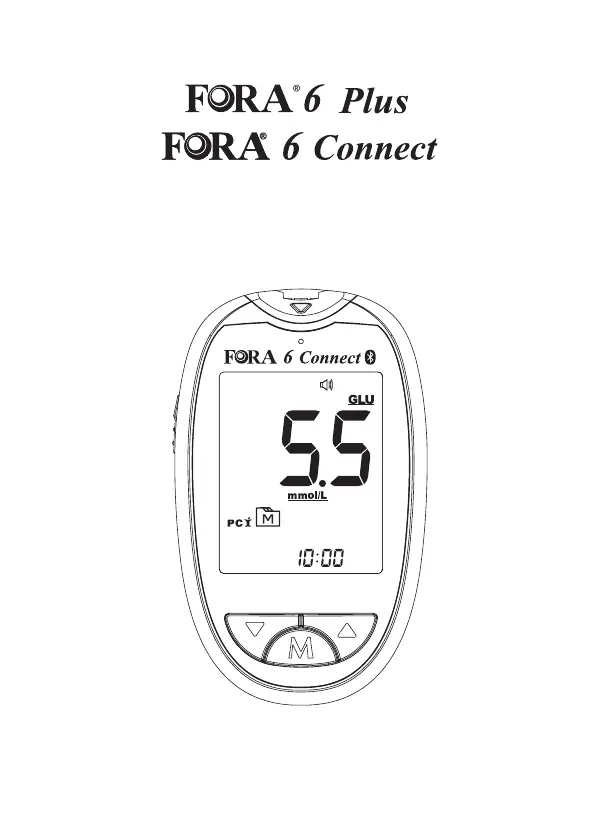
Fora 6 Plus - User Manual

Fora 6 Plus
78 pages
Print Icon
To Next Page IconTo Next Page
Loading...
Multi-Functional Monitoring System
2020/03 311-0000000-043
Owner's Manual

Table of Contents

Questions and Answers

  • M
    Mary DeanAug 16, 2025
    What to do if Fora Measuring Instruments shows insufficient power?
    • D
      Dr. Richard Martin Jr.Aug 16, 2025
      If there is insufficient power in the batteries of your Fora Measuring Instruments to perform the test, replace the batteries immediately and reset the date and time on the meter setting.
  • W
    whitney07Aug 19, 2025
    How to fix expired test strip error on Fora Measuring Instruments?
    • J
      John ClarkAug 19, 2025
      If your Fora Measuring Instruments shows that the test strips are expired, make sure the date and time settings of the meter are correct. Reinsert the code strip. If it still shows as expired, check the expiry date of the test strip. Discard any expired test strips and use a new, in-date test strip to repeat the test.
  • R
    Robert ScottAug 22, 2025
    How to resolve meter calibration data error on Fora Measuring Instruments?
    • K
      Keith SimpsonAug 22, 2025
      If you encounter a calibration data error on your Fora Measuring Instruments, review the instructions and repeat the test with a new strip, ensuring you use the correct technique. If the problem continues, further assistance may be needed.
  • S
    samuel82Aug 25, 2025
    Why my Fora Measuring Instruments device doesn't display a message after inserting a test strip?
    • D
      Daniel WhiteAug 26, 2025
      If your Fora Measuring Instruments device doesn't display a message after inserting a test strip, the batteries might be exhausted. Replace the battery immediately and reset the date and time on the meter setting.
  • L
    Lisa RosalesAug 27, 2025
    What to do if Fora Measuring Instruments test does not start after applying the sample?
    • P
      Pamela HamiltonAug 27, 2025
      If the test on your Fora Measuring Instruments does not start after applying the sample, it might be due to an insufficient blood sample. Repeat the test using a new test strip with a larger volume of blood sample.
  • M
    Michael SanchezAug 30, 2025
    What to do if blood sample applied too early on Fora Measuring Instruments?
    • K
      Kevin AlvaradoAug 30, 2025
      If the strip has been used or the blood sample was applied to the strip before the Fora Measuring Instruments meter was ready, repeat the test with a new strip.
  • D
    David WaltersSep 2, 2025
    What to do if sample applied after device turned off Fora Measuring Instruments?
    • S
      Suzanne DavisSep 2, 2025
      If the sample was applied after the Fora Measuring Instruments device automatically turned off, repeat the test with a new test strip. Apply the sample only when the flashing symbol appears on the display.
  • D
    Darren FernandezSep 4, 2025
    How to correctly insert test strip in Fora Measuring Instruments?
    • M
      Matthew HernandezSep 4, 2025
      If the test strip is inserted upside down or incompletely into your Fora Measuring Instruments, insert the test strip with the contact bars end first and facing up.
  • S
    smithmatthewSep 7, 2025
    What to do if ambient temperature is too low for Fora Measuring Instruments?
    • S
      Steven NovakSep 7, 2025
      If the ambient temperature is below the operating temperature for your Fora Measuring Instruments, note that the operating temperature range is from 8°C to 45°C (46.4°F to 113°F). Repeat the test after both the device and test strip have reached the specified operating temperature.
  • M
    Michelle CampbellSep 10, 2025
    What to do if control solution is out of range on Fora Measuring Instruments?
    • F
      Francisco WeeksSep 10, 2025
      If the control solution testing result is out of range on your Fora Measuring Instruments, carefully read the instructions and repeat the test.

Summary

Safety Information

Important Information

Introduction

Intended Use

System for quantitative measurement of blood glucose, hematocrit, hemoglobin, ketone, cholesterol, and uric acid.

Test Principle

Measures electrical current generated by reagent reaction on the strip to determine substance levels.

Product Overview

Screen Display

Getting Started

Initial Setup

Step-by-step guide for the initial setup procedure of the meter, including date and time configuration.

Before Testing

Calibration

Procedure for coding the meter with the correct code for specific test strips.

Checking the Code Number

Ensuring the code on the meter matches the test strip vial before testing.

Testing With Blood Sample

Test Strip Appearance

Details on the physical characteristics and parts of the test strip.

Inserting a Test Strip

Instructions on how to correctly insert a test strip into the meter slot.

Preparing the Lancing Device

Step-by-step guide on how to prepare the lancing device for blood sampling.

Obtaining the Blood Sample

Instructions on how to obtain a blood sample from fingertips or alternative sites.

Performing A Test

Detailed steps on how to conduct a measurement using the device and test strip.

Ketone Warning

Information on the ketone warning indicator and its meaning for users.

Disposing Used Test Strip and Lancet

Proper procedures for discarding used test strips and lancets safely.

Control Solution Testing

Purpose and Timing of Control Solution Testing

Situations where performing a control solution test is recommended.

Performing Control Solution Test

Step-by-step instructions for conducting a control solution test.

Reviewing Test Results

Viewing Single Test Results

How to access and review individual test results stored in the meter's memory.

Viewing Average Test Results

Method to view 7, 14, 21, 28, 60, and 90-day average blood glucose results.

Transferring Data

Data Transmission Via USB;Strip_Port_Comm Cable (FORA 6 Plus)

Instructions for transferring test data to a computer using a USB cable.

Data Transmission Via Bluetooth (FORA 6 Connect)

Guide for transmitting test data wirelessly using Bluetooth and the iFORA HM App.

Maintenance

Changing Battery

Procedure for replacing the meter's battery.

Caring for Your Device

Instructions on how to clean and maintain the meter's exterior.

Device Storage

Recommended storage conditions and practices for the meter.

Meter Disposal

Guidelines for the proper disposal of the used meter.

Caring for Your Test Strips

Proper storage and handling instructions for test strips to ensure accuracy.

Important Control Solution Information

Key information regarding the use, storage, and expiry of control solutions.

Detailed Information

Desirable Health Ranges

Reference ranges for blood glucose, ketone, cholesterol, and uric acid levels.

Symbol Information

Troubleshooting

Result Readings and Interpretations

Explanation of error messages and specific result readings like 'Lo' and 'Hi'.

Error Message Guide

List of common error messages, their causes, and recommended actions.

Error Message Announcements

How error messages and warnings are communicated via universal tones.

Abnormal Situation Troubleshooting

Guidance for resolving common issues like no display, no test execution, or inconsistent results.

Specifications

Warranty Terms and Conditions

Fora 6 Plus Specifications

General IconGeneral
BrandFora
Model6 Plus
CategoryMeasuring Instruments
LanguageEnglish

Related product manuals