5
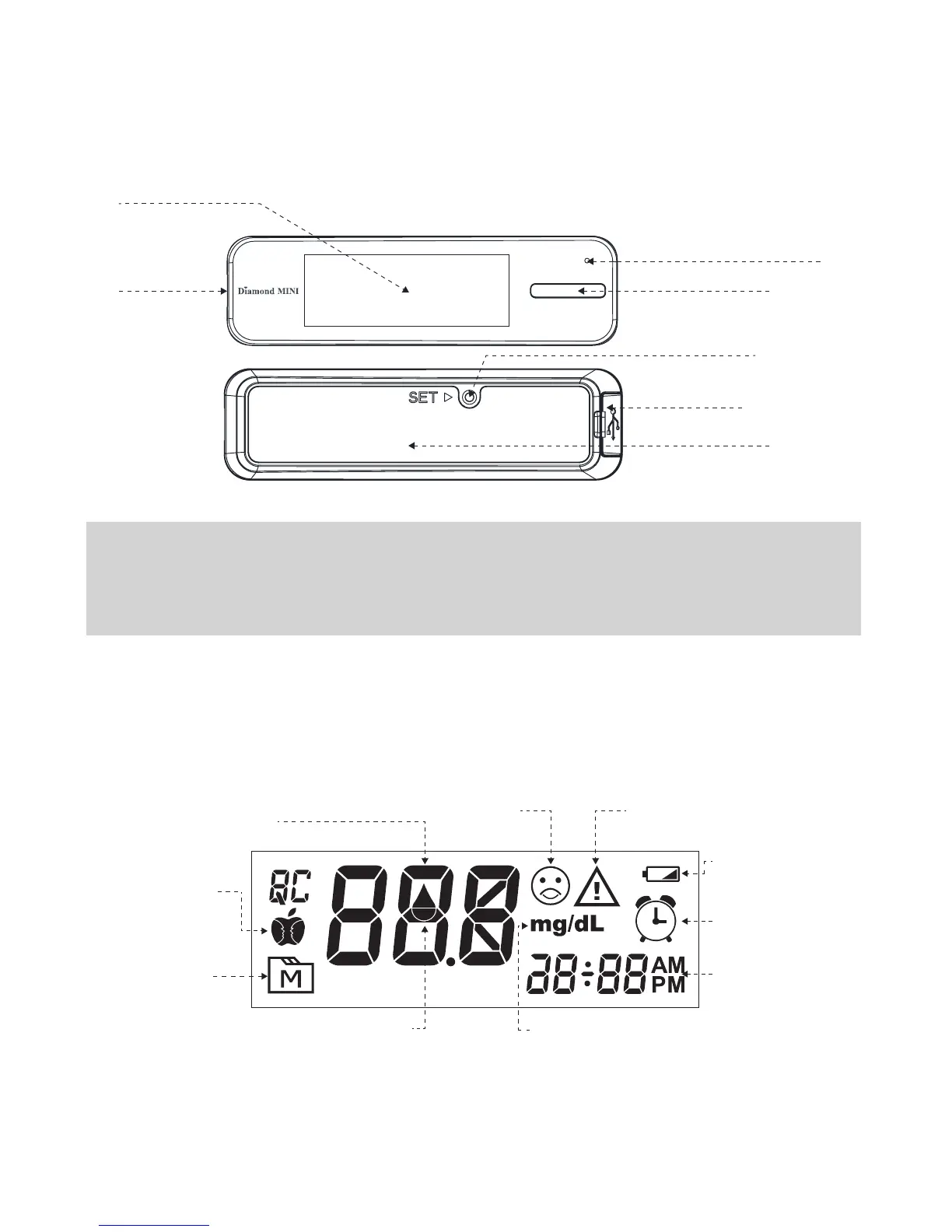
APPEARANCE AND KEY FUNCTIONS
OF THE METER
METER DISPLAY
Test Slot
Main Button
Charging indicator/
Bluetooth indicator
(for DM30b)
Display Screen
SET Button
Data Port
Battery Cover
NOTE:
The meter will turn off automatically after 180 seconds without any action or you
can press and hold the Main button for 3 seconds to turn off the meter.
Face Low/ High Symbol
Memory Symbol
Indicates a test result
stored in memory.
Blood Drop Symbol
Flashes when meter is ready
for sample application.
Measuring Mode
Gen, AC, PC, QC.
Test Area
Test results are displayed here.
Error Message
Appears with error messages.
Low Battery Symbol
Appears when the
battery is low.
Alarm Symbol
Time Display
Month / Day / Hour /
Minute
Measurement Unit



 To Next Page