16
Step 4
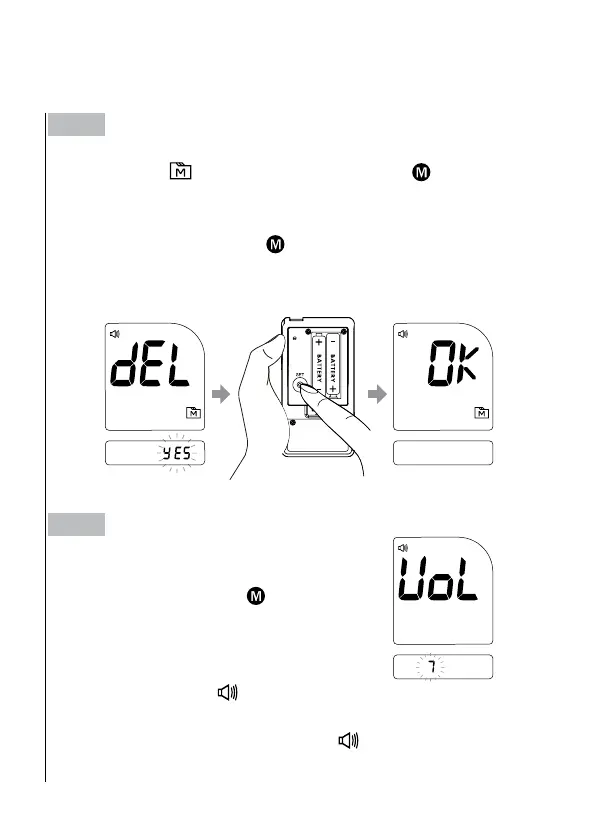
Deleting the memory.
With “dEL” and “
” symbol on the display, press
and select “no”
to keep the results in memory then press SET to skip.
To delete all the results, press
and select “YES”.
Then press SET to delete all memory. “OK” is displayed in the meter,
which indicates that all data stored is deleted.
Step 5
Setting the Speaking Volume.
There are seven (7) speaking volume op-
tions to choose from. Press
to choose a
volume from 0 to 7. To conrm your selec-
tion, press SET.
Volume 0 indicates that the speaking func-
tion is turned off, and “
” will not display
during testing. Volume 1 to 7 indicates
speaking volume from low to high, and “
” will be displayed throughout the testing.



 To Next Page