Oxygen Concentrator User Manual
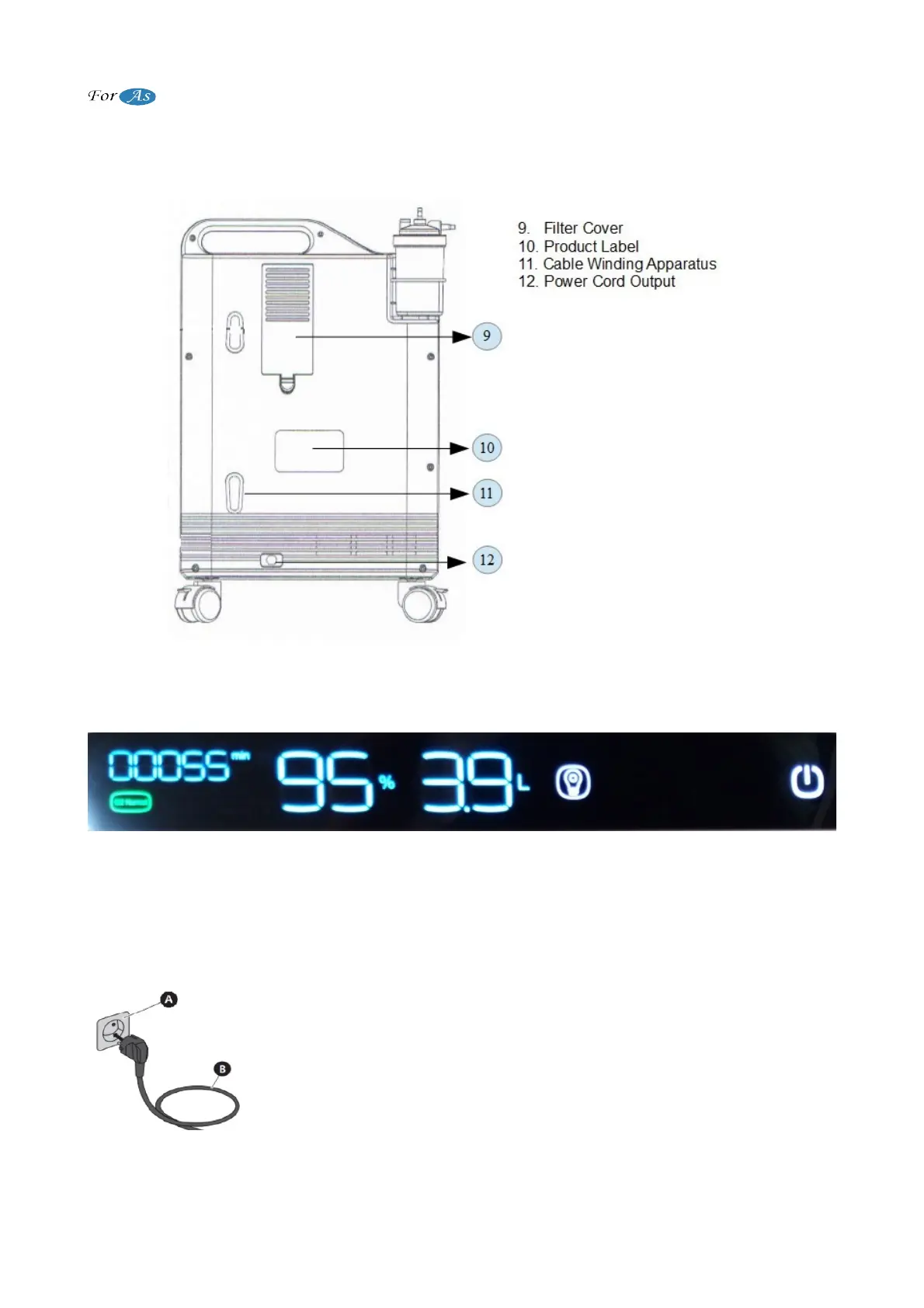
(Figure 2)
Display View
(Figure 3)
Note: When there is electricty, the icon on the power indicator is green colored. It is red
colored when O2 Low and Call Service icons appeared.
BEFORE OPERATE THE OXYGEN CONCENTRATOR
After removing the device from its box, the instructions for use must be read before
operating device.
1. After the device is removed from box, it is checked whether there is
physical damage. Then the electrical cord of the device is plugged into
the electrical outlet in the room.
A. Mains Electricity (Outlet)
B. Concentrator Power Cord
(Figure 4)
6 / 18


 To Next Page