Oxygen Concentrator User Manual
Nasal Cannula Usage
It is a tubing system made of from plastic-derived biocompatible material that placed in
the nostrils of the patient who use the device and it provides oxygen delivery to the
patient.This tubing system, does not prevent to patient's deating/drinking activities. Patient
can continue his/her daily life with nasal cannula. In case of any tear, break and wear out,
do not use the cannula and replace it with new one.
Cannula should be connected to the oxygen outlet of the humidifier bottle of the
Oxygen Concentrator. The recommended cannula length is 2 meters.
If there is a risk of infection on the patient, protective equipment should be used
when applying nasal cannula to the patient. Precautions should be taken against the
risk of cross-infection from the patient or the risk of infection to the patient. Cannula
removed from the patient must be disposed of in accordance with medical waste
procedure.
CAUTION !: In case of obstruction of cannula, keep the tube away from children and
animals.
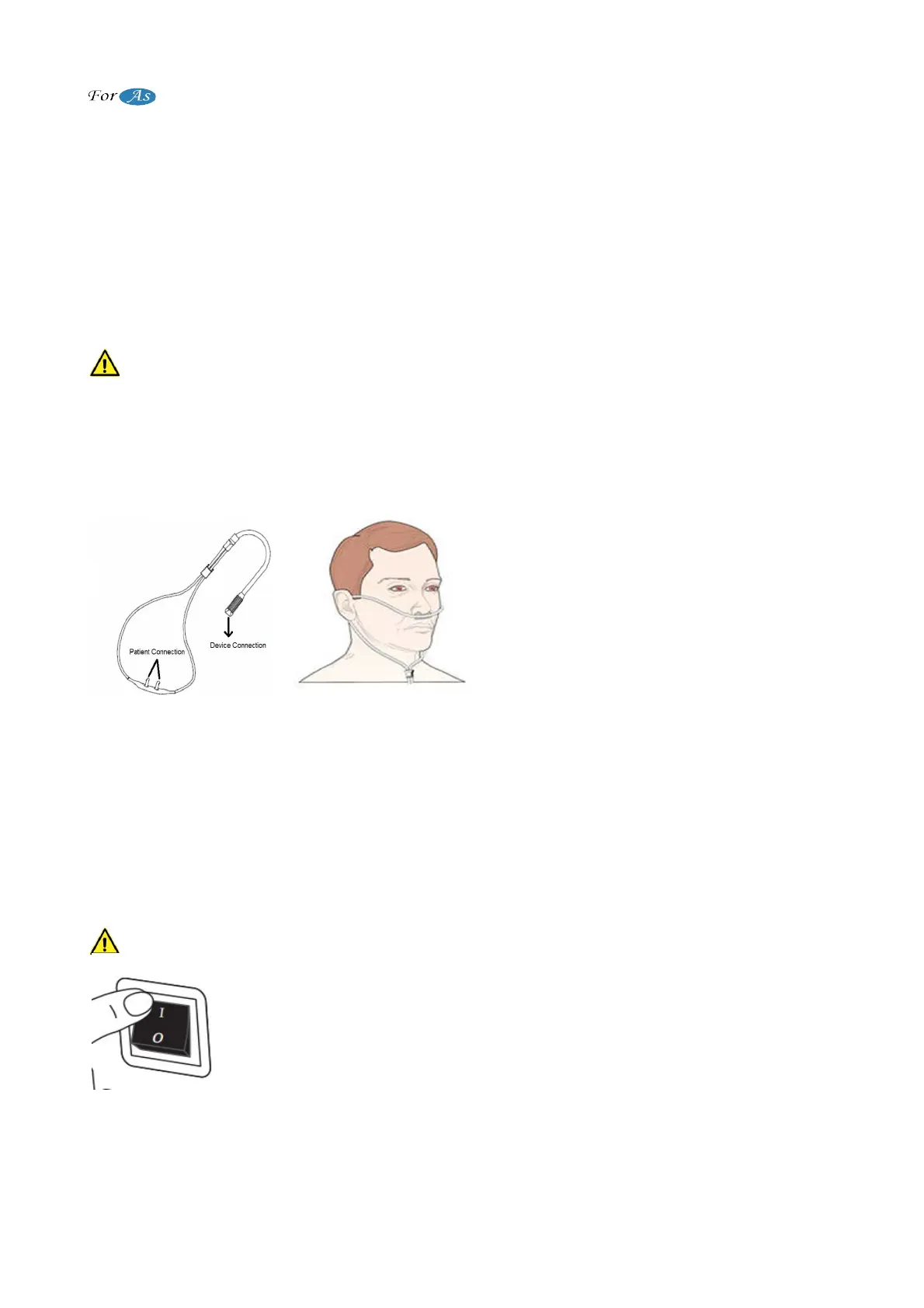
Figure 7 shows the general view of the
cannula and Figure 8 shows the patient
connection form of the cannula.
Make sure that the cannula used is not
fold, broken and torsion. Otherwise, patient
might have a problem due to oxygen
therapy can not be applied.
(Figure 7) (Figure 8)
Note: Use the cannula or mask recommended by your doctor. It is recommended to
replace once in a month.
TURN ON / OFF FOR OXYGEN CONCENTRATOR
Do not operate the device without taking the necessary controls and precautions
before operating the device.
CAUTION : Do not smoke near the device, do not let smokers close to device.
After plugging the power cord of the device into the outlet, start the
device by pressing "I" shaped position as showed in Figure 9. The
display lights turn on when the button is pressed. Then, working time of
the device appears and it starts operating.
Contact the manufacturer if the device does not work or any
abnormalities are detected. Starting of device takes 1 second when the
power button is pressed.
(Figure 9)
8 / 18


 To Next Page