1. Press the menu button on the steering
wheel to enter the instrument cluster
display main menu.
2. Using the instrument cluster controls
on the steering wheel, select Settings.
3. Select Vehicle Settings.
4. Select the desired perimeter alert
mode setting.
5. Press the OK button.
Automatic Operation of Windows
or Door Locks
When windows or door locking
function is active, corresponding
indicators appear on the
instrument cluster display.
The windows and door locking functions
are not available when Low mode is
selected or Police Idle is active.
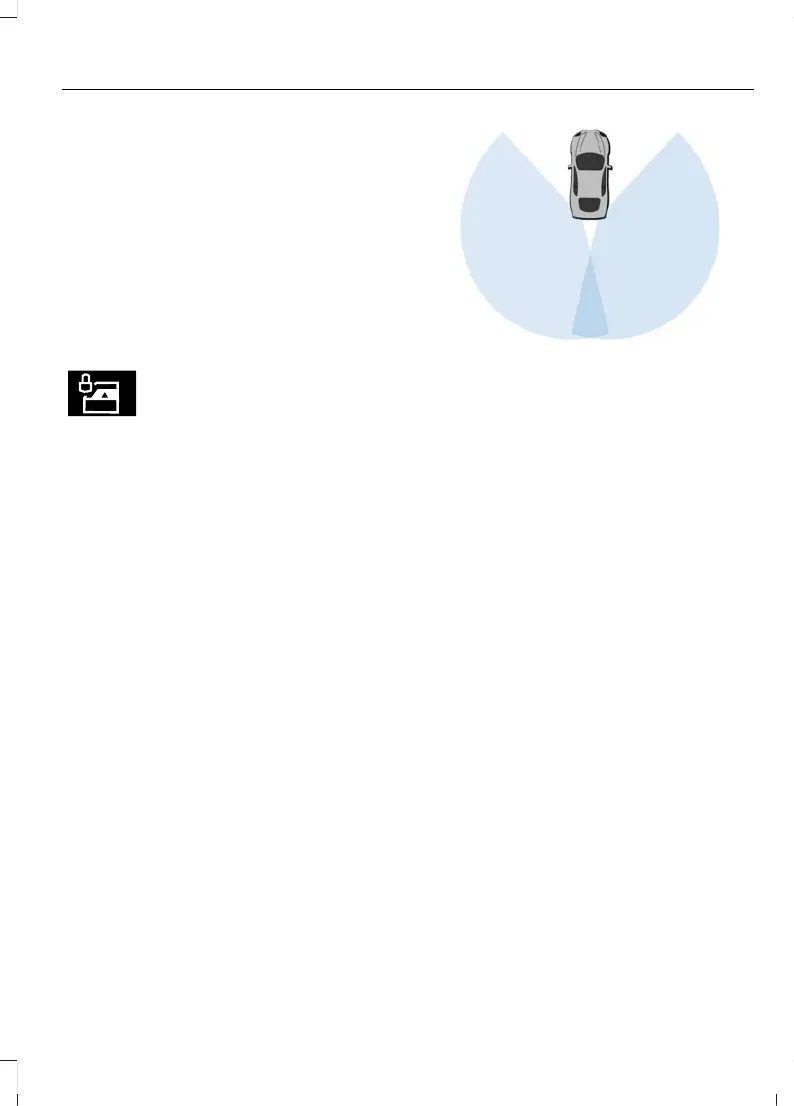
When Dark Car mode is active, the radar
map in the instrument cluster display
switches off.
Object Detection
The system uses sensors located near the
rear bumper on both sides of your vehicle.
The sensors perform best when you park
your vehicle in an open area without large
obstructions or walls nearby.
Note: The system may not detect fast
vehicles, stationary objects and small
objects such as birds.
Note: The system may not detect a
pedestrian who is near a large obstruction
such as a vehicle or a wall until the
pedestrian moves away from the
obstruction.
Note: Sensor reflections from stationary
objects may cause false objects to briefly
appear on the Police Perimeter Alert System
display.
Note: Sensor obstructions such as dirt,
mud, precipitation, repair compound,
stickers, graphics, bumper guards, trailers,
bicycle racks or cargo racks in front of the
sensors can cause system sensing
degradation.
System Error
If a police perimeter alert system fault
occurs, a warning message appears on the
instrument cluster display. Have the
system checked as soon as possible.
If the system does not activate, have the
system checked for its configurations as
soon as possible.
95
Explorer (CTW) Canada/Mexico/United States of America, enUSA, Edition date: 202401, DOM
Security














 To Next Page