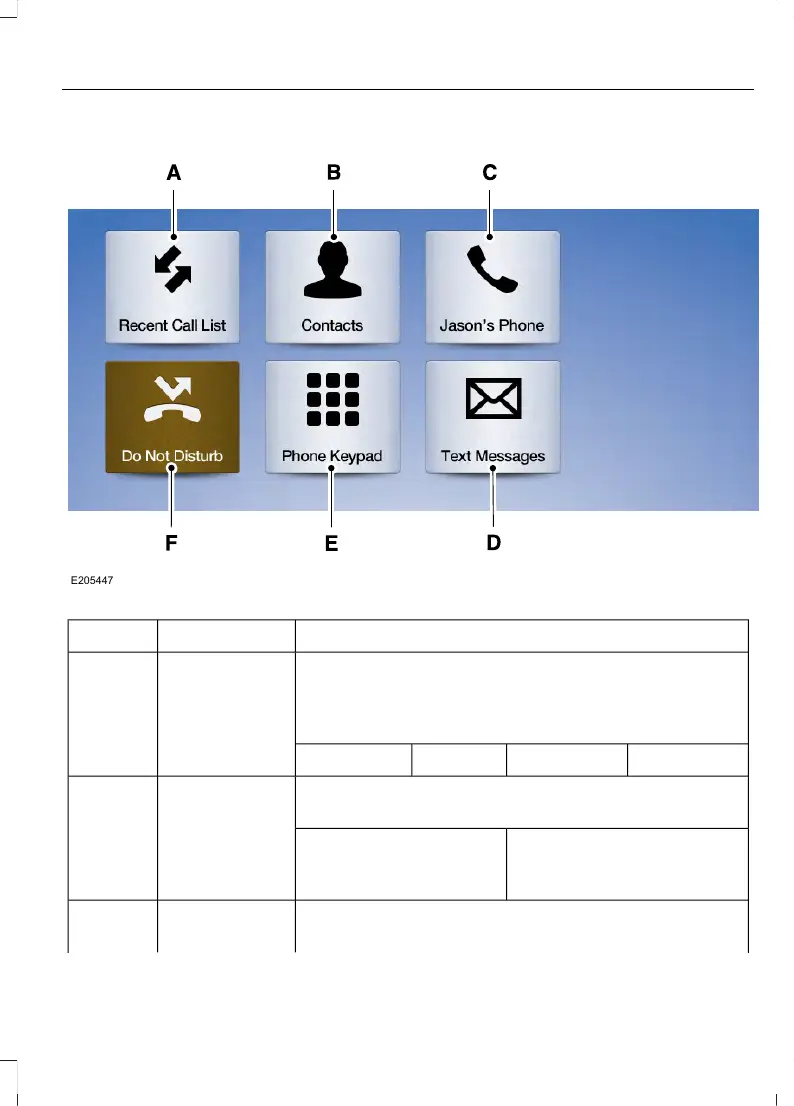
Action and DescriptionMenu ItemItem
Displays your recent calls.Recent Call ListA
You can place a call by selecting an entry from this list.
You can also sort the calls by selecting the drop down
menu at the top of the screen. You can choose:
MissedOutgoingIncomingAll
All of your contacts from your phone display in alphabet-
ical order.
ContactsB
Selecting this button allows
you to choose a specific letter
to view.
A-Z Jump
Displays the name of your phone and takes you to the
phone settings options.
Phone SettingsC
49
MKC (TME) , enUSA, Edition date: 01/2016, Second Printing
SYNC™ 3



 To Next Page