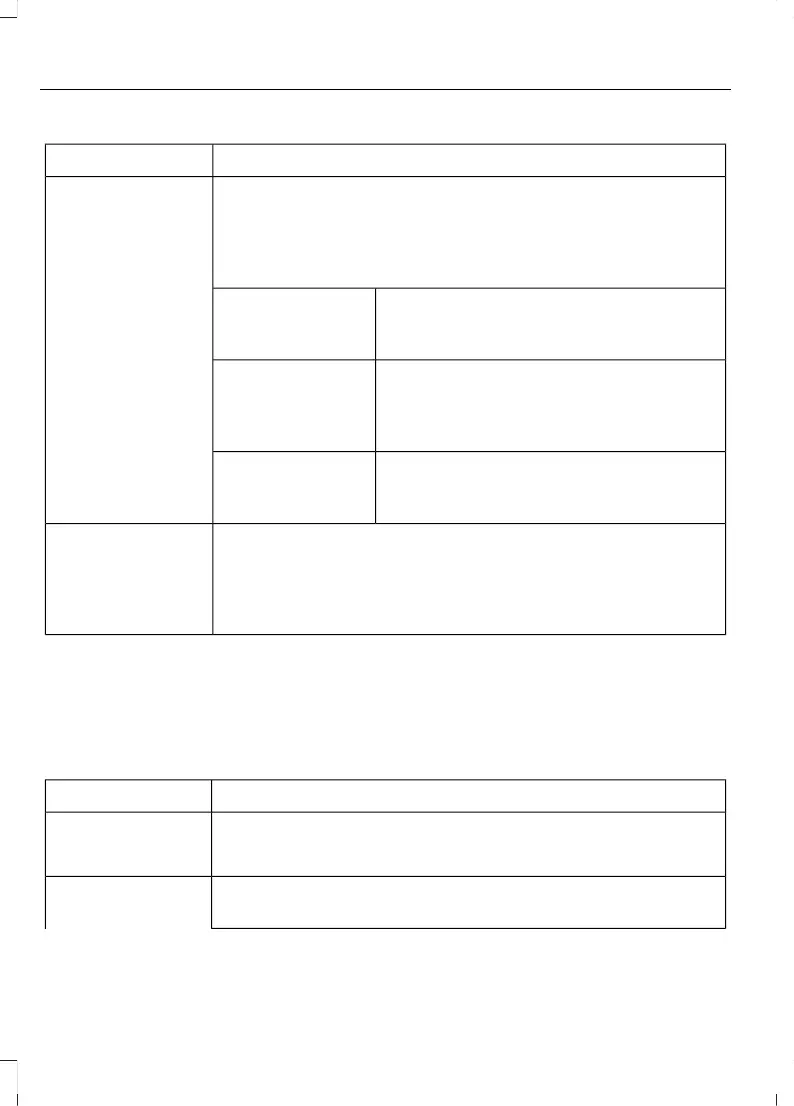
Action and DescriptionMenu Item
This displays the charging mode and off-peak times for your
Default Value Charge profile. The system displays off-peak times
for weekdays; the remaining hours of the day are considered
peak time. The system displays similar off-peak times for weekend
days.
Default
If you want your vehicle to immediately
charge when you plug it in at this profile
location.
Charge Now
If you want to take advantage of off-peak
electricity rates. The vehicle optimizes the
charge schedule to be complete by the next
GO Time.
Value Charge
To access your Default Value Charge Profile
settings screen (see Default Value Charge
Profile later in this section).
Edit
Once you create profile names, this section displays the Value
Charge Profile names and current Charge Mode for specific
locations. You can set up and edit these profiles using the MyFord
Mobile internet or smartphone application. You can program up
to nine unique charge profiles.
Customer Defined
Value Charge
Profiles
Default Value Charge Profile
You can access your Default Value Charge
Profile by selecting the edit option on the
Value Charge Profiles screen.
Action and DescriptionMenu Item
Set the Weekday times and Weekend times by pressing the
Weekday and Weekend buttons.
Weekday
Weekend
This displays the start and finish of off-peak charge times, which
you can modify, using the following:
Weekday Start
76
MKC (TME) , enUSA, Edition date: 01/2016, Second Printing
SYNC™ 3



 To Next Page