Action and DescriptionMenu ItemItem
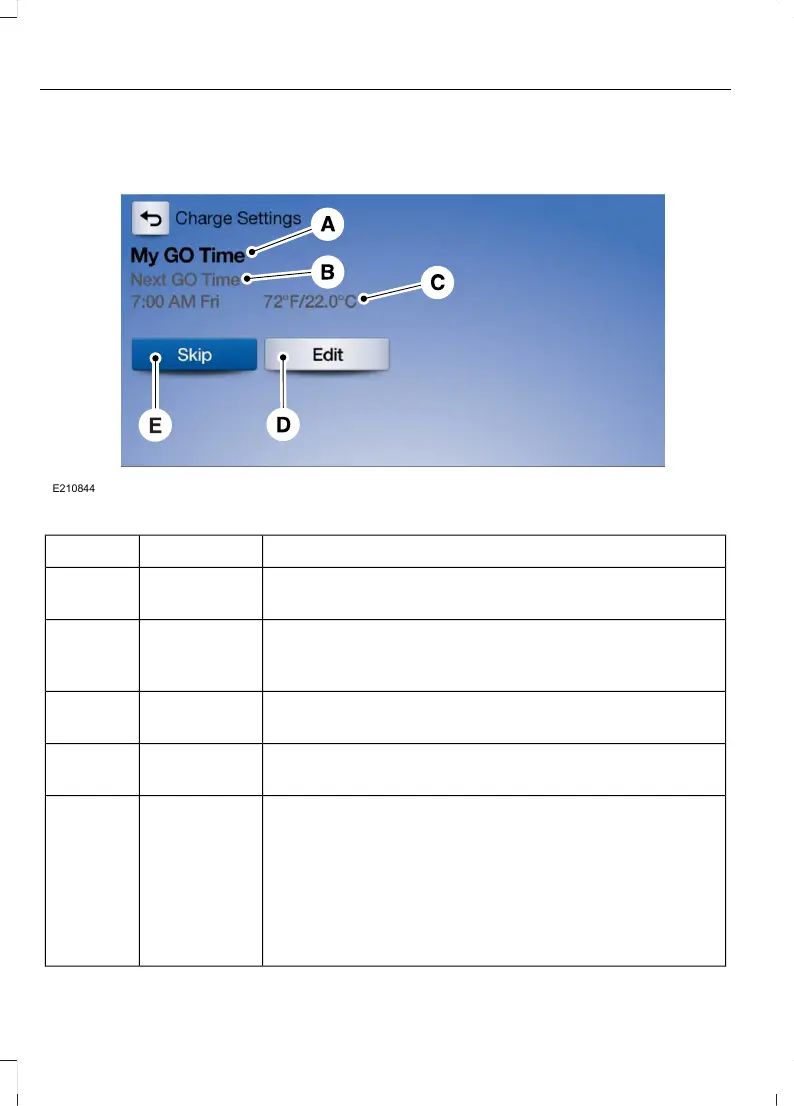
This area of the screen shows your scheduled Go Time
and your cabin conditioning information.
My Go TimeA
This is the time and date of your next set drive time. Your
vehicle automatically schedules charging and cabin
conditioning to finish by this time.
Next GO TimeB
This is the chosen cabin conditioning setting for this GO
Time.
TemperatureC
This accesses your GO Time Schedule (see GO Time
Schedule later in this section).
EditD
This cancels the cabin conditioning for the present GO
Time. Once you touch Skip, the GO Time and Temperature
grey out, and the LED illuminates on the Skip button. Touch
the button again to switch on the cabin conditioning. This
feature allows you to ignore the present GO Time without
having to delete it or having to switch off the entire
schedule (see GO Time Schedule later in this section). After
the present GO Time passes, this feature resets.
SkipE
66
MKC (TME) , enUSA, Edition date: 01/2016, Second Printing
SYNC™ 3



 To Next Page