17
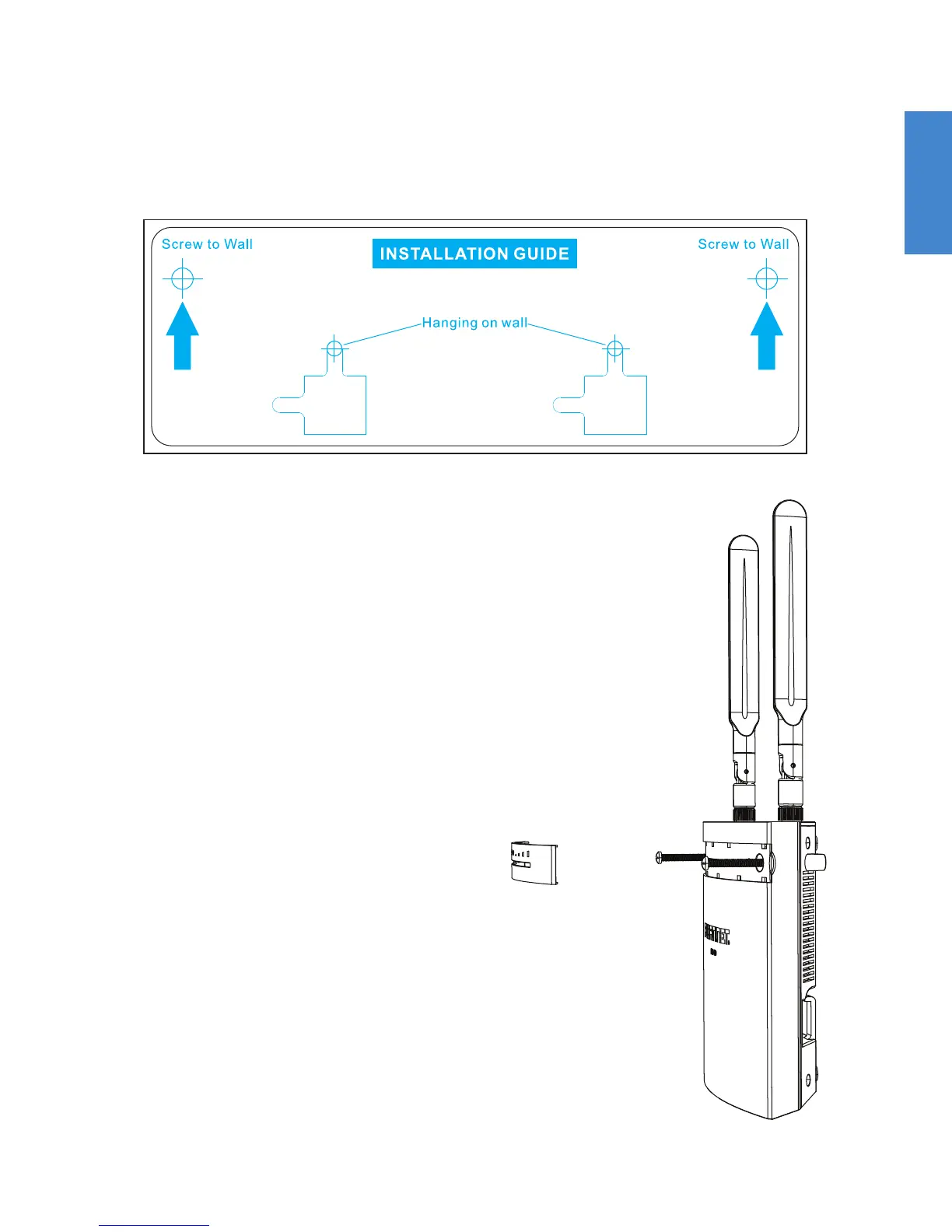
2. Use the template to mark and drill the pilot holes.
3. Insert the anchors into the holes.
4. Snap off the plastic cover over the
LEDs on the front to reveal the long
screw holes.
5. Insert the long screws through the
device from front to back.
To screw to a wall with long screws
1. Tape the drill template sticker to the wall in the desired location.


 To Next Page