EasyManua.ls Logo

Foscam FI8905E - Device Status

Foscam FI8905E
71 pages
Print Icon
To Next Page IconTo Next Page
To Previous Page IconTo Previous Page
Loading...
13
w
w
w
w
w
w
w
w
.
.
f
f
o
o
s
s
c
c
a
a
m
m
.
.
c
c
o
o
m
m
S
S
h
h
e
e
n
n
z
z
h
h
e
e
n
n
F
F
o
o
s
s
c
c
a
a
m
m
I
I
n
n
t
t
e
e
l
l
l
l
i
i
g
g
e
e
n
n
t
t
T
T
e
e
c
c
h
h
n
n
o
o
l
l
o
o
g
g
y
y
C
C
o
o
.
.
,
,
L
L
i
i
m
m
i
i
t
t
e
e
d
d
T
T
e
e
l
l
:
:
8
8
6
6
7
7
5
5
5
5
2
2
6
6
7
7
4
4
5
5
6
6
6
6
8
8
F
F
a
a
x
x
:
:
8
8
6
6
7
7
5
5
5
5
2
2
6
6
7
7
4
4
5
5
1
1
6
6
8
8
13
3
3
A
A
d
d
v
v
a
a
n
n
c
c
e
e
d
d
C
C
a
a
m
m
e
e
r
r
a
a
S
S
e
e
t
t
t
t
i
i
n
n
g
g
s
s
Click the bar “Device Management”, goes to Administrator Control Panel to make advanced
camera settings.
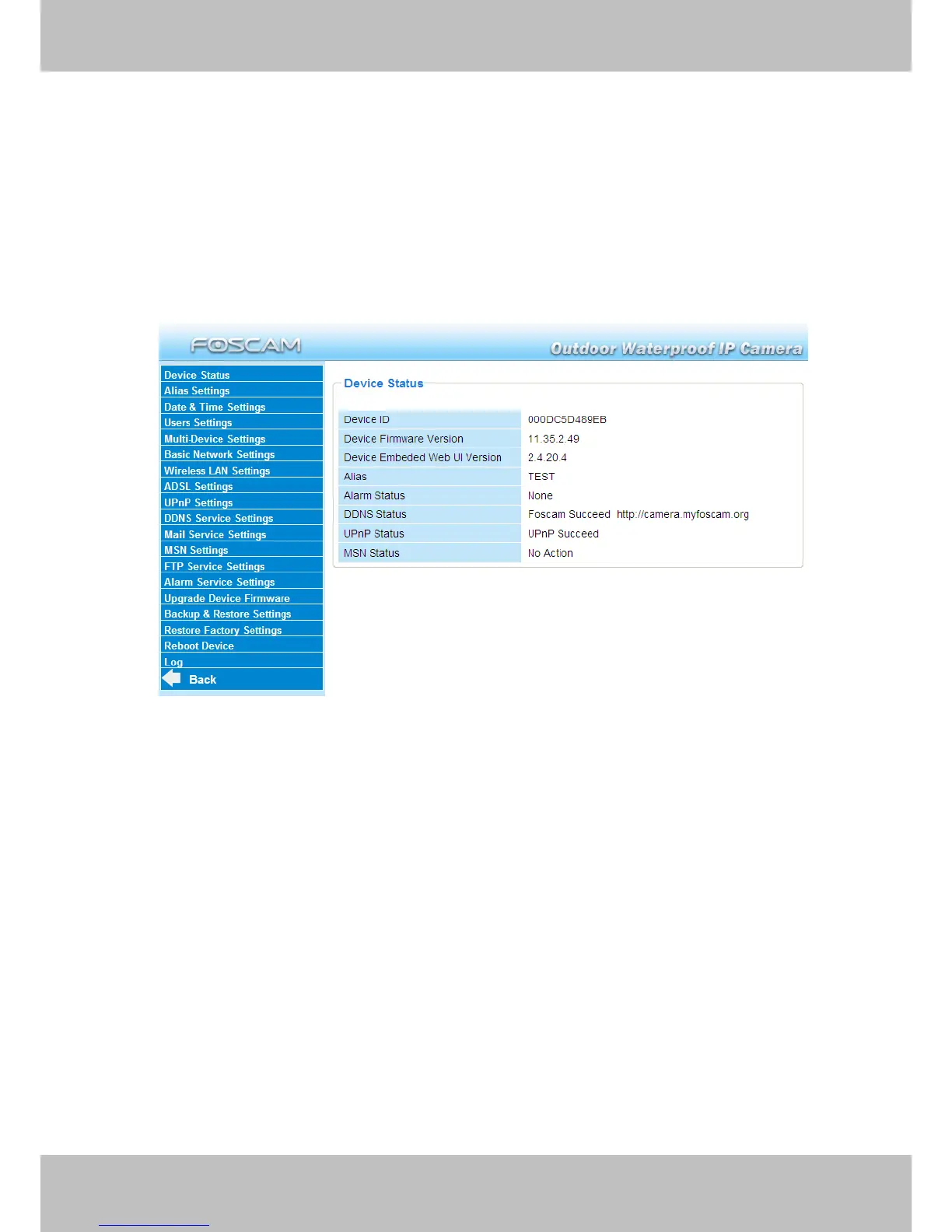
3.1 Device Status
Figure 3.1
1------Device ID MAC ID of the camera by wired connection
2-----Device Firmware Version System Firmware version of the camera
3-----Device Web UI Version Web UI firmware version of the camera
4-----Alias Name of the camera
5-----Alarm Status The status of Alarm Service Setting
6-----DDNS Status The status of DDNS Setting
7-----UPnP Status The status of UPnP Setting
8-----MSN Status The status of MSN Setting


Other manuals for Foscam FI8905E

Related product manuals