EasyManua.ls Logo

Foscam FI8905E - Page 30

Foscam FI8905E
71 pages
Print Icon
To Next Page IconTo Next Page
To Previous Page IconTo Previous Page
Loading...
29
w
w
w
w
w
w
w
w
.
.
f
f
o
o
s
s
c
c
a
a
m
m
.
.
c
c
o
o
m
m
S
S
h
h
e
e
n
n
z
z
h
h
e
e
n
n
F
F
o
o
s
s
c
c
a
a
m
m
I
I
n
n
t
t
e
e
l
l
l
l
i
i
g
g
e
e
n
n
t
t
T
T
e
e
c
c
h
h
n
n
o
o
l
l
o
o
g
g
y
y
C
C
o
o
.
.
,
,
L
L
i
i
m
m
i
i
t
t
e
e
d
d
T
T
e
e
l
l
:
:
8
8
6
6
7
7
5
5
5
5
2
2
6
6
7
7
4
4
5
5
6
6
6
6
8
8
F
F
a
a
x
x
:
:
8
8
6
6
7
7
5
5
5
5
2
2
6
6
7
7
4
4
5
5
1
1
6
6
8
8
29
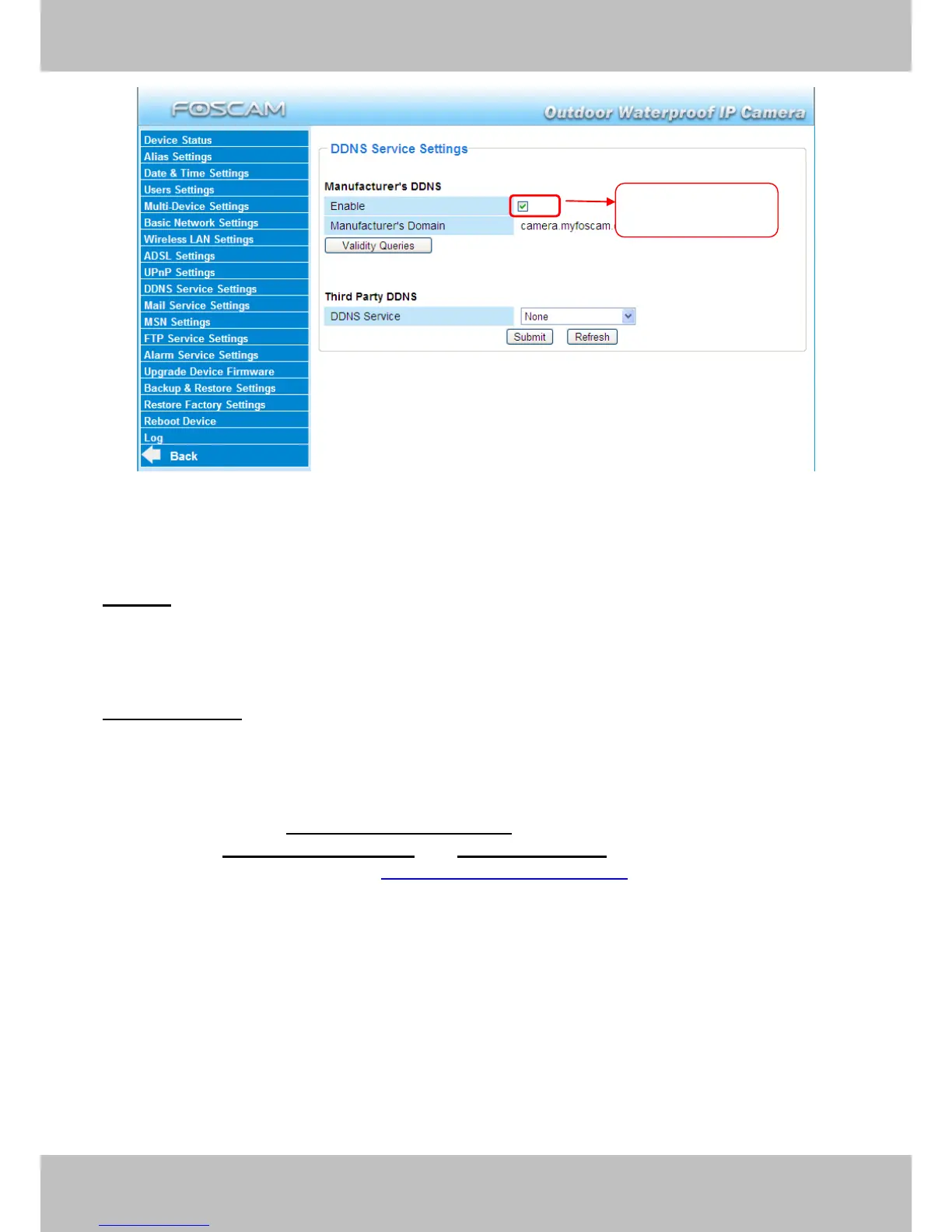
Figure 3.22
Enable: Open or close the FOSCAM domain name. The default status of FOSCAM domain
name is open.
Validity Queries: Check the validity of embedded domain name.
Now you can use http:// Domain name + HTTP Port to access the camera via internet.
Take hostname camera.myfoscam.org and HTTP Port no. 88 for example, the accessing link
of the camera via internet would be http:// camera.myfoscam.org:88
Note: If you want to use the manufacturers domain name, please select None as the Third Party
DDNS and enable the Manufacturers domain name, then click submit.
Enable FOSCAM
DDNS name

Other manuals for Foscam FI8905E

Related product manuals