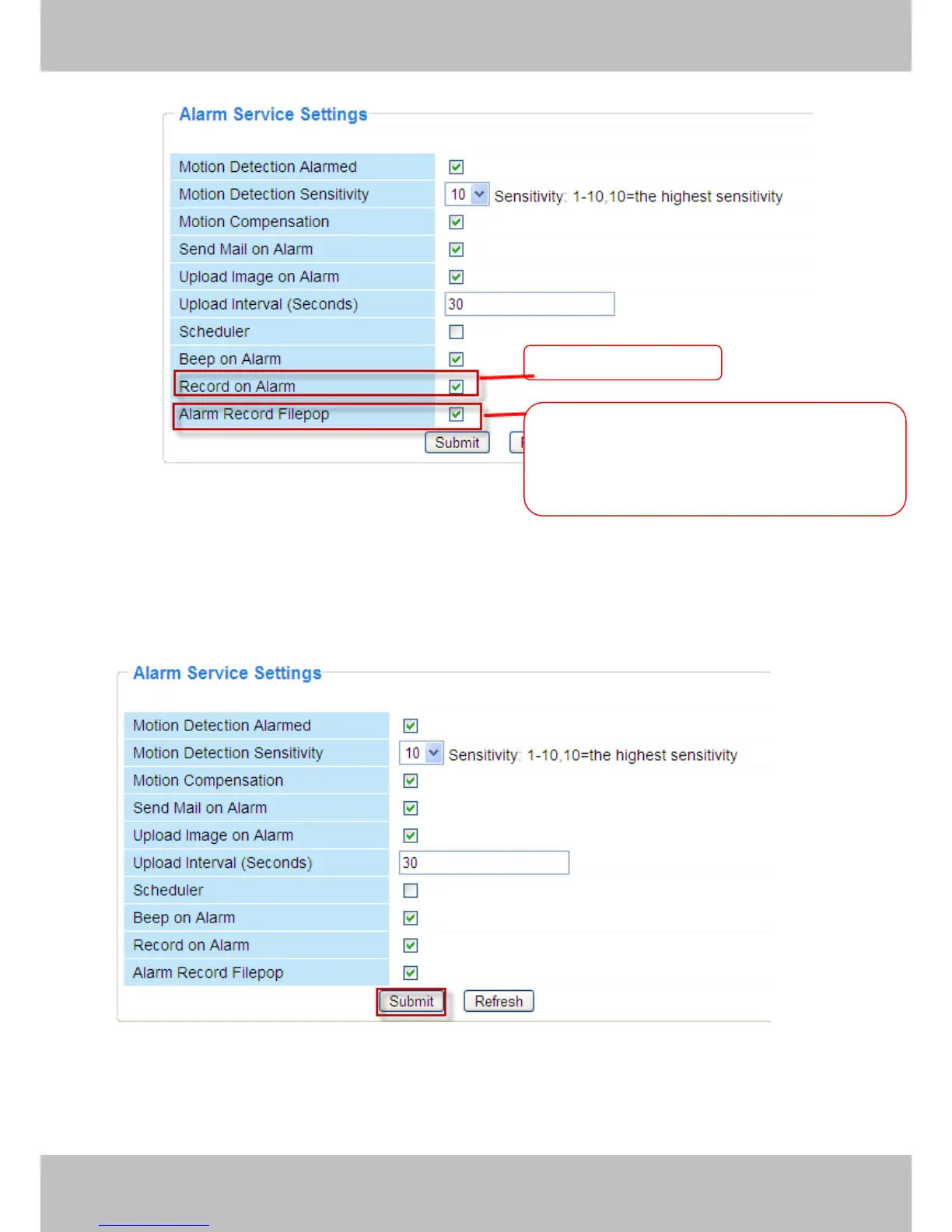
Figure 3.40
Alarm Scheduler:
Here are two ways to set the alarm.
1) Alarm at any time when motion is detected.
Don’t select Scheduler. Click Submit and the camera will alarm at any time when motion is
detected.
Figure 3.41
Another Way: select Scheduler, and click “set All”, you will see all time boxes turn blue as in
the following picture. Click Submit and the camera will alarm at any time when motion is
detected.
When you enable motion alarm, the camera will
record automatically and store the recording
file to the folder you configured. This icon is
used to control whether the folder opens or not.



 To Next Page