EasyManua.ls Logo

Foscam FI8905E - Page 58

Foscam FI8905E
71 pages
Print Icon
To Next Page IconTo Next Page
To Previous Page IconTo Previous Page
Loading...
57
w
w
w
w
w
w
w
w
.
.
f
f
o
o
s
s
c
c
a
a
m
m
.
.
c
c
o
o
m
m
S
S
h
h
e
e
n
n
z
z
h
h
e
e
n
n
F
F
o
o
s
s
c
c
a
a
m
m
I
I
n
n
t
t
e
e
l
l
l
l
i
i
g
g
e
e
n
n
t
t
T
T
e
e
c
c
h
h
n
n
o
o
l
l
o
o
g
g
y
y
C
C
o
o
.
.
,
,
L
L
i
i
m
m
i
i
t
t
e
e
d
d
T
T
e
e
l
l
:
:
8
8
6
6
7
7
5
5
5
5
2
2
6
6
7
7
4
4
5
5
6
6
6
6
8
8
F
F
a
a
x
x
:
:
8
8
6
6
7
7
5
5
5
5
2
2
6
6
7
7
4
4
5
5
1
1
6
6
8
8
57
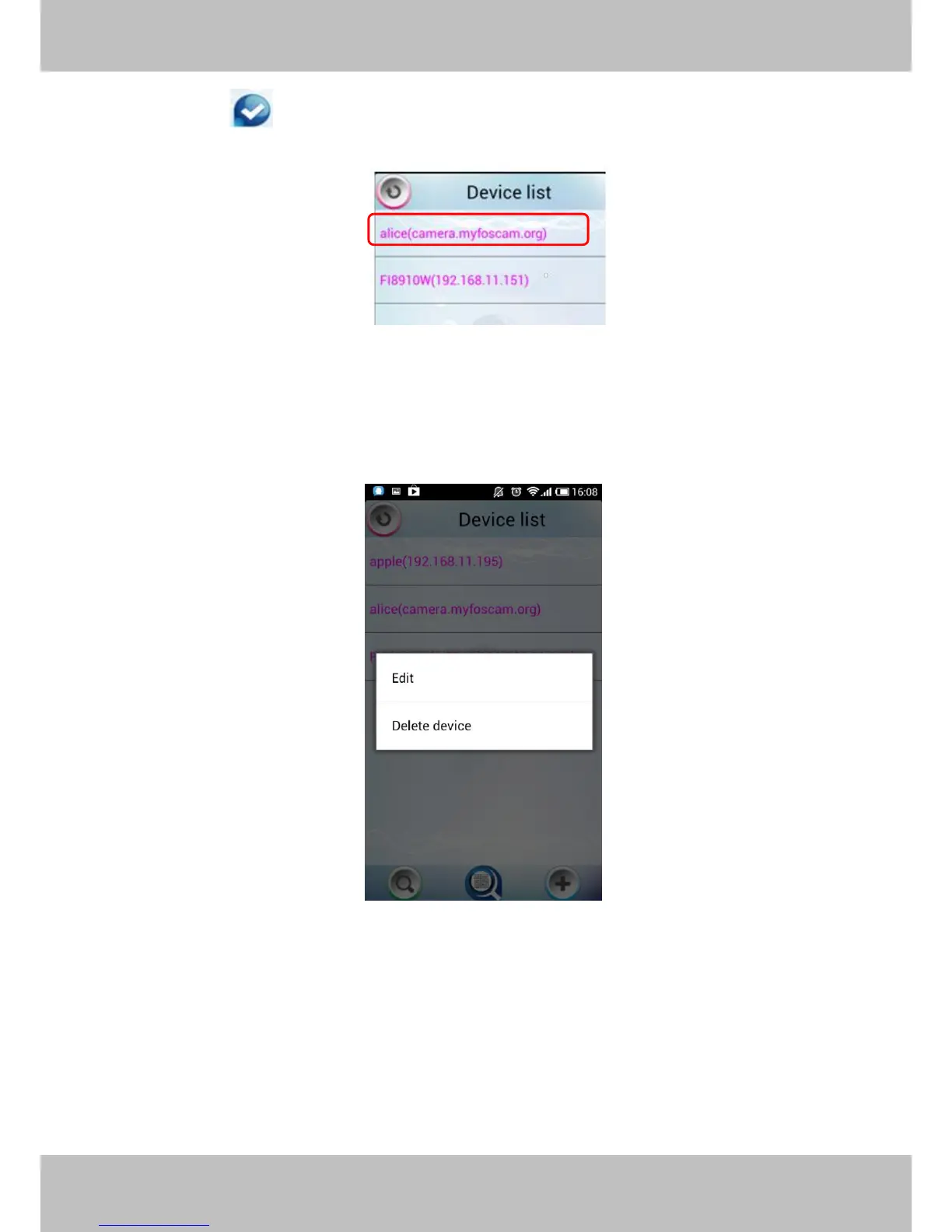
Click the icon to add camera then you can see the camera in the Device List.
.
Select one IP address and click it, then you can enter the surveillance window.
Select one IP address in the Device List and press it for a moment, it pop up the following
screen:
Figure 4.8
Edit: Re- edit the cameras information, such as the Http / Media port, user name and password,
and so on. Click Edit and you can go to Add camera page (Figure 4.7).
Delete device: Delete the camera from the Device List.


Other manuals for Foscam FI8905E

Related product manuals