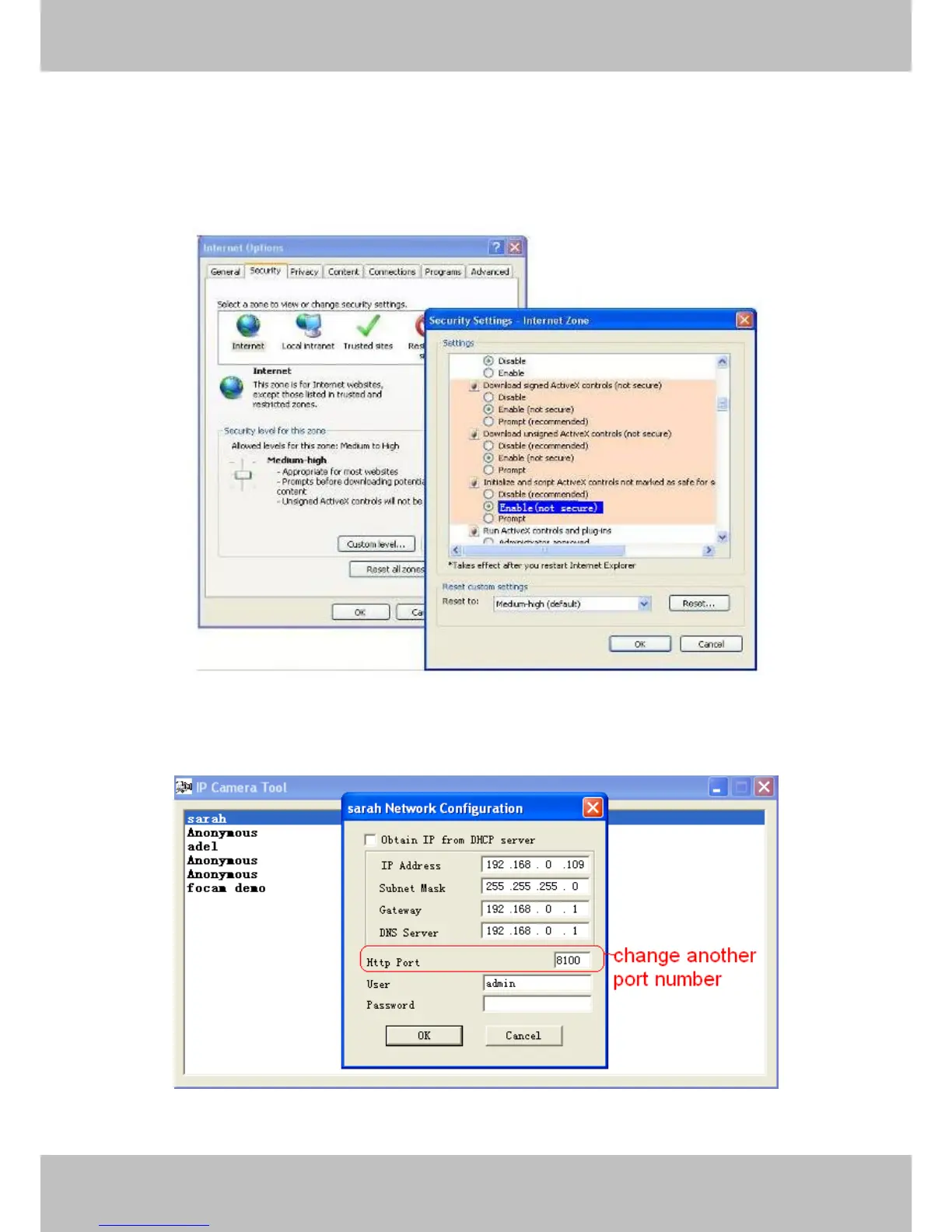
2) Download ActiveX controller and set security setting of IE: IE browserToolInternet
ProperSecurityCustom LevelActiveX control and Plug-ins. The first three options should
be set to be “Enable”, The ActiveX programs read by the computer will be stored. As follows:
Enable: Download unsigned ActiveX controls
Enable: Initialize and script ActiveX controls not marked as safe
Enable: Run ActiveX controls and plu-ins
Figure 5.1
If you allow the activeX to run, but still can not see living video, only a red cross in the center of
the video.. Please change another port number to try. Don’t use port 80, use port 85, 8005.etc.
Figure 5.2



 To Next Page