EasyManua.ls Logo

Foscam FI8905W - 3.11 Mail Service Settings

Foscam FI8905W
68 pages
Print Icon
To Next Page IconTo Next Page
To Previous Page IconTo Previous Page
Loading...
W
W
w
w
ww.foscam.
ww.foscam.
us
us
Foscam Digital Technologies LLC
Telephone: 1-800-930-0949
42
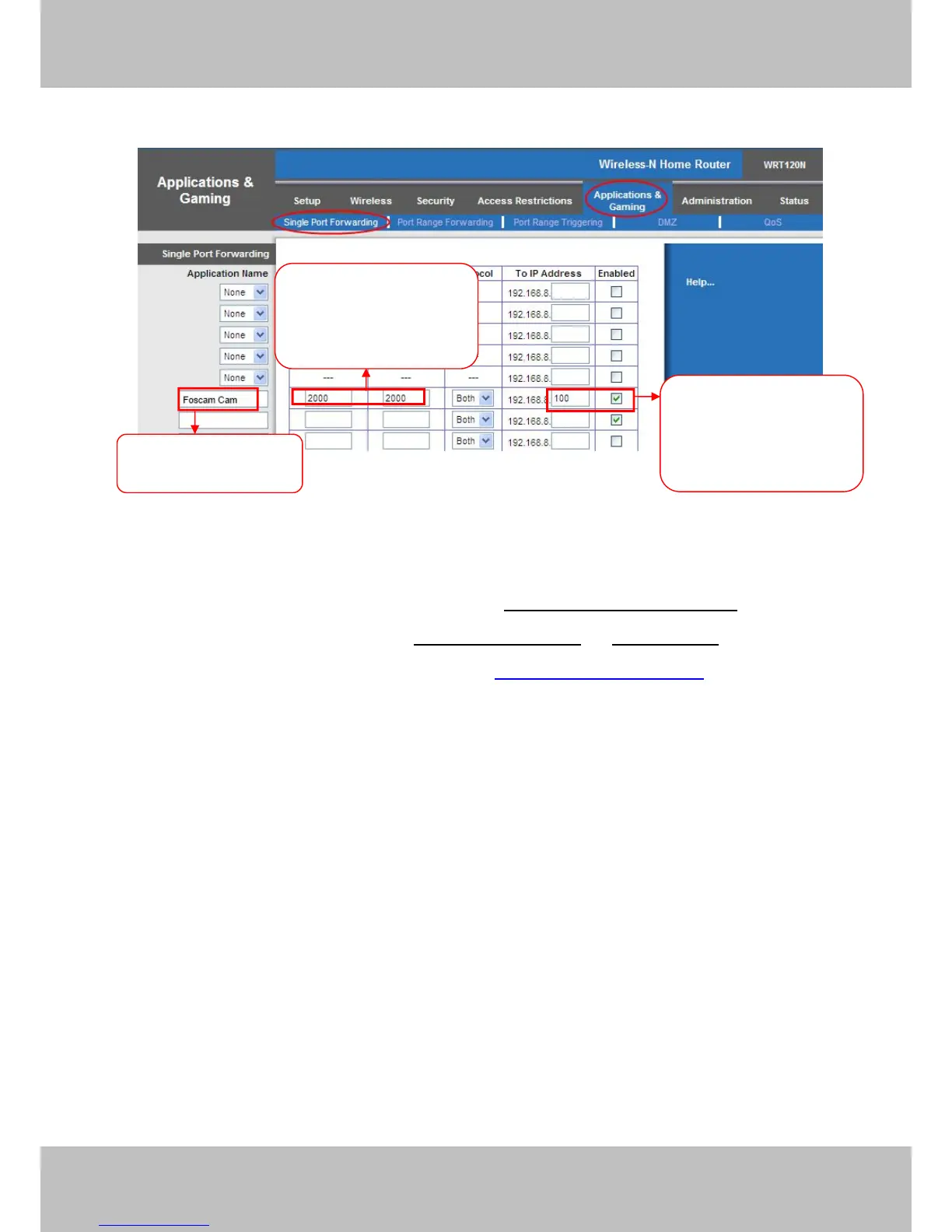
Figure 3.30
Use domain name to access the camera via internet
After the port forwarding is finished, you can use the domain name+ http no. to access the
camera via internet. Take hostname ycxgwp.no-ip.info and http no. 88for example, the
accessing link of the camera via internet would be http:// ycxgwp.no-ip.info:88
3.11 Mail Service Settings
If you want the camera to send emails when motion has been detected, Mail Service Settings
will need to be configured.

Fill the HTTP Port of the
camera in the columns of
External Port and Internal
Port. Example: 2000
Fill in this section with the
LAN IP of the camera; we
would enter “100” for our
example.
Assign a name for the
port forward setting here

Related product manuals