camera will go to the preset position.
How to do preset position?
We can start preset settings from position 1.
Firstly, select no. 1 within the menu of Preset on the panel.
Secondly, move the camera and stop at a place where you want make preset position.
Thirdly, click set button to save it as position 1 and you have done preset of position 1.
After that, you can select no. 2 within the menu of Preset on the panel, and move the camera and
stop at another place, and set as preset position 2. You can do all the 8 preset positions with this
method.
If you want to see the preset position you have set, such as the position 1, only select the set
no.1 ,and click go button, the camera will go to position no.1.
Flip & Mirror
You can flip the image by enabling Flip button, or mirror the image by enabling Mirror button.
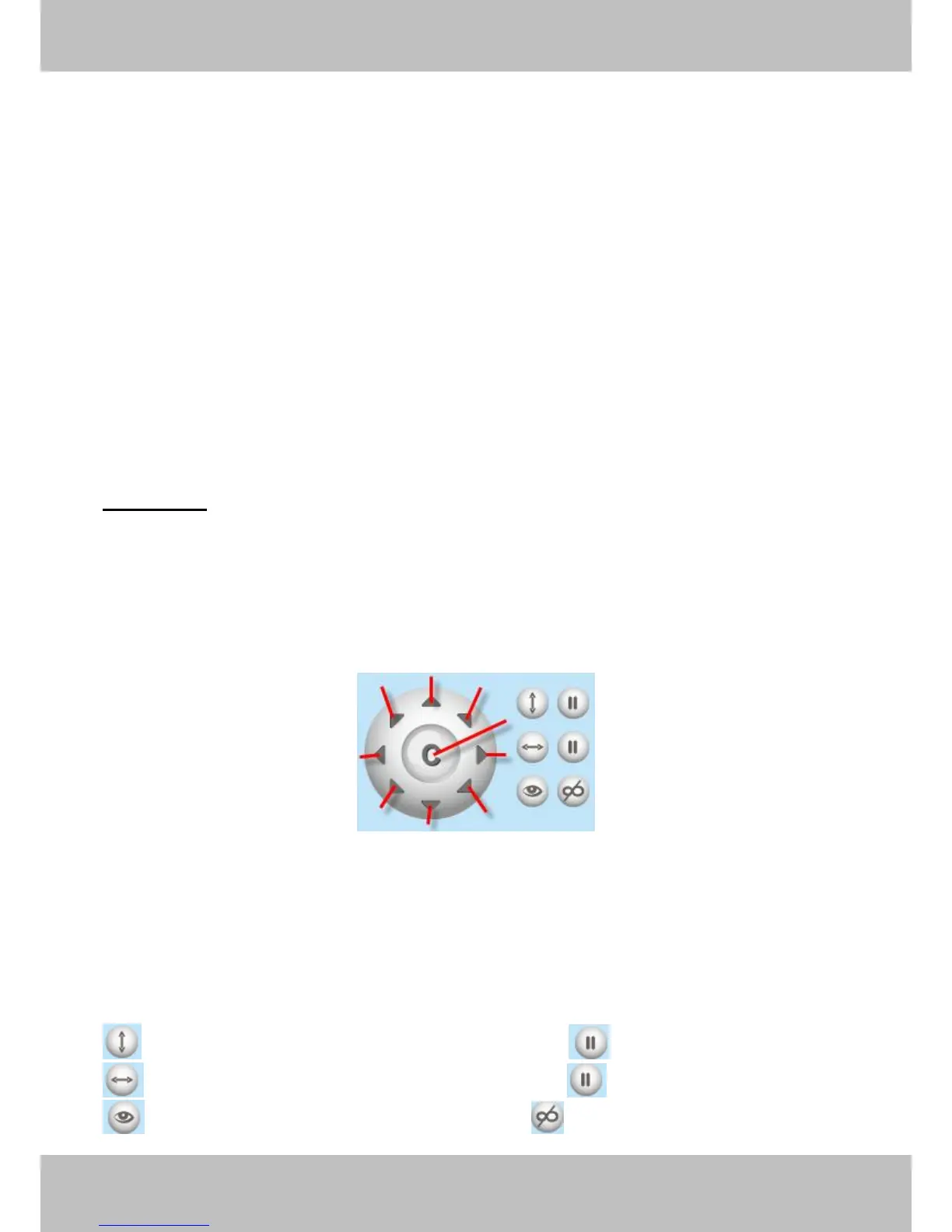
Section4 Pan/Tilt Control
1------Up control button, 2------Down control button,
3------Left control button, 4------Right control button,
5----- Up-Left control button 6----- Up-Right control button
7----- Down-Left control button 8----- Down-Right control button
9------Go to center
: Click this icon; camera will rotate up and down. Click to stop.
: Click this icon; camera will rotate left and right. Click to stop.
: Click this icon, all the IR lights will turn on. Click to turn off them.



 To Next Page