w
w
w
w
w
w
w
w
.
.
f
f
o
o
s
s
c
c
a
a
m
m
.
.
c
c
o
o
m
m
S
S
h
h
e
e
n
n
z
z
h
h
e
e
n
n
F
F
o
o
s
s
c
c
a
a
m
m
I
I
n
n
t
t
e
e
l
l
l
l
i
i
g
g
e
e
n
n
t
t
T
T
e
e
c
c
h
h
n
n
o
o
l
l
o
o
g
g
y
y
C
C
o
o
.
.
,
,
L
L
i
i
m
m
i
i
t
t
e
e
d
d
T
T
e
e
l
l
:
:
8
8
6
6
7
7
5
5
5
5
2
2
6
6
7
7
4
4
5
5
6
6
6
6
8
8
F
F
a
a
x
x
:
:
8
8
6
6
7
7
5
5
5
5
2
2
6
6
7
7
4
4
5
5
1
1
6
6
8
8
29
Http Port: The default Lan port is 80.You can set another port number, such as port 8005,
8100.etc.
User&Password: Default administrator user name is admin with no password.
If the prompt “Subnet doesn’t match, dbclick to change!” appears, please enable DHCP set
camera’s IP address and gateway once again.
3
3
.
.
7
7
W
W
i
i
r
r
e
e
l
l
e
e
s
s
s
s
S
S
e
e
t
t
t
t
i
i
n
n
g
g
s
s
The network camera is POE-compliant, allowing transmission of power and data via a single
network cable, so here cannot allow to use Wireless function.
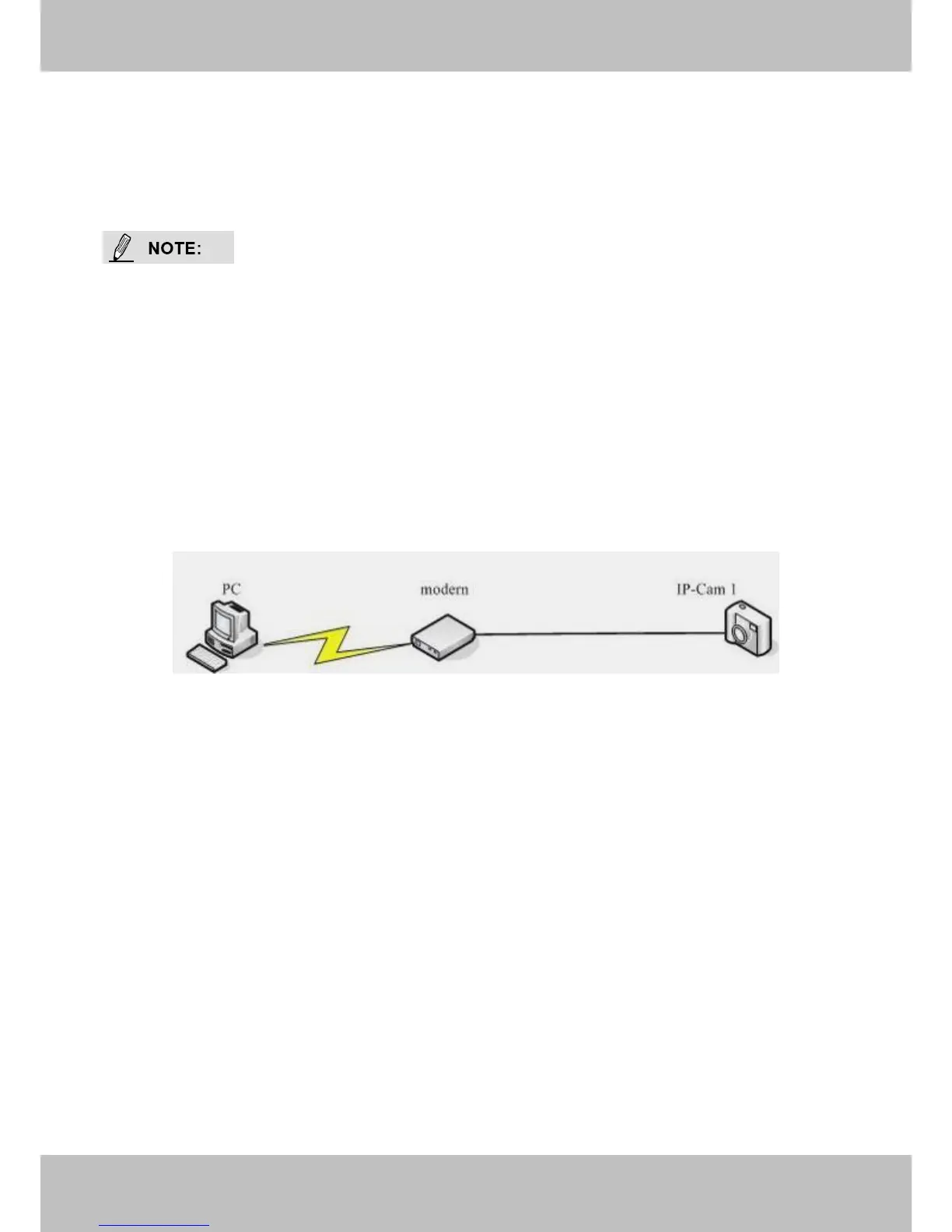
Figure 3.19
If you are connecting the camera directly to a ADSL modem, you can do ADSL settings with your
ADSL account &password provided by the ISP, then make the camera connected to the network.



 To Next Page