EasyManua.ls Logo

Foscam FI8910E - Page 67

Foscam FI8910E
75 pages
Print Icon
To Next Page IconTo Next Page
To Previous Page IconTo Previous Page
Loading...
66
w
w
w
w
w
w
w
w
.
.
f
f
o
o
s
s
c
c
a
a
m
m
.
.
c
c
o
o
m
m
S
S
h
h
e
e
n
n
z
z
h
h
e
e
n
n
F
F
o
o
s
s
c
c
a
a
m
m
I
I
n
n
t
t
e
e
l
l
l
l
i
i
g
g
e
e
n
n
t
t
T
T
e
e
c
c
h
h
n
n
o
o
l
l
o
o
g
g
y
y
C
C
o
o
.
.
,
,
L
L
i
i
m
m
i
i
t
t
e
e
d
d
T
T
e
e
l
l
:
:
8
8
6
6
7
7
5
5
5
5
2
2
6
6
7
7
4
4
5
5
6
6
6
6
8
8
F
F
a
a
x
x
:
:
8
8
6
6
7
7
5
5
5
5
2
2
6
6
7
7
4
4
5
5
1
1
6
6
8
8
66
Stream type: It has two types: Main stream and Sub stream. For cell phones, we recommend
you to select Sub stream to get more fluent video.
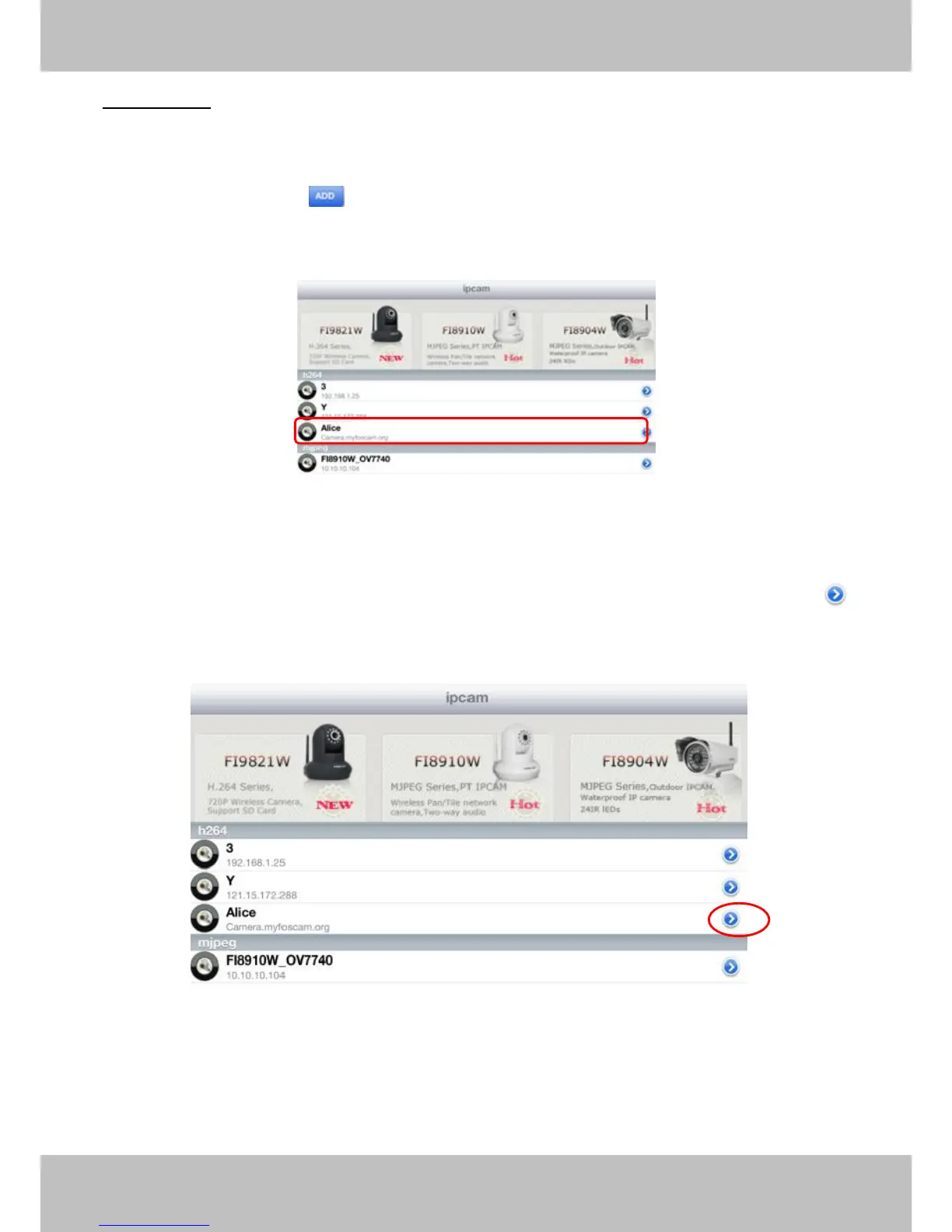
Step 3: Click Add button to add cameras, then you can see the camera name in the ip
cam table page.
Figure 4.15
Surveillance windows
Back to ipcam table page and you can see all cameras that have added. There is a icon
after one camera name, click this icon and you can alter the cameras user name, password,
media port and http port.
Figure 4.16

Related product manuals