www
www
.foscam.
.foscam.
us
us
Foscam Digital Technologies
Telephone: 1-800-930-0949
61
② Specify an alarm schedule
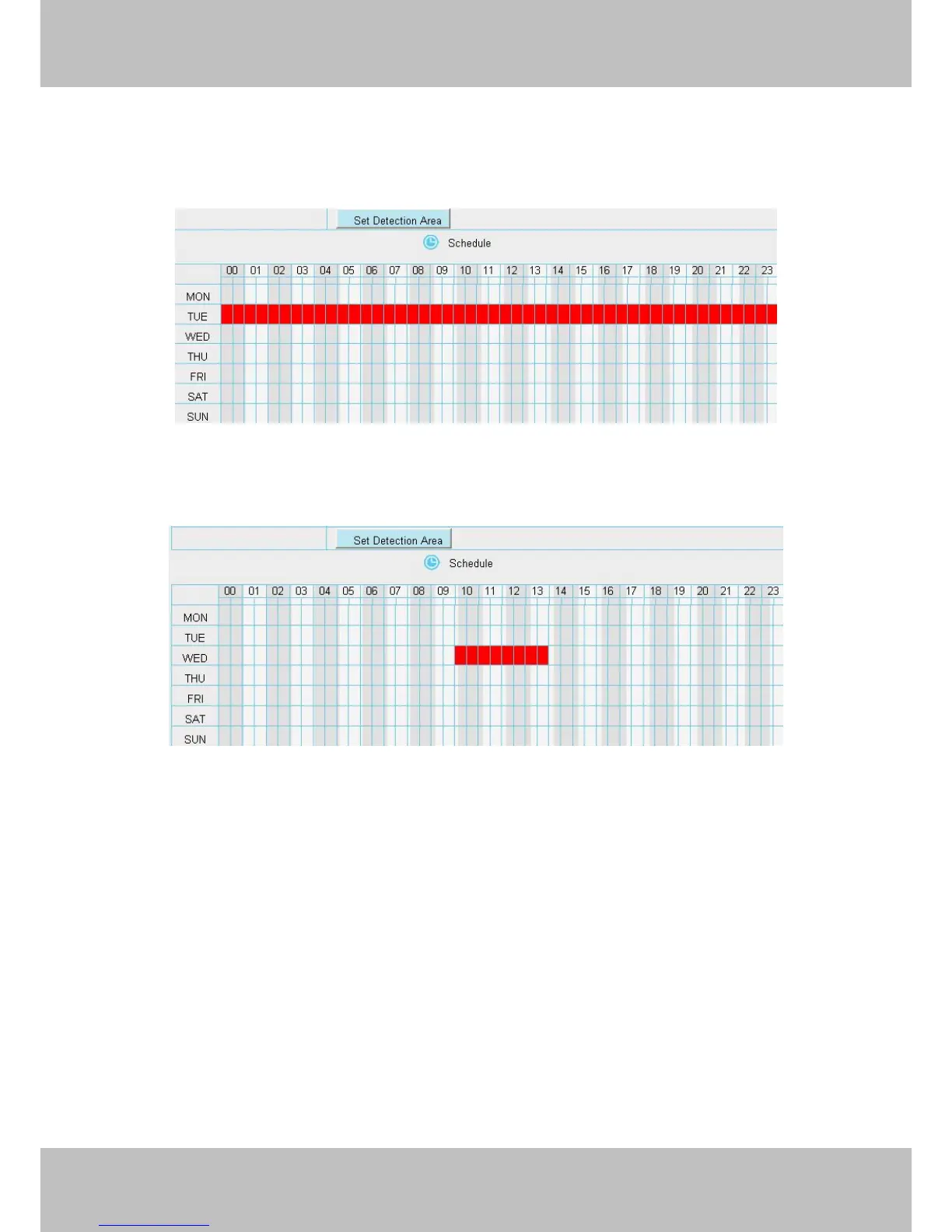
Click the week day words, the corresponding column will be selected. For example, click TUE, the all column
of TUE turns to red, that means during Tuesday whole day, when something moving in the detection area, the
camera will alarm.
③ Press the left mouse and drag it on the time boxes, you can select the serial area.
Step 07: Click Save button to take effect.
When the motion has been detected during the detection time in the detection area, the camera will alarm and
adopt the corresponding alarm indicators.
NOTE:
You must set the detection area and detection schedule, or else there is no alarm anywhere and anytime.
4.6 Record
This section will allow you to change the record files storage path and the record time.
4.6.1 Storage Location
On this page you can change the alarm and manually recording storage path.



 To Next Page