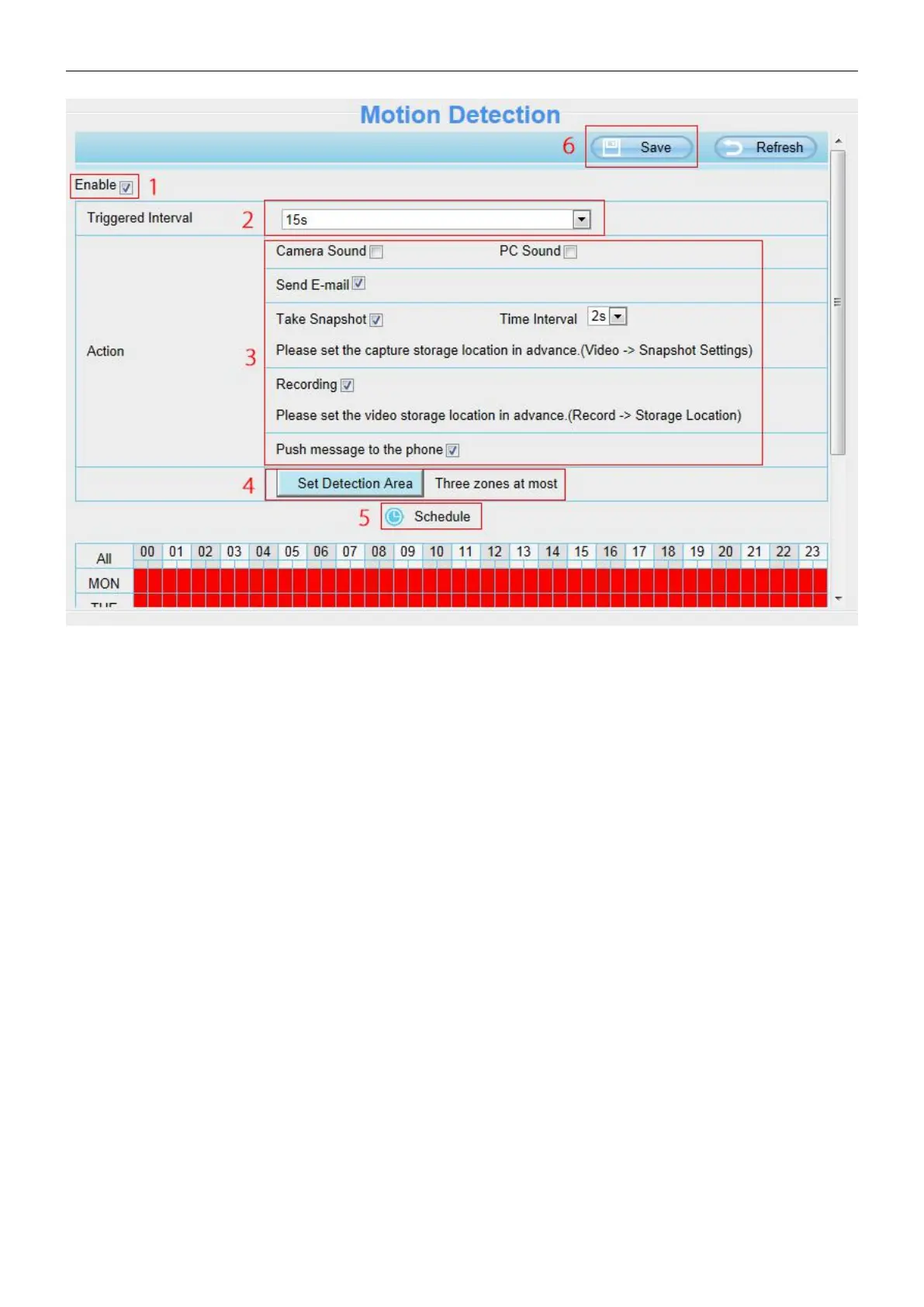
To enable motion detection, follow the steps below:
Step 01: Enable Motion detection
Step 02: Trigger interval--- The interval time between two motion detections. Select one interval time.
Step 03: Select the alarm indicator
When the motion has been detected, the Motion Alarm Status will turn to Detect Alarm.



 To Next Page