10/100M adaptive Ethernet interface. Through this interface, IP camera can be connected with various network
devices, such as hub, router, etc.
4) Power Interface
Connect the external power adapter, request for 12V/2A power.
Bottom View
There is a QR Code label located on the body of the camera; this is an important feature of original Foscam
cameras. If your camera does not have the label, it may be a clone one. Cloned Foscam cameras can not use
original firmware and are not eligible for warranty or technical services.
1.5 Micro SD Card Management
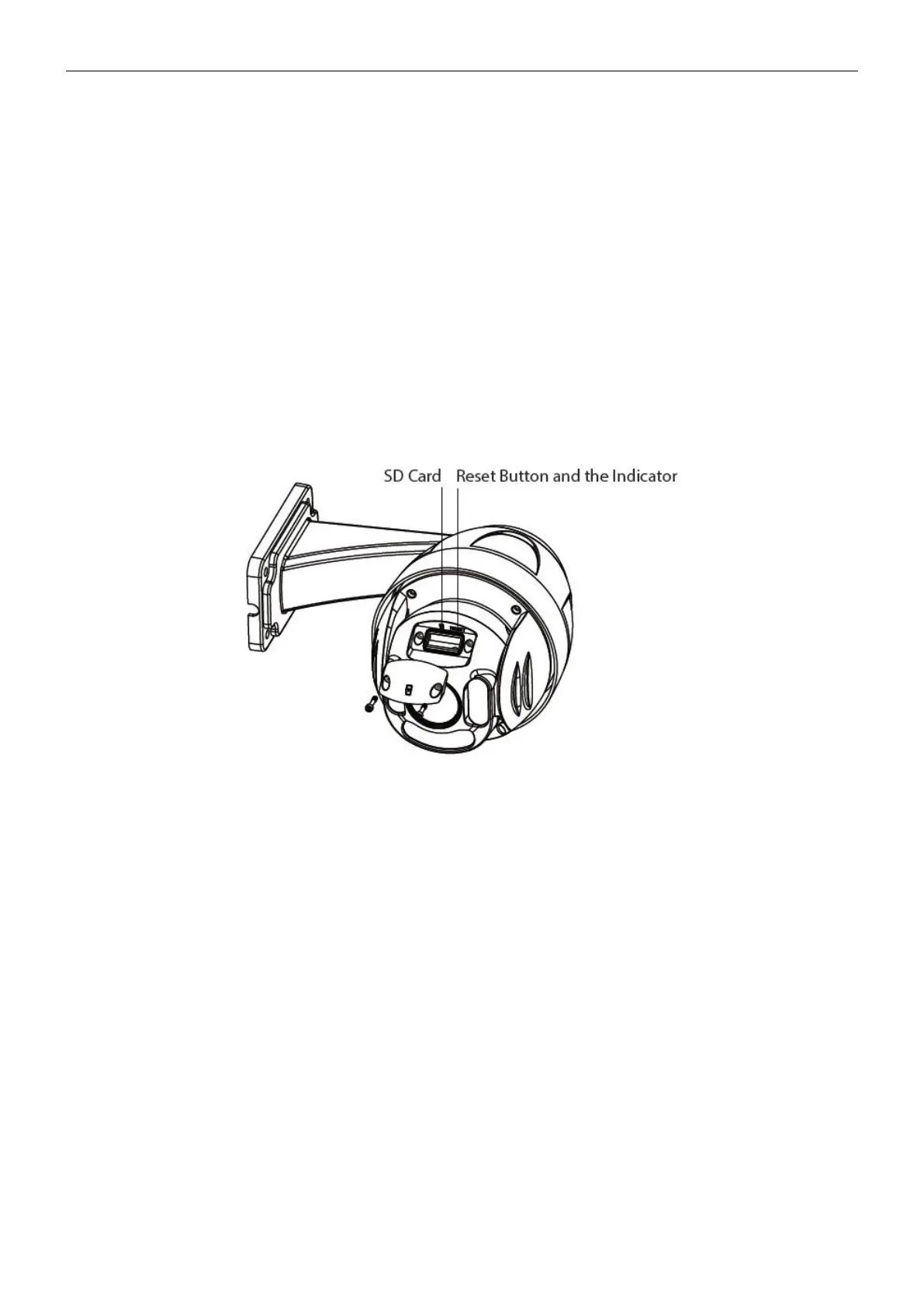
The record files of the IP camera can be stored in the Micro SD Card.
This camera supports Micro SD Card and the max size of Micro SD card must be under 128G.
You need open the cover, then plug the Micro SD card into Micro SD card slot inside the IP camera.
When you plug in the Micro SD card during the camera work process, please reboot the camera again, or else
the Micro SD Card may be cannot work well.When you re-install the cover, please ensure the tightness with
the camera.
Warning: Please lock the cover in time after installing the Micro SD card to avoid water or water vapor fall into
the equipment then cause damage or lens fog.
1.6 Instructions for outdoor installation
The cable of an outdoor camera should, from the position where the cable is divided into several cables, be
fitted dry. Install the cable into a waterproof junction box (1) or bring the cable indoors (2).



 To Next Page