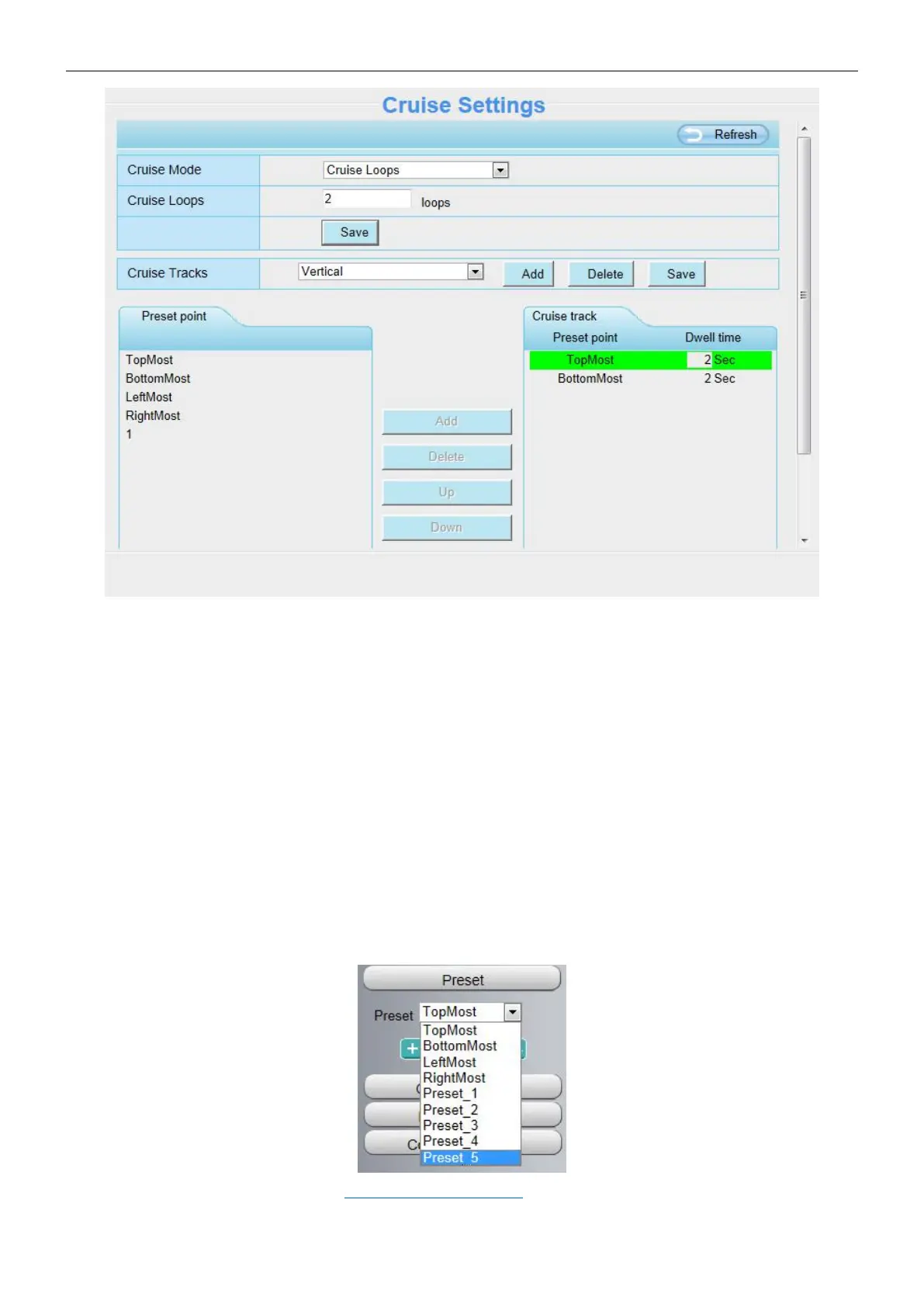
Cruise Mode: Include cruise loops and cruise time of one cruise track.
Cruise Loops: The cruise loops of one cruise track. For example, as the above figure, there are two loops on
Vertical cruise tracks.
Cruise Time: The cruise time on one cruise track.
There are two default cruise tracks: Vertical and Horizontal.
Vertical: The camera will rotate from up to down
Horizontal: The camera will rotate form left to right.
Add: Add one cruise track.
Delete: Select one cruise track and delete it.
How to do add one cruise track?
Before adding one cruise track, please set all the presets of one cruise track on Live Video page. For example,
as the figure below, five new presets is set.
For how to set presets, please refer to 3.3 Surveillance Window > Preset settings.



 To Next Page