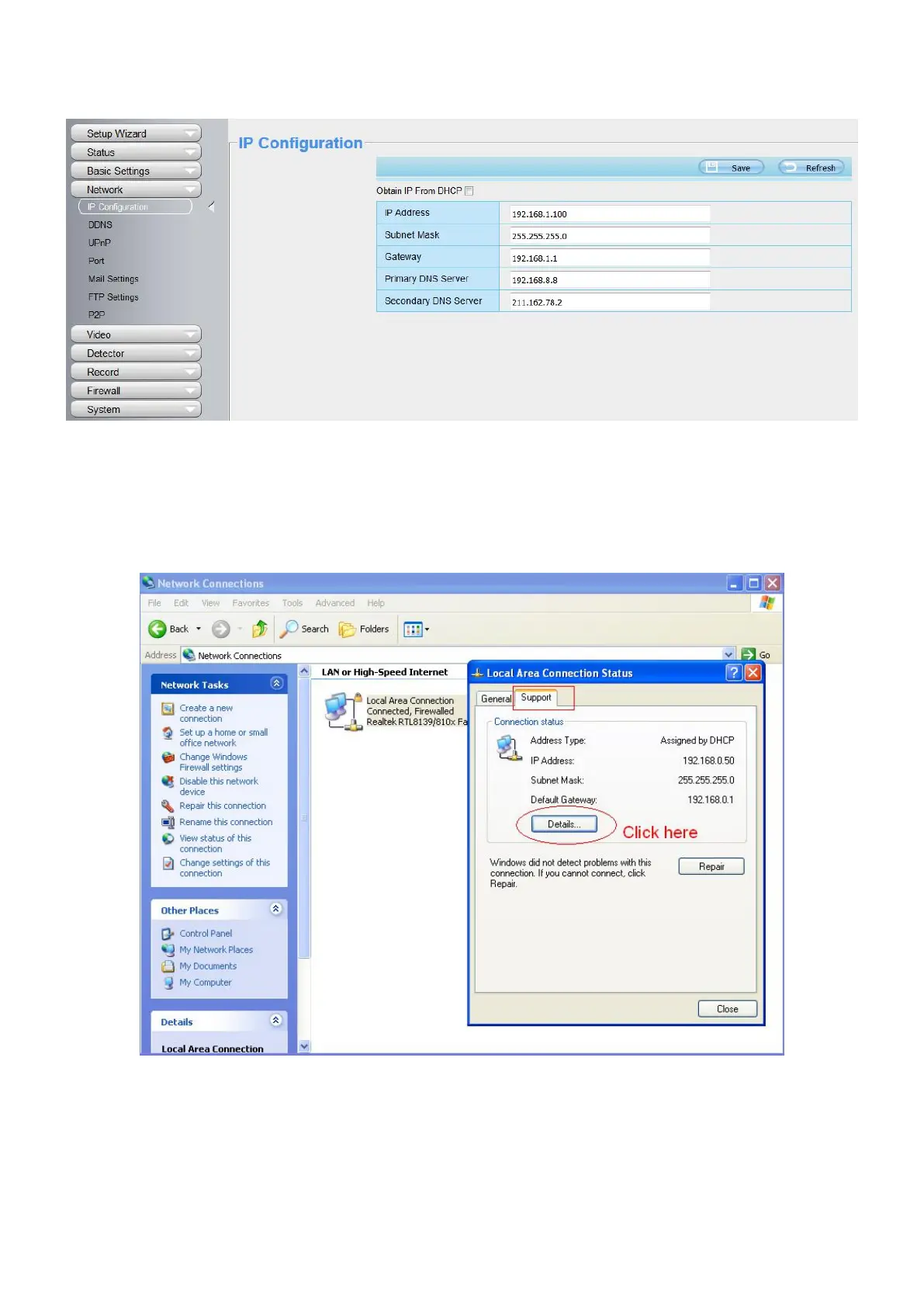
Changing settings here is the same as using the Equipment Search Tool.
It is recommended that you use the subnet mask, gateway and DNS server from your locally attached PC. If
you don't know the subnet mask, gateway and DNS server, you can check your computer's local area
connection as follows:
Control Panel > Network Connections > Local Area Connections > Choose Support > Details.



 To Next Page