1.6 SD Card Management
The record files of the IPC can be stored in the SD Card.
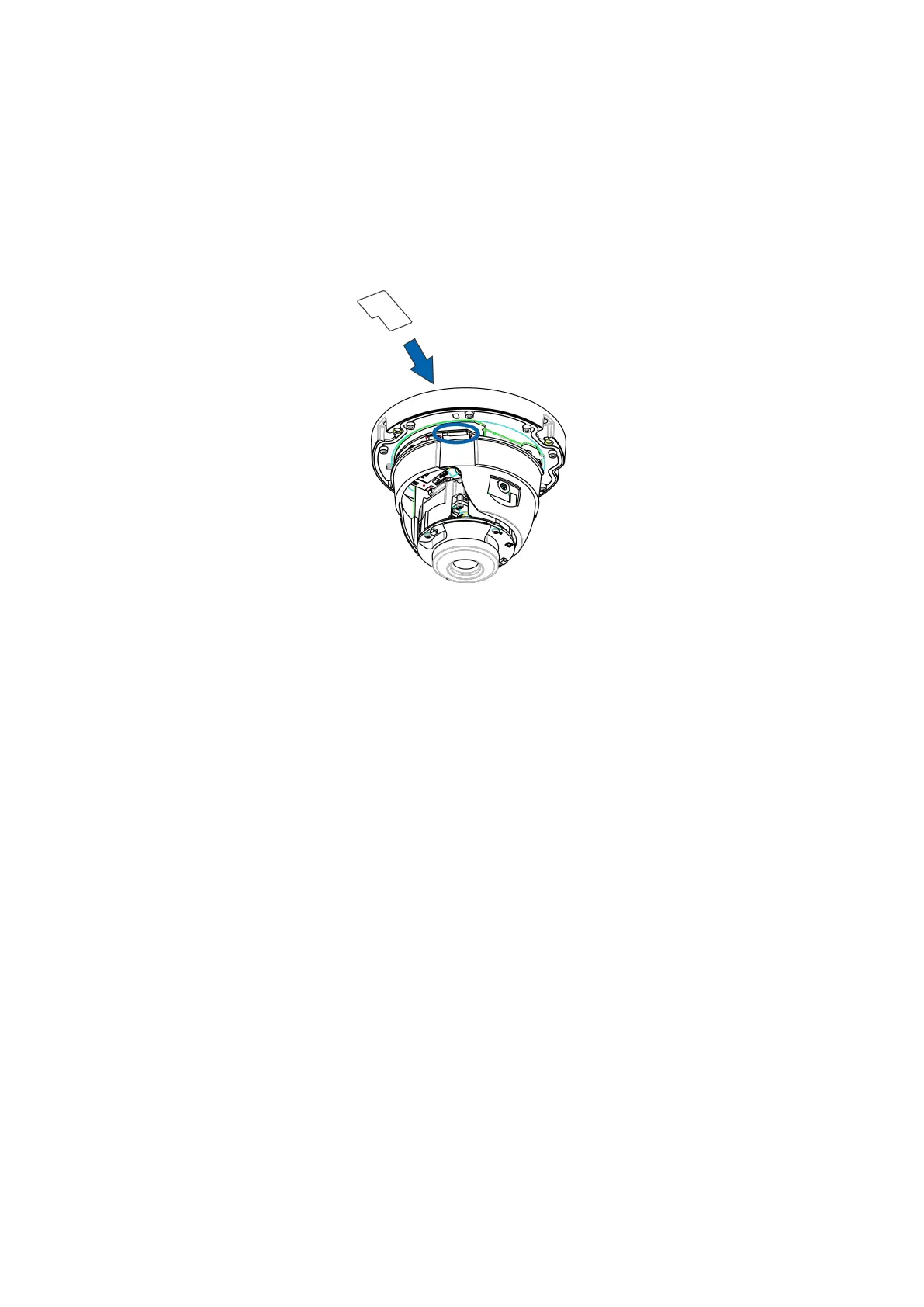
You need open the IP Camera, then plug the SD card into SD card slot inside the IP Camera.
When you plug in the SD card during the camera work process, please reboot the camera again, or else the
SD Card may be cannot work well.
Insert Micro SD Card in the location shown below.
NOTE: When you re-install the camera, please ensure the tightness with the camera.
1.7 Wall Installation
Please refer to the Quick Setup Guide.
NOTE: Ensure that the rain or water will not reach the connector ports at the end of the pig tail wiring. These
connectors are not weather-resistant.
The cable of an outdoor camera should, from the position where the cable is divided into several cables, be
fitted dry. Install the cable into a waterproof junction box (1) or bring the cable indoors (2).



 To Next Page