2 Access the IP Camera
2.1 Hardware Connection & Software Installation
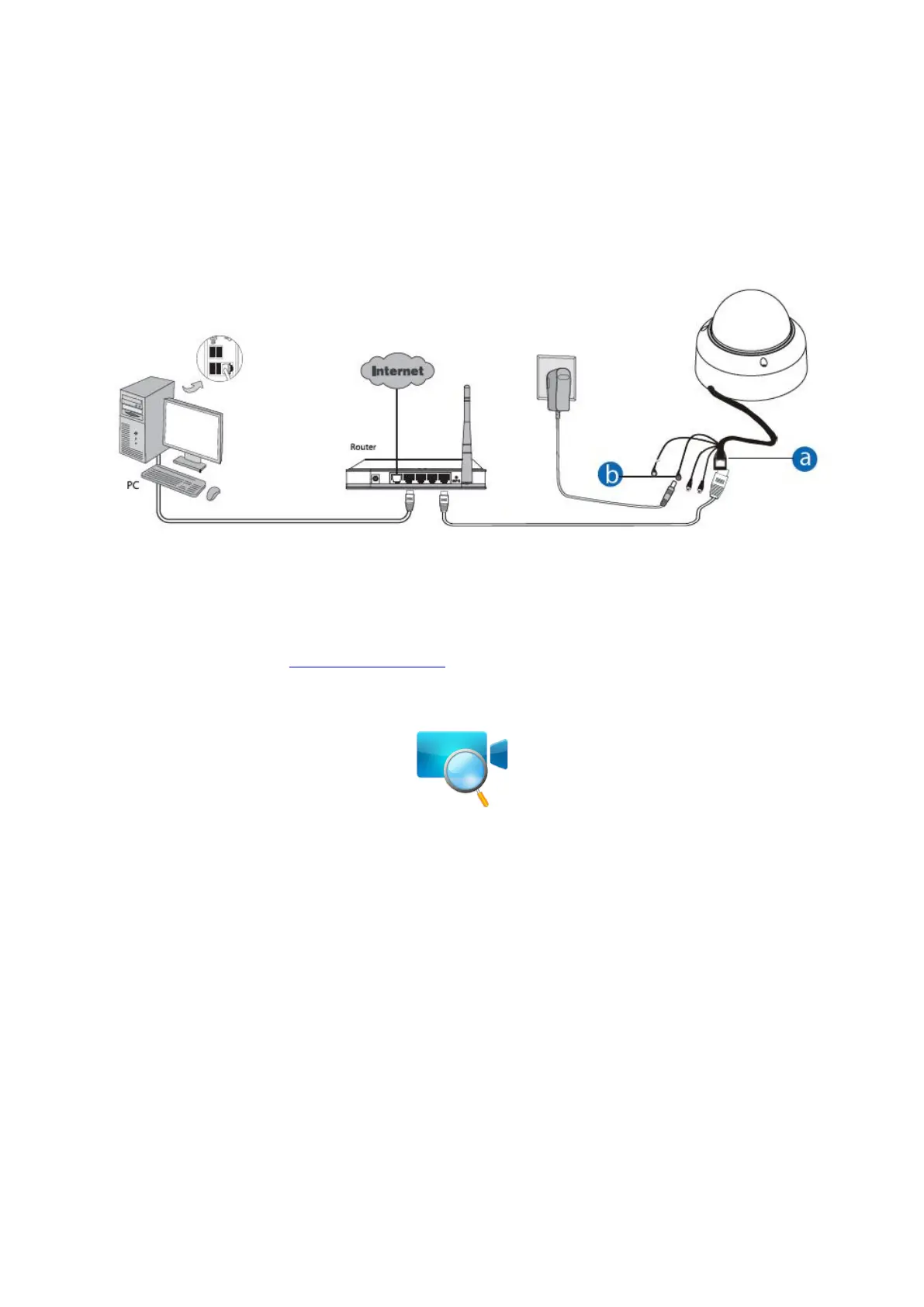
a. Connect the camera to the LAN network (Router or Switch) via network cable.
b. If the Router or Switch supports PoE function, power adapter is unnecessary. If not, please connect the
power adapter to the camera.
c. Visit Foscam official website http://www.foscam.com , select “Support > Download Center > Software Tools”, then
you can find the “Equipment Search Tool”, download the tool to your computer, the icon shows as below:
NOTES:
If your computer (Windows OS) supports autorun function, you can find the corresponding file in the
opened control panel.
2.2 Access the Camera In LAN
The camera supports HTTP and HTTPS protocols, you can access the camera in two ways.
(1) Http:// LAN IP + Http Port No.
The default HTTP port NO. is 88. Double click the Search Tool icon to run, and it should find the camera's IP
address automatically after you plug in the network cable.



 To Next Page