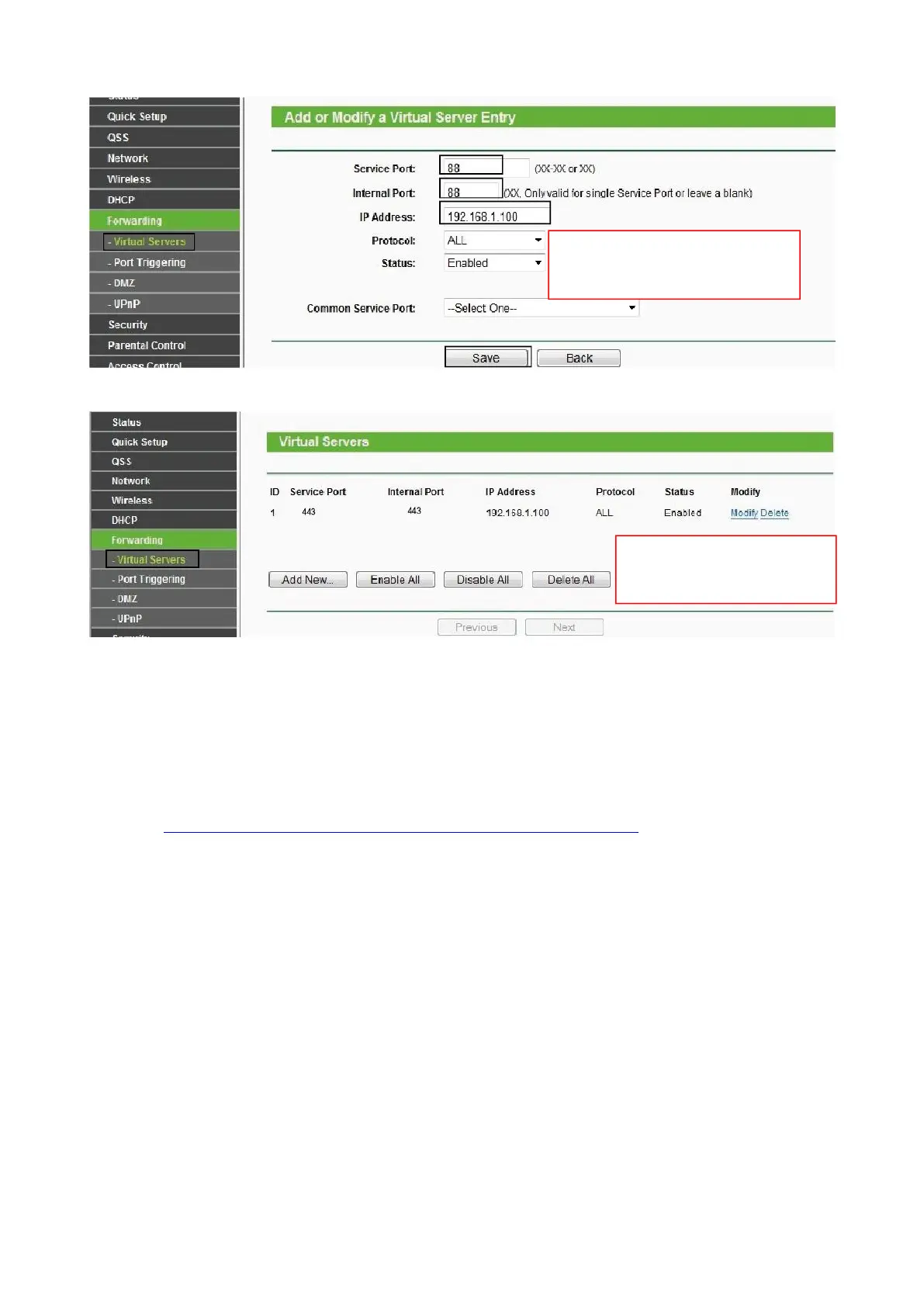
5. Now you can access your IP camera by https://domain name: HTTPS port via the Internet.
2.3 Using the VLC Player
This camera supports RTSP streaming, here you can view the camera using VLC player.
RTSP URL rtsp:// [user name][:password]@IP:HTTP port number/videosream
The part in the square brackets may be omitted.
user name & password:
The user name and password to access the camera. This part can be omitted.
IP: WAN or LAN IP address.
Videostream:Here support three modes: videoMain, videoSub and audio. When the network speed is bad,
here you had better select videoSub.
For example:
IP: 192.168.1.11
HTTP Port number: 88
User name: admin
Password: 123
Here I can enter one of the following URLs in the VLC.
Input the port and IP address of
your camera and click Save.
Here you have finished the
Port Forwarding setup.


 To Next Page