factory default administrator password. The default administrator user is admin with no password.
1.5.3 Bottom View
There are two labels located at the bottom of the camera; this is an important feature of original Foscam
cameras. If your camera does not have labels, it may be a clone. Cloned Foscam cameras can not use original
firmware and are not eligible for warranty or technical services.
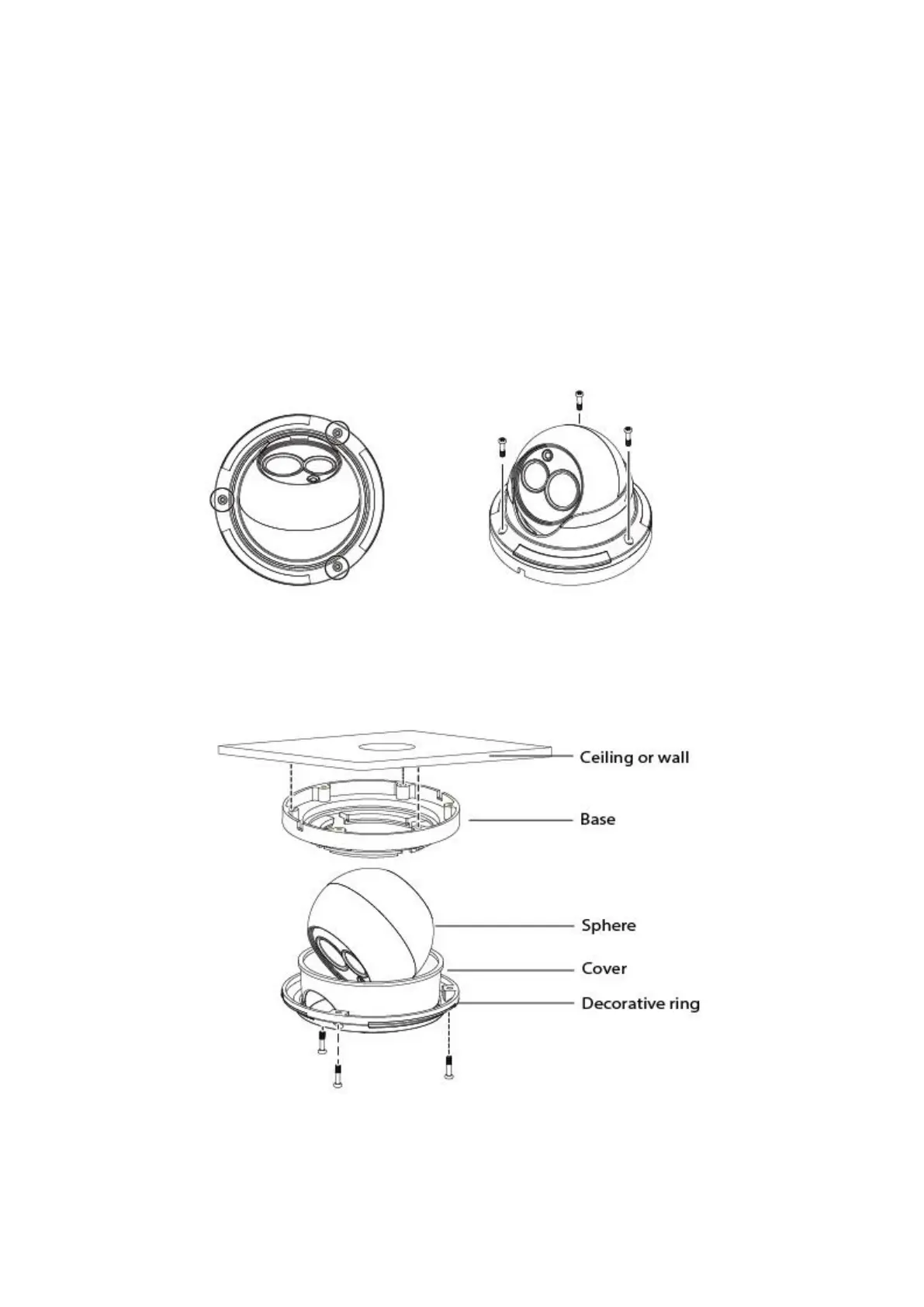
1.6 Hardware Installation
1. Loosen the three screws on the base of the camera, remove the camera base.
2. According to the monitored area, install the base of the camera on the ceiling or wall with expansion screws.
3. Assembly the sphere, cover and decorative ring of the order, according to the monitored area to turn the
angle of the sphere. Finally, fix the decorative ring and the base with screws.


 To Next Page