Click Save button and submit your settings.
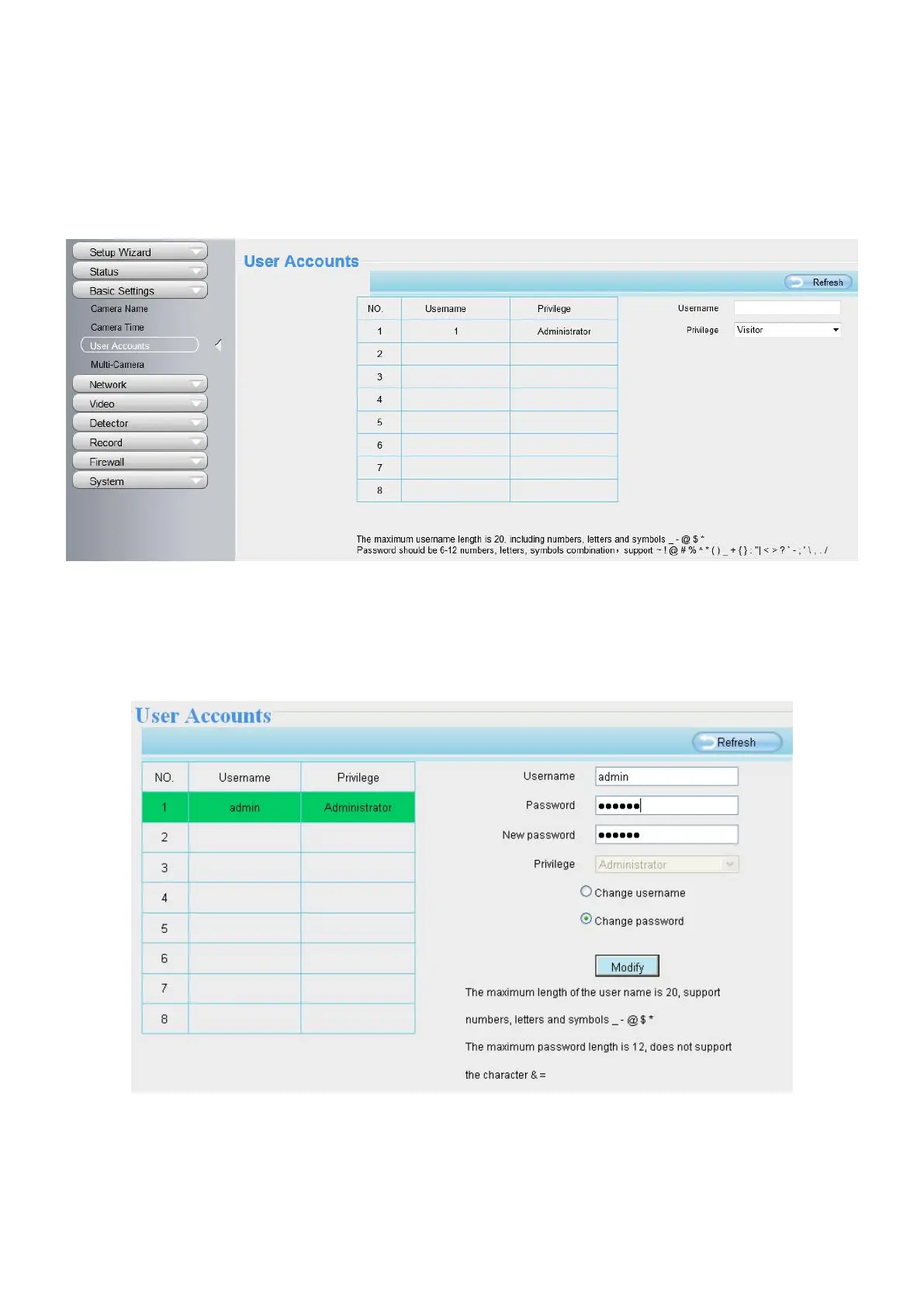
4.2.3 User Accounts
Here you can create users and set privilege, visitor, operator or administrator. The default administrator
user accounts are admin with a blank password.
How to change the password?
Firstly, select the account which you want to change the password, then select Change Password, enter the
old password and the new password, lastly click modify to take effect.
How to add account ?
Select one blank column, then enter the new user name, password and privilege, last click Add to take effect.



 To Next Page