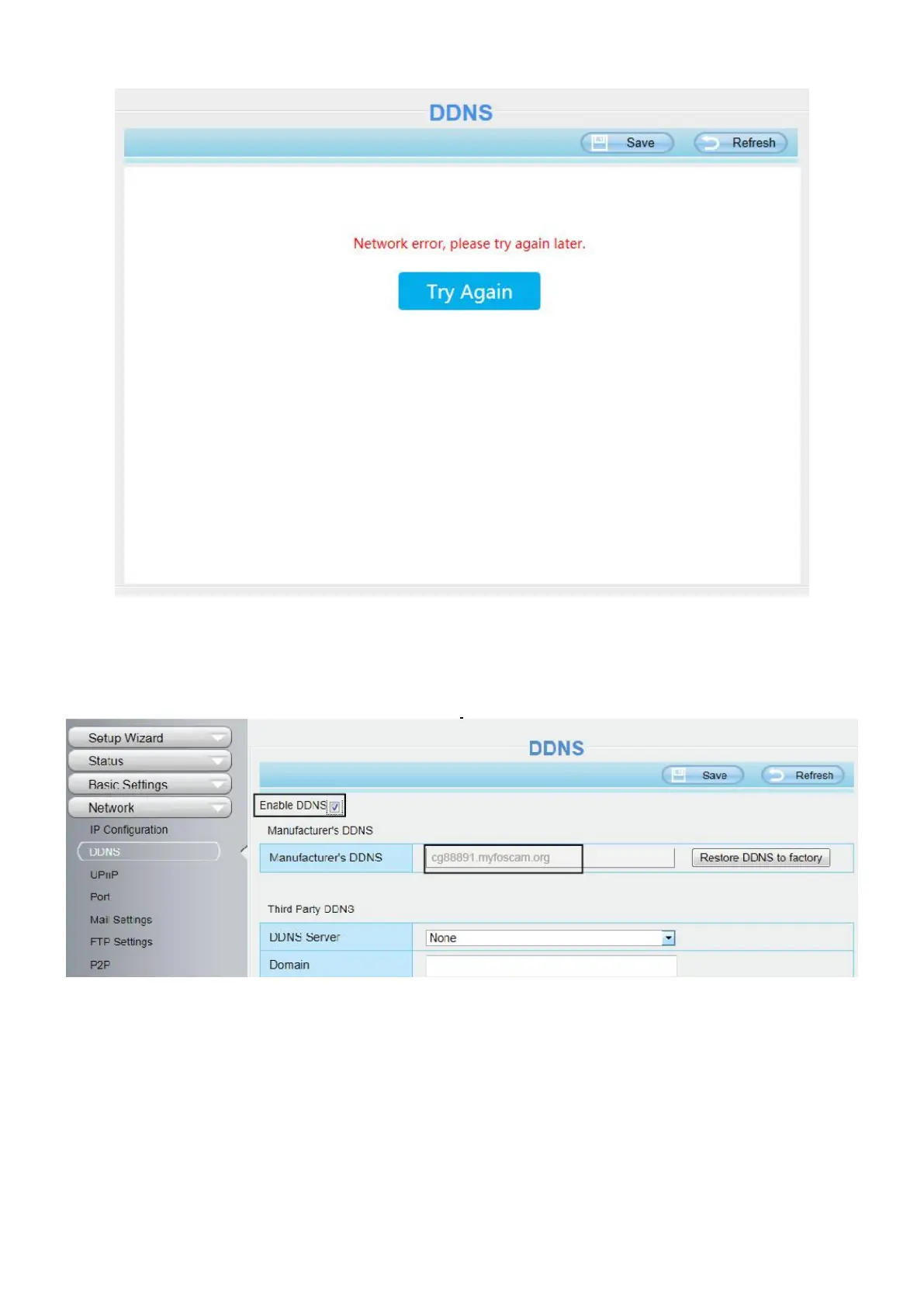
Once you success get Foscam DDNS, you can follow below step to use.
Here take cp4911.myfoscam.org for example. Go to option of DDNS on the Settings > Network panel, you
can see the domain name.
Now you can use http:// Domain name + HTTP Port to access the camera via internet.
Take hostname cg88891.myfoscam.org and HTTP Port NO. 8000 for example, the accessing link of the
camera via internet would be http://cg88891.myfoscam.org:8000
Restore DDNS to factory: If you have configured Third Party DDNS successfully, but you want to use
Manufacturer's DDNS again , here click this button and start Manufacturer's DDNS Service.
Third Party Domain Name Settings
User can also use third part DDNS, such as www.no-ip.com. ,www. 3322.com
Here take www.no-ip.com for example:


 To Next Page