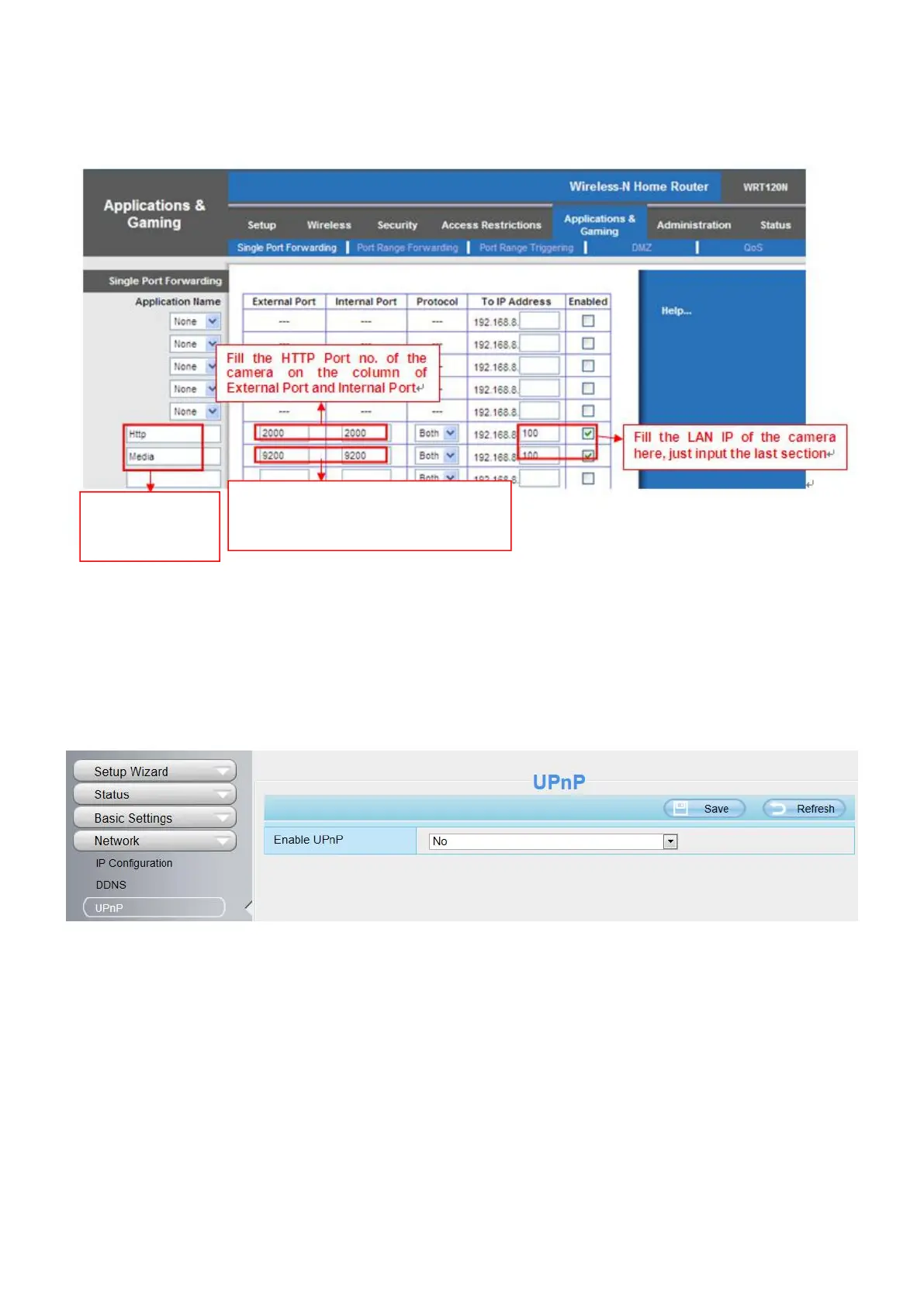
Secondly, Create a new column by LAN IP address & HTTP Port No. of the camera within the router showed
as below.
3. Use domain name to access the camera via internet
After the port forwarding is finished, you can use the domain name+ http no. to access the camera via
internet. Take hostname ycxgwp.no-ip.info and http no. 2000for example, the accessing link of the camera via
internet would be http:// ycxgwp.no-ip.info:2000
4.3.3 UPnP
The default UPnP status is closed. You can enable UPnP, then the camera's software will be configured for
port forwarding. Back to the Device Status panel, you can see the UPnP status:
Assign a name
as you like
here.
Fill the Media Port no. of the
camera on the column of
External Port and Internal Port.


 To Next Page