English
Start-Up and Operaon
Aer unpacking, clean and allow the cabinet to stand for 60 minutes before turning on (cleaning direcons
supplied within this manual). Ensure the cabinet is situated on a rm, level surface, away from both hot and cold
air sources, as this will aect its performance.
Please ensure when installing this model into kitchen units cut outs are added to the rear and base. Also when
installed a minimum clearance of 25mm to the front and sides of the model inside the unit is available. These are
all required for eecve venlaon and operaon.
Connect the unit to a suitable mains power outlet and turn the supply on. Do not plug or unplug the unit with wet
hands.
The cabinet will start automacally displaying the actual internal temperature of the unit (area where product is
stored). The display is posioned inside the cabinet.
As the operang temperature has been pre-set no adjustments are required. Allow the cabinet to reach
its normal operang temperature before loading with pre-chilled product.
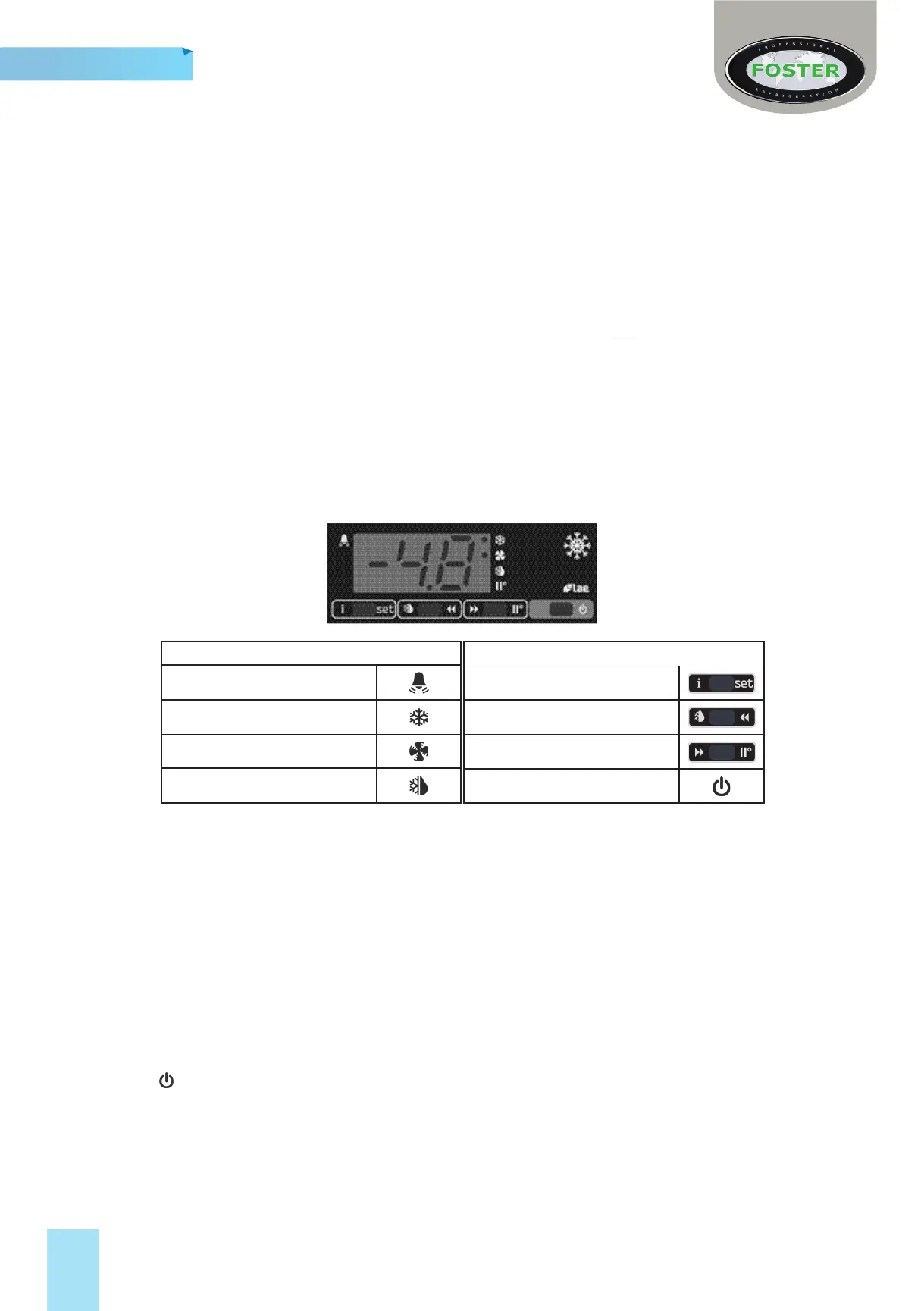
Display Icons and Buons
Buttons
Info & Set Point
Manual Defrost & Decrease
Increase & Manual Activation
Standby/Exit
Icons
Alarm Warning
Thermostat Output Active
Fan Output Active
Defrost Output Active
Standby
Pressing the power switch for 5 seconds will turn the unit on or into standby. When in standby the display will
show
Set Point
To amend the set point press and hold the ‘i’ buon for half a second. Then while keeping the ‘i’ buon
pressed use the ◄ and ► buons to set the desired value.
When the ‘i’ buon is released the new value will be stored automacally.
Keypad Security Sengs
This funcon avoids unauthorised controller access.
Press & release ‘i’ then use ► to select ‘LOC’. Press and hold to ‘i’ change from ‘YES’ to ‘NO’. Leave for 10 seconds
or briey press to resume.
Defrost
Models are ed with a fully automac defrost system to ensure that the evaporator coil or cooling plate remains
free from ice in normal use. ‘Melt water’ is automacally evaporated using the heat from the refrigeraon
system.
2






 To Next Page