EasyManua.ls Logo

Fostex 280 - General Procedures; Tape Sync Explained

Fostex 280
28 pages
Print Icon
To Next Page IconTo Next Page
To Previous Page IconTo Previous Page
Loading...
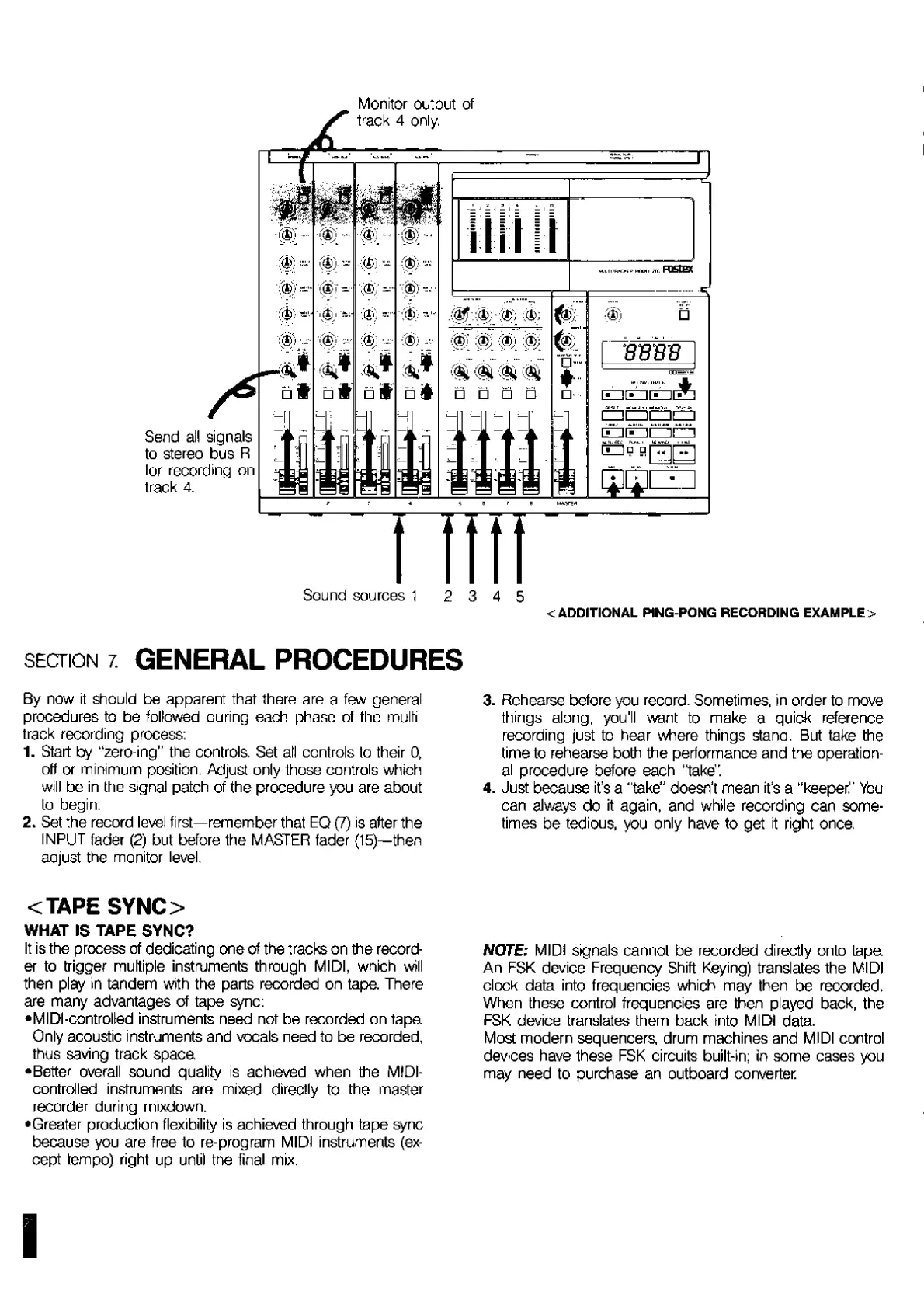
Send
all
signals
to
stereo
bus
R
for
recording
on
track
4.
Monitor
output
of
track
4
only.
Of
*
;$;
(?)
m
:*?>;
mi
ii
nipwoi
p
i-viHi
;rr.
FDSEGX
A
d
BBm
oa=§”--.
ed'Thqt]
i
EL
Sound
sources
1
<
ADDITIONAL
PING-PONG
RECORDING
EXAMPLE>
section
7
GENERAL
PROCEDURES
By
now
it
should
be
apparent
that
there
are
a
few
general
procedures
to
be
followed
during
each
phase
of
the
multi¬
track
recording
process;
1.
Start
by
“zero-ing”
the
controls.
Set
all
controls
to
their
0,
off
or
minimum
position.
Adjust
only
those
controls
which
will
be
in
the
signal
patch
of
the
procedure
you
are
about
to
begin.
2.
Set
the
record
level
first—remember
that
EQ
(7)
is
after
the
INPUT
fader
(2)
but
before
the
MASTER
fader
(15)—then
adjust
the
monitor
level.
<TAPE
SYNC>
WHAT
IS
TAPE
SYNC?
It
is
the
process
of
dedicating
one
of
the
tracks
on
the
record¬
er
to
trigger
multiple
instruments
through
MIDI,
which
will
then
play
in
tandem
with
the
parts
recorded
on
tape.
There
are
many
advantages
of
tape
sync;
•MIDI-controlled
instruments
need
not
be
recorded
on
tape
Only
acoustic
instruments
and
vocals
need
to
be
recorded,
thus
saving
track
space
•Better
overall
sound
quality
is
achieved
when
the
MIDI-
controlled
instruments
are
mixed
directly
to
the
master
recorder
during
mixdown.
•Greater
production
flexibility
is
achieved
through
tape
sync
because
you
are
free
to
re-program
MIDI
instruments
(ex¬
cept
tempo)
right
up
until
the
final
mix.
3.
Rehearse
before
you
record.
Sometimes,
in
order
to
move
things
along,
you'll
want
to
make
a
quick
reference
recording
just
to
hear
where
things
stand.
But
take
the
time
to
rehearse
both
the
performance
and
the
operation¬
al
procedure
before
each
"take".
4.
Just
because
it’s
a
'
take”
doesn’t
mean
it’s
a
"keeper."
You
can
always
do
it
again,
and
while
recording
can
some¬
times
be
tedious,
you
only
have
to
get
it
right
once.
NOTE;
MIDI
signals
cannot
be
recorded
directly
onto
tape.
An
FSK
device
Frequency
Shift
Keying)
translates
the
MIDI
clock
data
into
frequencies
which
may
then
be
recorded.
When
these
control
frequencies
are
then
played
back,
the
FSK
device
translates
them
back
into
MIDI
data.
Most
modern
sequencers,
drum
machines
and
MIDI
control
devices
have
these
FSK
circuits
built-in;
in
some
cases
you
may
need
to
purchase
an
outboard
converter
I

Related product manuals