EasyManua.ls Logo

Fostex 280 - Basic Operating Procedures; Recording the Drum Track

Fostex 280
28 pages
Print Icon
To Next Page IconTo Next Page
To Previous Page IconTo Previous Page
Loading...
SECTION
5.
BASIC
OPERATING
PROCEDURES
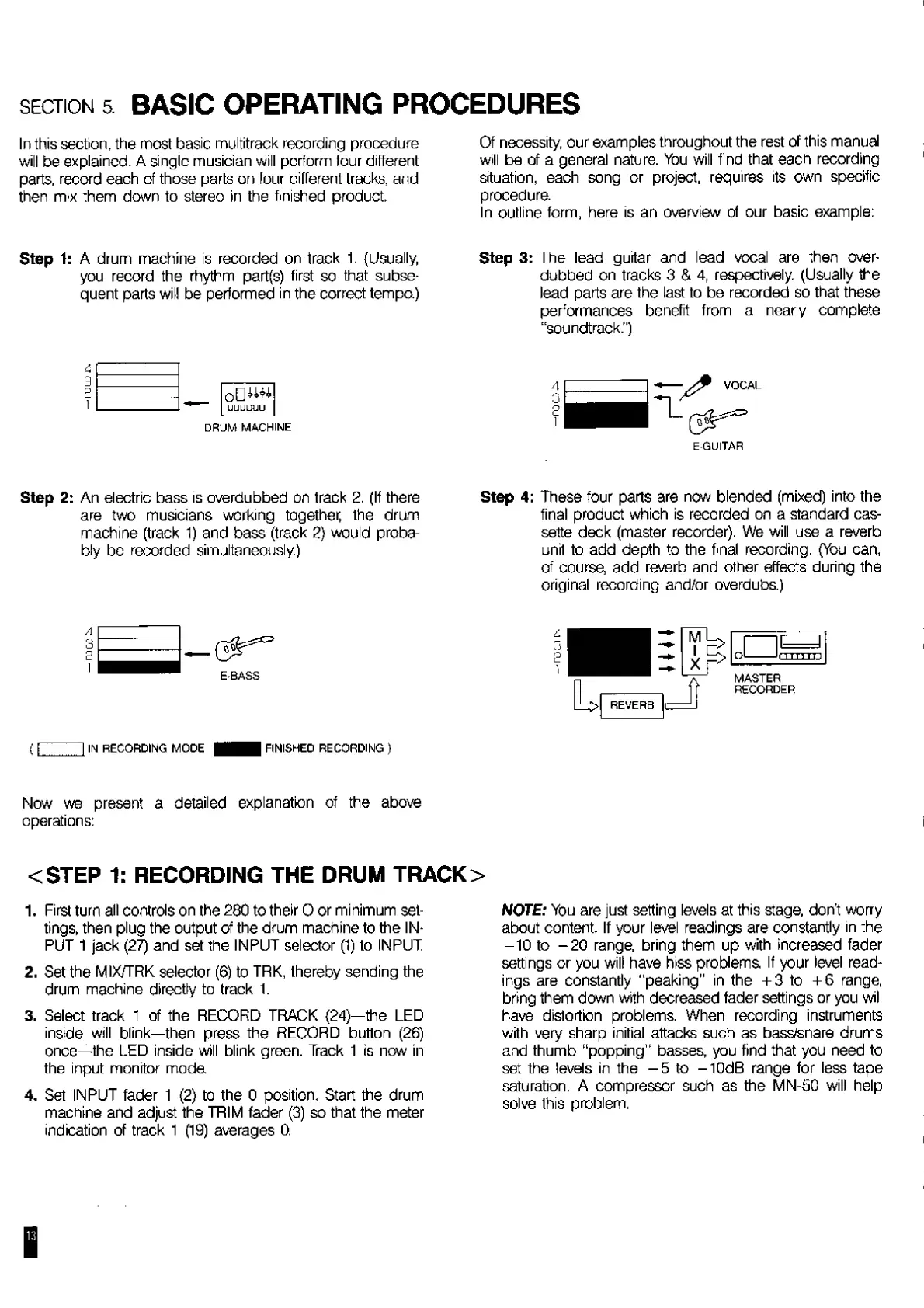
In
this
section,
the
most
basic
multitrack
recording
procedure
will
be
explained.
A
single
musician
will
perform
four
different
parts,
record
each
of
those
parts
on
four
different
tracks,
and
then
mix
them
down
to
stereo
in
the
finished
product.
Step
1:
A
drum
machine
is
recorded
on
track
1.
{Usually,
you
record
the
rhythm
part(s)
first
so
that
subse¬
quent
parts
will
be
performed
in
the
correct
tempo.)
DRUM
MACHINE
Step
2:
An
electric
bass
is
overdubbed
on
track
2
.
(If
there
are
two
musicians
working
together,
the
drum
machine
(track
1)
and
bass
(track
2}
would
proba¬
bly
be
recorded
simultaneously.)
E-BASS
(i
I
IN
RECORDING
MODE
FINISHEO
RECORDING
}
Of
necessity,
our
examples
throughout
the
rest
of
this
manual
will
be
of
a
general
nature.
You
will
find
that
each
recording
situation,
each
song
or
project,
requires
its
own
specific
procedure.
In
outline
form,
here
is
an
overview
of
our
basic
example:
Step
3:
The
lead
guitar
and
lead
vocal
are
then
over¬
dubbed
on
tracks
3
&
4,
respectively.
(Usually
the
lead
parts
are
the
last
to
be
recorded
so
that
these
performances
benefit
from
a
nearly
complete
“soundtrack.")
EGUITAR
Step
4:
These
four
parts
are
now
blended
(mixed)
into
the
final
product
which
is
recorded
on
a
standard
cas¬
sette
deck
(master
recorder).
We
will
use
a
reverb
unit
to
add
depth
to
the
final
recording.
(You
can,
of
course
add
reverb
and
other
effects
during
the
original
recording
and/or
overdubs.)
Now
we
present
a
detailed
explanation
of
the
above
operations:
<STEP
1:
RECORDING
THE
DRUM
TRACK>
1.
First
turn
all
controls
on
the
280
to
their
0
or
minimum
set¬
tings,
then
plug
the
output
of
the
drum
machine
to
the
IN¬
PUT
1
jack
(27)
and
set
the
INPUT
selector
(1)
to
INPUT.
2.
Set
the
MIX/TRK
selector
(6)
to
TRK,
thereby
sending
the
drum
machine
directly
to
track
1.
3.
Select
track
1
of
the
RECORD
TRACK
(24)—the
LED
inside
will
blink—then
press
the
RECORD
button
(26)
once—the
LED
inside
will
blink
green.
Track
1
is
now
in
the
input
monitor
mode
4.
Set
INPUT
fader
1
(2)
to
the
0
position.
Start
the
drum
machine
and
adjust
the
TRIM
fader
(3)
so
that
the
meter
indication
of
track
1
(19)
averages
0.
NOTE:
You
are
just
setting
levels
at
this
stage,
don’t
worry
about
content.
If
your
level
readings
are
constantly
in
the
-10
to
-20
range,
bring
them
up
with
increased
fader
settings
or
you
will
have
hiss
problems
If
your
level
read¬
ings
are
constantly
“peaking"
in
the
+3
to
+6
range,
bring
them
down
with
decreased
fader
settings
or
you
will
have
distortion
problems.
When
recording
instruments
with
very
sharp
initial
attacks
such
as
bass/snare
drums
and
thumb
“popping”
basses,
you
find
that
you
need
to
set
the
levels
in
the
-5
to
-10dB
range
for
less
tape
saturation.
A
compressor
such
as
the
MN-50
will
help
solve
this
problem.
I

Related product manuals