5
85
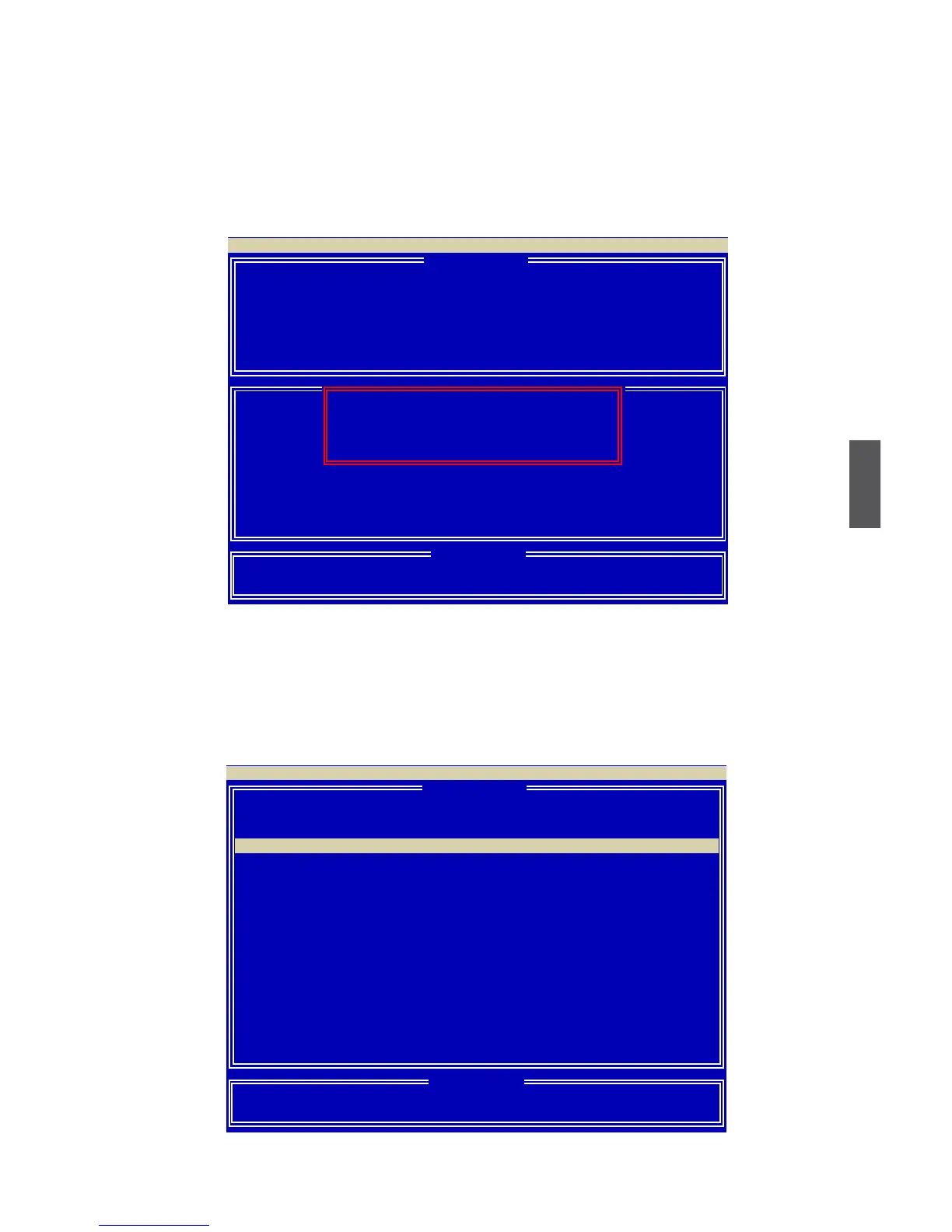
5. A message prompts.
Press [Ctrl-Y] to erase the RAID array.
6. The creation of RAID Ready is completed.
[ Dene LD Menu ]
LD No RAID Mode Total Drv Capacity(GB) Status
LD 1 RAID 0
2 163.99 Functional
LD 2 −−−− −−−− −−−−−−−− −−−−
LD 3 −−−− −−−− −−−−−−−− −−−−
LD 4 −−−− −−−− −−−−−−−− −−−−
LD 5 −−−− −−−− −−−−−−−− −−−−
LD 6 −−−− −−−− −−−−−−−− −−−−
LD 7 −−−− −−−− −−−−−−−− −−−−
LD 8 −−−− −−−− −−−−−−−− −−−−
LD 9 −−−− −−−− −−−−−−−− −−−−
LD10 −−−− −−−− −−−−−−−− −−−−
[↑] Up [↓] Down [ESC] Exit [Enter] Select
Option ROM Utility (c) 2009 Advanced Micro Devices, Inc.
[ Keys Available ]
LD 1 RAID READY 1 319.99 Functional
[ Dene LD Menu ]
LD No RAID Mode Total Drv
LD 1 RAID READY 1
Stripe Block: NA Fast Init: ON
Gigabyte Boundary: NA Cache Mode: WriteThru
Channel :ID Drive Model Compatibilities Capacity(GB) Assignment
1 :Mas HDS728090PLA380 SATA 3G 42.28 N
2 :Mas WDC WD1200JD-98HBB0 SATA 1.5G 79.96 N
3 :Mas Hitachi HDT725025VLA3 SATA 3G 250.05 N
4 :Mas ST3320620AS SATA 1.5G 320.07 Y
[↑] Up [↓] Down [ESC] Exit [Space] Change [Ctrl-Y] Save [PgUp/Dn] Page Change
[ Dene LD Menu ]
Option ROM Utility (c) 2009 Advanced Micro Devices, Inc.
[ Keys Available ]
[ Dene LD Menu ]
Fast Initialization Option has been selected
It will erase the MBR data of the disks,
<Press Ctrl-Y Key if you are sure to erase it>
<Press any other key to ignore this option>



 To Next Page
 Loading...