
 Need help?
Do you have a question about the Foxconn A7DA 3.0 Series and is the answer not in the manual?
Detailed specifications for the motherboard, including CPU, memory, audio, LAN, and expansion slots.
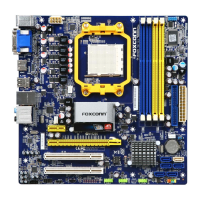
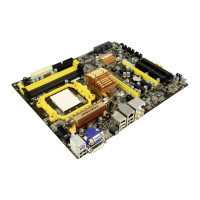
Diagram and labeling of internal motherboard connectors and components for easy identification.
Description of external ports and connections available on the motherboard's rear panel.
Step-by-step guide for safely installing the CPU and its cooling solution onto the motherboard.
Instructions for installing DDR3 DIMM modules, including dual-channel configuration.
Procedure for installing expansion cards into PCI Express and PCI slots on the motherboard.
Guidance on connecting power connectors, fan headers, USB, and audio headers internally.
Explanation of jumper settings for motherboard configuration and CMOS clearing.
Description of the motherboard's power and reset buttons for system operation.
How to access the BIOS Setup utility and navigate its main menu and submenus.
Displays essential system details like BIOS version, CPU name, memory size, and date/time settings.
Configure ACPI settings for power management, including various sleeping states and wake-up events.
Settings for boot order, IDE detection, MPS revision, PCI latency, and boot options.
Access to proprietary features like BIOS protection, PCI clock detection, and voltage/CPU configurations.
Fine-tuning memory timings, graphics allocation, and other chipset-related performance settings.
Enable or disable onboard controllers for IDE, SATA, USB, LAN, and audio devices.
Set supervisor and user passwords, manage access levels, and configure password checking behavior.
Options to load default settings, save changes, or discard modifications before exiting BIOS setup.
Lists drivers and software utilities included on the motherboard's utility CD for system enhancement.
Guide for installing essential system drivers and optional software utilities from the CD.
Powerful utility for system monitoring, performance tuning, voltage, and fan speed adjustments.
Tool for backing up, updating system BIOS, drivers, and utilities via local or online sources.
Utility to backup, change, or delete the boot time logo displayed during POST.
Desktop Management Interface viewer for analyzing and troubleshooting motherboard information.
Application for managing CPU and system power, including setting up power plans and turbo functions.
Explanation of RAID concepts, configurations (Mirroring, Striping), and benefits for data storage.
Interface for configuring RAID arrays, managing logical drives, and assigning hard disks.
Steps to create a bootable floppy diskette with RAID drivers for OS installation.
How to activate RAID functionality within the motherboard's BIOS setup utility.
Process of selecting and configuring a RAID array for system use after BIOS setup.
Guide to installing Windows XP on a newly configured RAID array, including driver loading.
Instructions for configuring a non-bootable RAID array for data storage on an existing system.
 General
| Brand | Foxconn |
|---|---|
| Model | A7DA 3.0 Series |
| Category | Motherboard |
| Language | English |



 To Next Page